


Most sellers asking “what is the Amazon FBA fee?” are really asking a bigger question: what will Amazon charge me per sale, and can this SKU still profit after everything else? The key is that “FBA fee” is not one fixed number—it’s a bundle of fee buckets that depend on your category, your packaged size/weight, and what events happen after inventory arrives.
Amazon FBA fees: the 60-second answer
If you only remember one thing, remember this: “FBA fee” is a bundle of Amazon charges (selling fees + fulfillment/storage + event-triggered fees), and you can only estimate it accurately if you use your packaged unit’s dimensions/weight and the right category.Fast Answer Box — What you may pay (and what drives it most)
| Fee bucket | What it is | When it applies | What changes it most |
|---|---|---|---|
| Selling plan fee | Your account’s selling plan charge | Ongoing | Plan type (Individual vs subscription plan) |
| Referral fee | Amazon’s selling fee tied to category | Per sale | Category selection + item price |
| FBA fulfillment fee | Pick/pack/ship type cost (per unit) | Per sale (FBA orders) | Packaged size tier + shipping weight |
| Storage fees | Inventory storage cost over time | Monthly | Cubic volume + how long inventory sits |
| Event-triggered fees | Fees that happen only if a trigger occurs | When triggered | Returns, removals/disposal, long-staying inventory, certain inbound service choices |
30-second “estimate per unit” path
- Collect: target category, target selling price, and packaged dimensions + packaged weight (the exact unit a customer receives).
- Estimate fees using Amazon’s fee tools (new product workflow vs existing ASIN workflow).
- Add non-Amazon costs (COGS + inbound freight + prep/labeling + duties/taxes) to get a true go/no-go margin view.
Boundary notes (don’t skip)
- Fees vary by marketplace, category, and size/weight tier.
- Some fees show up only when a trigger happens (returns, removals, inventory aging).
- If you change packaging later, your fee estimate can change too—re-check before production and before reorders.
What sellers mean by “FBA fee” (and what it does not include)
With the bucket map clear, here’s the direct answer: when sellers say “FBA fee,” they usually mean Amazon’s fulfillment/storage costs, but profitable decisions require separating Amazon fees from your landed cost.
What “Amazon fees” typically includes
- Selling fees: selling plan charges and referral fees (apply even if you don’t use FBA).
- FBA fees: fulfillment fee per unit and storage fees over time.
- Event-triggered Amazon fees: removals/disposal, returns-related charges, and other program- or event-driven charges (only when triggered).
What “Amazon fees” does not include (landed cost items)
These are real costs, but Amazon isn’t charging them:
- Product cost (COGS) from your supplier
- Inbound freight (factory → prep/warehouse → Amazon)
- Prep work and materials (labels, polybags, kitting, carton changes)
- Insurance, duties/taxes, inspections (as applicable)
- Your own overhead (software, payroll), and advertising (if you run it)
Why this separation matters
- It prevents the classic mistake: thinking you have a “fee problem” when you really have a packaging/freight/COGS problem.
- It keeps your decision model clean: Amazon fees are one input; landed cost is another; margin is the output.
The two selling fees most people confuse with “FBA fees” (plan + referral)
Before you even talk about FBA, understand this: Amazon typically charges selling fees that apply regardless of whether you fulfill with FBA or FBM.
Key points (selling fees in plain language)
- Selling plan charges depend on the plan you choose (an Individual plan structure vs a subscription-style Professional plan).
- Referral fees are tied to the product’s category and are generally calculated from the sale price (category selection matters).
- These selling fees are separate from FBA’s fulfillment and storage costs.
Quick “$100 sale” reality check (without false precision)
If you sell an item for $100, it’s not accurate to say “Amazon takes one fixed percent.” Your total Amazon charges depend on:
- which category you’re in (referral fee behavior), and
- whether you use FBA (fulfillment + storage exposure), and
- whether any triggers occur (returns/removals/aging).
Boundary notes
- Plan pricing and fee structures can change; always verify current terms in your account or official pricing pages.
- Category mismatch is one of the fastest ways to get a misleading estimate.
How the FBA fulfillment fee is calculated (size tier + shipping weight)
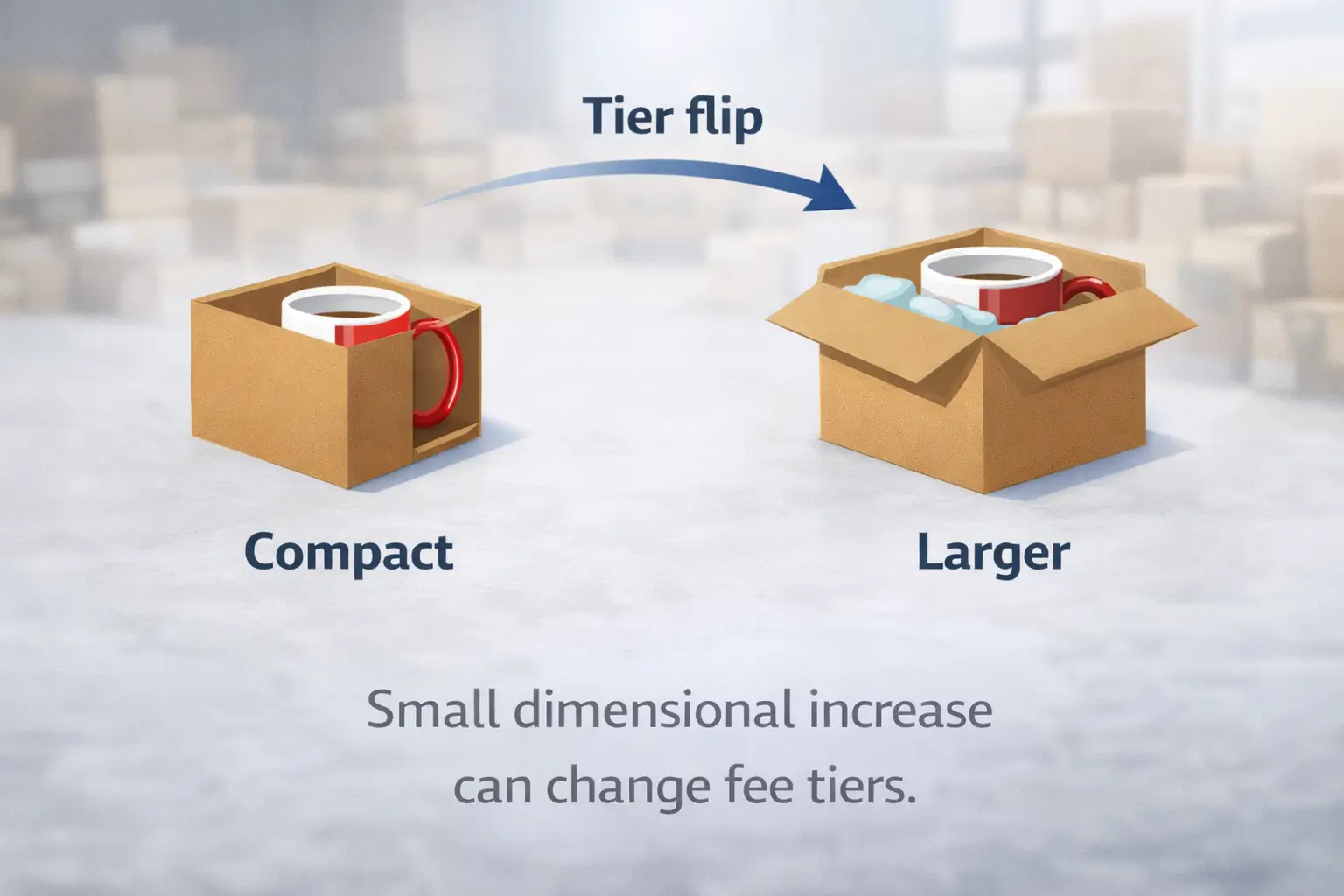
Here’s the core mechanic: Amazon’s per-unit FBA fulfillment fee is primarily driven by your product’s packaged size tier and shipping weight—small packaging changes can move you into a different tier.
Key points (what changes the fee most)
- The “unit” that matters is the sellable, packaged unit (not the bare factory product).
- Size tier and shipping weight are based on dimensions + weight—and those inputs are influenced by packaging decisions.
- Tier flips usually happen when packaging increases one dimension, adds protective materials, or changes the pack count.
A simple way to think about the calculation (process view)
- Confirm the sellable unit configuration
- Pack count (single vs multipack), inserts, overwrap, protective materials.
- Measure the packaged unit
- Length/width/height and weight of the fully packed unit.
- Determine the size tier and shipping weight basis
- Amazon’s rules classify items into tiers; the tier and weight basis drive the fulfillment fee schedule.
- Estimate the per-unit fulfillment fee using Amazon’s tool
- Tools bake the tier rules into the calculation so you don’t have to guess.
“Before you measure” checklist (to avoid bad inputs)
- Are you measuring the exact pack count you’ll sell (1-pack vs 2-pack vs bundle)?
- Are protective inserts part of the unit (and consistent)?
- Are you using packaged dimensions, not product-only dimensions?
- Did you confirm whether your listing will require special prep that changes packaging?
Boundary notes
- Some products have special handling rules (for example, hazmat or categories with unique requirements).
- If packaging isn’t finalized, treat your estimate as provisional and re-check before mass production.
Storage fees: where time and volume quietly change your math
FBA storage costs are an exposure that grows with volume and time—slow turns and overstock make storage a real margin factor.
Key points (what drives storage exposure)
- Storage is typically tied to how much space your inventory uses and how long it stays in fulfillment centers.
- The risk isn’t “storage exists”; the risk is inventory sitting too long due to slow sales, large MOQs, or overly aggressive inbound shipments.
- Storage cost pressure is often highest when your replenishment strategy is not aligned with lead time and demand.
Practical risk checklist (what to watch)
- [ ] Are you sending a large first shipment because of MOQ—even if demand is uncertain?
- [ ] Does your product have seasonal spikes that can leave you with off-season leftovers?
- [ ] Is your lead time forcing you to overstock “just in case”?
- [ ] Are you bundling or packaging in a way that increases cubic volume unnecessarily?
Boundary notes
- Storage rules and structures can change over time; verify current details for your marketplace.
- A “good” storage strategy depends on lead time, demand predictability, and restock cadence.
Other FBA-related fees (only when triggered): returns, removals, and more
The direct answer: many “extra FBA fees” are not guaranteed charges—they happen only when a trigger occurs, so the best approach is to map triggers to prevention levers.
Trigger → fee → prevention map (Table)
| Trigger | What can happen | What you can do about it |
|---|---|---|
| Customer returns or refunds | Return-related charges or adjustments may apply | Improve packaging/quality, tighten listing accuracy, model a conservative return rate |
| Inventory sits too long | Aging-related charges or pressure to remove inventory | Replenish smaller, restock more often, set reorder points, avoid overstock |
| You remove or dispose inventory | Removal/disposal fees may apply | Plan exit strategies early (removals, liquidation options where allowed) |
| Inbound choices or special services | Program- or service-specific fees may apply in some cases | Review inbound settings and service selections; re-check costs before large shipments |
Key points (how to use this)
- Treat trigger-fees as probabilistic costs: you can’t always avoid the trigger, but you can reduce its likelihood and impact.
- The biggest “prevention lever” is usually upstream: packaging, listing accuracy, and replenishment discipline.
Boundary notes
- Not every seller sees every fee; applicability depends on events and program participation.
- Fee definitions and program details can change; verify current terms in official help pages when making decisions.
How to estimate FBA fees per unit (two paths: new product vs existing ASIN)
Here’s the fastest practical approach: use a two-path workflow—one for a brand-new product (no ASIN yet) and another for an existing ASIN—so you don’t force one tool flow onto every scenario.

Step-by-step (the two-path workflow)
- Decide which path you’re in
- Path A: no ASIN yet (pre-launch).
- Path B: existing ASIN (fee check for a known listing).
- Gather the minimum inputs
- Category (best-fit), target selling price, packaged dimensions, packaged weight, pack count.
- Run the estimate using Amazon’s fee tools
- Use the workflow suited to your path (A or B).
- Sanity-check your inputs and output
- Re-measure, confirm pack count, validate category assumptions.
- Combine Amazon fees with landed cost
- Add COGS + inbound freight + prep/label + duties/taxes (as applicable) to evaluate margin.
If you’re sourcing from multiple suppliers or still finalizing packaging, a quick packaging + carton plan review can prevent “tier flips” that make your fee estimate look great on paper but fail in reality. FBABEE supports consolidation and FBA-ready prep as an independent partner (not affiliated with Amazon).
Path A — Estimating fees for a brand-new product (no ASIN yet)
For pre-launch decisions, the answer is straightforward: you’re estimating from assumptions, so your job is to make the assumptions conservative and measurable.
Steps
- Choose the closest category you expect to list in (be conservative if unsure).
- Set a realistic target selling price (don’t optimize the math with a price you won’t keep).
- Build a “final packaging” mock-up (or the best current version) and measure the packaged unit.
- Use Amazon’s fee estimator workflow for new products to estimate selling fees + fulfillment fees.
- Add storage exposure assumptions (especially if lead time is long or MOQ is large).
- Re-check once packaging is finalized and before you place a large PO.
Boundary notes
- If packaging is not final, treat the estimate as provisional and re-run later.
- Category uncertainty can materially change the selling-fee portion of the estimate.
Path B — Checking fees for an existing ASIN (fee preview / estimated fee per unit)
When an ASIN already exists, the fastest answer is: use Amazon’s fee preview/estimated-fee view—but validate that the listing matches your exact unit.
Steps
- Confirm you’re looking at the correct ASIN and the correct variation (size/pack count).
- Check listing attributes that affect fees: pack count, dimensions/weight, category.
- Use the fee preview/estimated fee per unit workflow in Seller Central (where available).
- Compare the fee estimate with your real packaged unit; adjust if your planned unit differs.
- If the ASIN’s listing data looks wrong for your unit, don’t trust the fee output—fix the mismatch first.
Boundary notes
- If the ASIN represents a different pack count or size, the estimate can be misleading.
- Program participation and listing attributes can affect what you see in fee tools.
Inputs checklist + sanity checks (so your estimate is worth trusting)
If you want an estimate you can act on, the key is simple: validate the few inputs that most often break the math.
Inputs checklist
- [ ] Pack count (single, multipack, bundle)
- [ ] Packaged length/width/height (sellable unit)
- [ ] Packaged weight (sellable unit)
- [ ] Category (best-fit)
- [ ] Target selling price (realistic)
- [ ] Any prep/packaging requirements that change the final unit
Sanity checks
- Re-measure one fully packed unit (don’t rely on factory spec sheets).
- Compare to similar products: if your dimensions/weight look off, they probably are.
- If the estimate is “shockingly high,” check pack count and measurements first.
- Keep Amazon fees separate from landed cost when diagnosing “high cost.”
Why your FBA fee looks “too high” (common mistakes + quick fixes)
When fees look too high, the most likely answer is: an input changed (or was wrong), pushing your product into a different tier or category assumption—so troubleshoot inputs before assuming the fee schedule is the problem.
The most common causes (and quick fixes)
- Packaged measurements are wrong → Re-measure a fully packed unit; confirm you didn’t use product-only dimensions.
- Pack count mismatch → Ensure you’re estimating the exact sellable unit (1-pack vs 2-pack is a different unit).
- Category assumption is off → Test the closest plausible category and use a conservative estimate if uncertain.
- Packaging changed after the estimate → Re-run the estimate after inserts, boxes, or protective materials are finalized.
- Storage exposure is under-modeled → If inventory sits longer than planned, storage can shift the economics.
A quick troubleshooting order (fastest to slowest)
- Pack count
- Packaged dimensions and weight
- Category
- Storage/time assumptions
- Event-trigger assumptions (returns/removals)
Boundary notes
- Some differences are driven by listing or program rules you can’t “fix” by re-measuring—verify in your account context.
- Don’t mix in freight/prep/duties when diagnosing “Amazon fees,” or you’ll chase the wrong problem.
How to reduce total FBA-related cost (real levers you control)
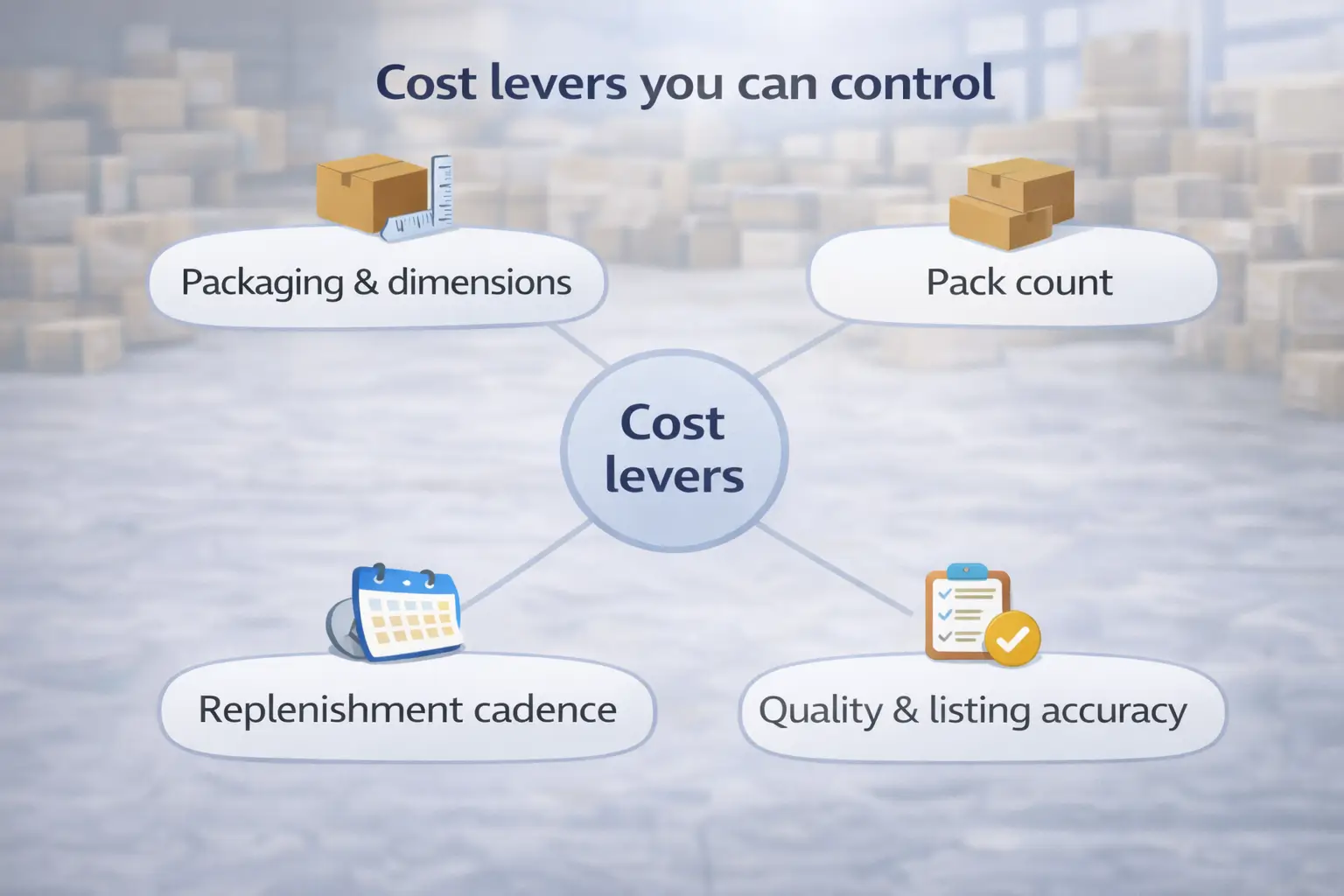
You can’t change Amazon’s fee schedules, but you can change your inputs: the best levers reduce size/weight exposure, prevent avoidable triggers, and keep inventory turning.
Ranked levers (start with the highest impact)
- Avoid tier flips through packaging discipline
- Reduce unnecessary dimensional growth without increasing damage risk.
- Optimize the sellable unit configuration
- Confirm pack count and bundle design early; small changes can change fees materially.
- Improve inventory turns to reduce storage exposure
- Prefer staged replenishment over “one big drop,” when lead time and MOQ allow it.
- Reduce preventable returns and removals
- Better packaging, better QA, and listing accuracy reduce “trigger-fees” over time.
- Upstream carton and consolidation planning (especially for overseas sourcing)
- Consolidate and prep correctly so the final sellable unit and carton plan align with your estimate.
Trade-offs to evaluate (cost vs risk)
- If you reduce packaging too aggressively, you may increase damage, returns, and long-term cost.
- If you ship smaller replenishments, you may increase freight complexity and require tighter planning.
- If you bundle to increase price, you may increase dimensions and shift tiers—re-check the math.
Boundary notes
- Stay compliant with product safety and prep/packaging requirements.
- Test changes with samples before mass production and before large inbound shipments.
FBA vs FBM: a simple cost comparison framework
The simplest correct answer is: neither FBA nor FBM is universally cheaper—compare them using the same components for your SKU, then choose based on cost and operational capability.
Component comparison (Table)
| Cost component | FBA (Fulfilled by Amazon) | FBM (Fulfilled by Merchant) |
|---|---|---|
| Referral fee | Applies | Applies |
| Fulfillment cost per order | Amazon fulfillment fee (tier/weight-driven) | Your shipping + pick/pack labor (or 3PL fees) |
| Storage cost | FBA storage exposure | Your warehouse/3PL storage exposure |
| Returns & customer service | Often simplified operationally | You manage (or pay a 3PL) |
| Prime/buyer expectations | Often easier to meet | Depends on your shipping speed and SLAs |
Boundary notes
- “Cheaper” depends on order volume, return rates, and how efficient your operations are.
- Buyer experience can outweigh small cost differences—don’t optimize for pennies and lose conversion.
Staying current: where to verify the latest fees before launch or reorder
Because fee structures change over time, the best practice is simple: treat fee checks as a repeatable step—verify before launch, before reorders, and whenever packaging changes.
A practical verification stack (no stale tables required)
- Use Amazon’s official fee pages and seller tools as your primary reference points.
- Use fee estimation tools for the SKU-level view (new product estimate vs existing ASIN fee preview).
- Re-run estimates whenever any of these change:
- pack count or bundle design
- packaging materials or dimensions
- target category choice
- fulfillment method (FBA vs FBM)
- replenishment approach (big drop vs staged shipments)
A simple refresh cadence
- Before launch: initial estimate + conservative buffer for uncertainty
- Before first large production run: re-check after packaging is finalized
- Before each reorder: re-check current fee outputs and inventory strategy
- Before peak season: re-check storage exposure assumptions and restock timing
Boundary notes
- Updates vary by marketplace and program; always verify in your seller context.
- If you rely on a third-party “fee table,” double-check against Amazon’s tools before committing inventory.
FAQ: Amazon FBA fee questions sellers ask most
Q: What are Amazon FBA fees?
A: “FBA fees” usually refers to a bundle: your selling fees (plan + referral) plus FBA fulfillment and storage costs, plus event-triggered fees that apply only when something happens (like returns or removals). The exact total depends on your category and your packaged size/weight tier, so the most reliable approach is to estimate using your packaged unit measurements and Amazon’s fee tools.
Q: Do I have to pay $40 to sell on Amazon?
A: Not necessarily. Amazon offers different selling plans, and a subscription-style plan is optional depending on how you sell and how many units you expect to move. Instead of relying on a number from a blog post, check the current plan options in your seller account or official pricing pages, then model your SKU with the plan that matches your situation.
Q: How do I calculate Amazon FBA fees for a product before I launch it?
A: Use the “new product” path: choose the closest category, set a realistic target price, measure one fully packaged sellable unit (dimensions + weight), and run Amazon’s fee estimate workflow. Then add landed costs (COGS + freight + prep + duties/taxes as applicable) to see whether your margin survives real-world costs.
Q: What information do I need to estimate FBA fees accurately (dimensions, weight, category, price)?
A: Minimum inputs are: packaged length/width/height, packaged weight, pack count (single vs multipack), target category, and target selling price. If any of these are wrong—especially packaged measurements or pack count—your fulfillment tier can change and the estimate won’t be trustworthy.
Q: Why is my FBA fee so high?
A: Most “high fee” surprises come from input changes: a tier flip caused by packaging, a pack count mismatch, or a category assumption that changes the selling-fee portion. Re-check pack count, then re-measure the packaged unit, then validate category. Also confirm you’re not mixing in landed costs (freight/prep/duties) when diagnosing “Amazon fees.”
Q: Where can I find the most current Amazon FBA fee schedule and updates?
A: Use Amazon’s official fee pages and seller tools as your source of truth, and get SKU-specific outputs from Amazon’s fee estimation tools (new product estimate vs existing ASIN fee preview). As a habit, re-check before launch, before reorders, and whenever packaging or pack count changes.
Summary: a quick decision checklist + next steps
A reliable FBA decision comes down to a repeatable loop: estimate with the right inputs, separate Amazon fees from landed cost, and re-check when the inputs change.
Go/no-go checklist (quick)
- Confirm sellable unit (pack count + packaging) and measure packaged dimensions/weight
- Estimate selling fees (plan + referral behavior) and FBA fees (fulfillment + storage exposure)
- Add landed costs (COGS + freight + prep + duties/taxes as applicable)
- Stress-test the biggest uncertainties (tier flips, category, storage time, returns assumptions)
- Choose FBA vs FBM using a component comparison—not a single “percent” myth
- Re-check before production and before reorders
If your biggest uncertainties are packaging, carton planning, or inbound readiness from overseas suppliers, FBABEE can help you reduce avoidable rework and build a cleaner cost model through consolidation and FBA-ready prep (independent partner; not affiliated with Amazon).



