

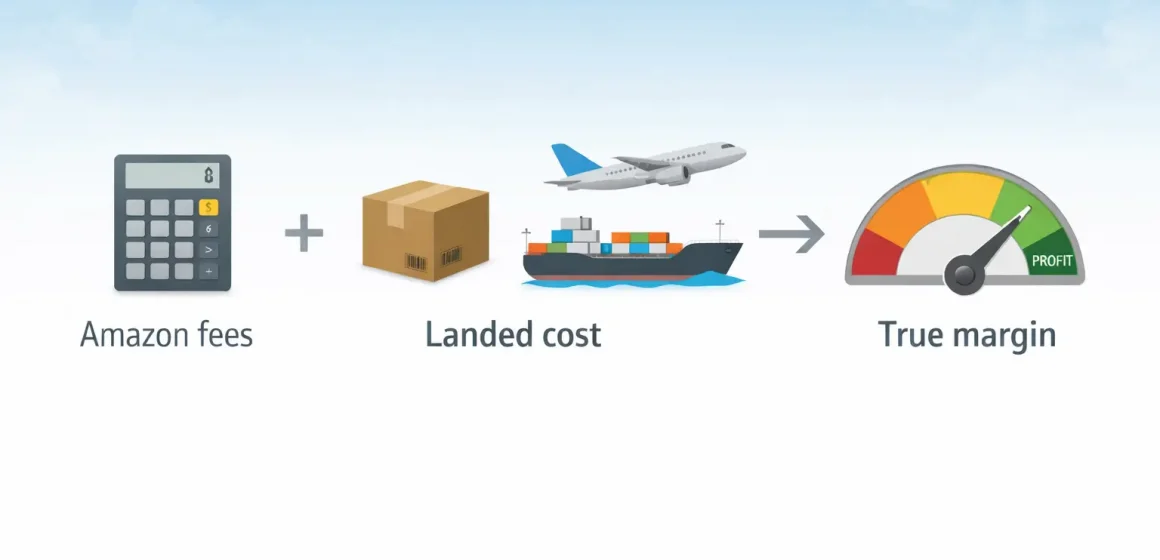
The Amazon FBA calculator (also called the FBA Revenue Calculator) helps you estimate key Amazon fees and see your estimated net proceeds for a product. It’s a great first step for pricing and fulfillment decisions—but the result is only realistic after you add your own costs (COGS, inbound freight, duties, prep, ads) and sanity-check your inputs.
Amazon FBA calculator
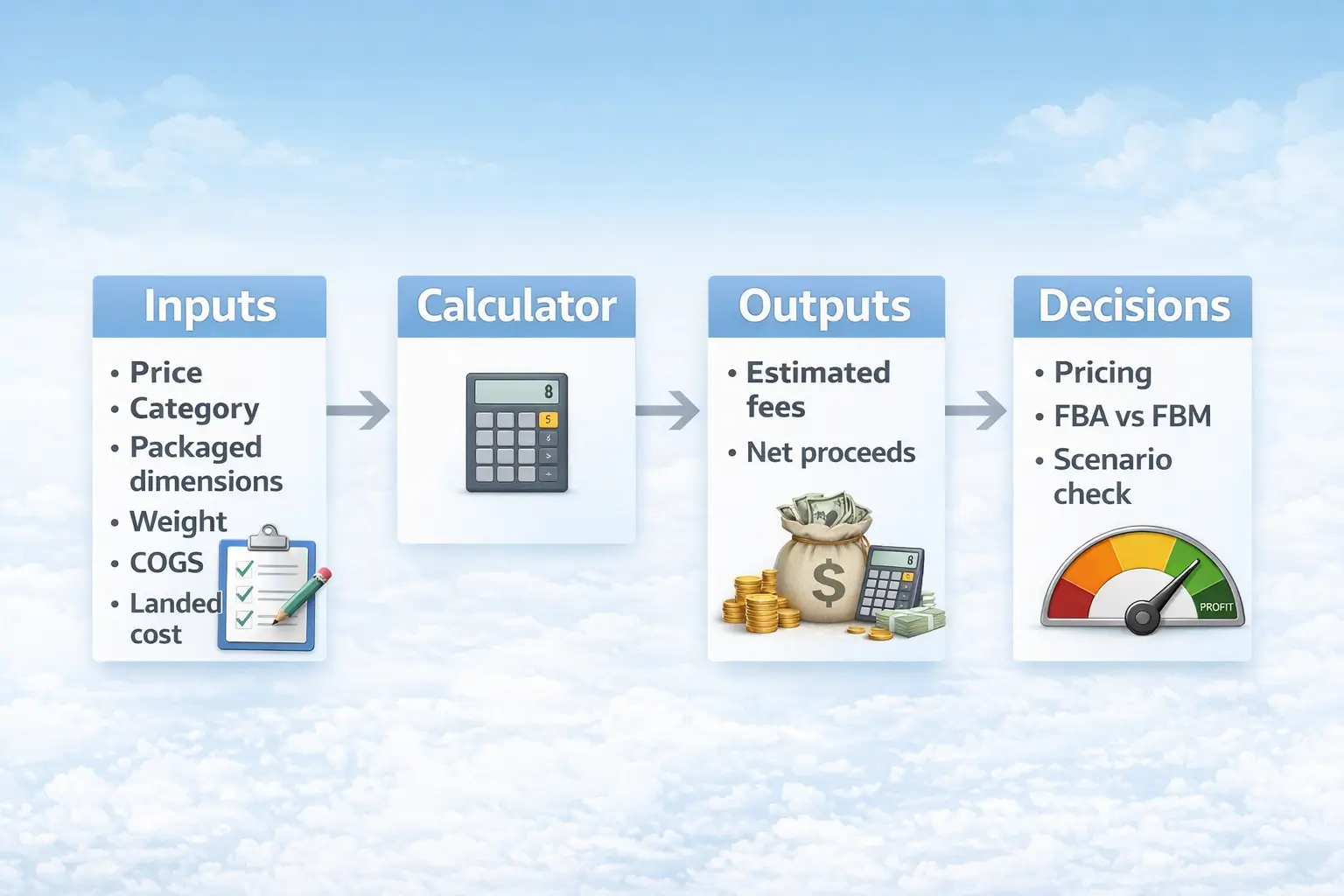
The Amazon FBA calculator is an Amazon tool that estimates major selling and fulfillment fees for a product and shows your estimated net proceeds based on your price and cost inputs. Use it to compare FBA vs FBM and to spot margin sensitivity (especially from packaged size and weight).
Source: How to estimate profits with the FBA Revenue Calculator (Amazon)
What it’s good for
- Quick fee and margin estimates for a specific product in a specific marketplace (US).
- FBA vs FBM comparison using the same assumptions.
- “What if?” tests: price changes, packaging size/weight changes, and cost add-ons.
Quick workflow
- Choose the US marketplace context and select an existing ASIN (or define a new product).
- Enter selling price and your unit cost assumptions.
- Review estimated fees and net proceeds, then compare FBA vs FBM.
- Add the costs the tool can’t know (freight, duties, prep, ads, returns allowance) before deciding.
Included vs commonly missing (snapshot)
| Included (often) | Missing (you add it) |
|---|---|
| Amazon selling and fulfillment fees (context-dependent) | COGS, inbound freight to Amazon, duties/taxes (structure-dependent), prep/labeling, ads, returns allowance |
Official tool link: FBA Revenue Calculator (Seller Central)
Where to find the official Amazon FBA calculator and what to use instead
The official tool is the FBA Revenue Calculator, which Amazon describes as free to use and also accessible within Seller Central for many enrolled sellers. Third-party calculators and extensions can help with fast screening, but you should verify assumptions with the official tool before committing inventory.
Source: How to estimate profits with the FBA Revenue Calculator (Amazon)
Official tool access tips that do not go stale
The safest approach is to follow the same logic even if the interface changes.
- Confirm you’re estimating for the US store.
- If you use an existing ASIN, verify packaged dimensions/weight match your planned sellable unit.
- Keep an “assumptions list” (price, COGS, inbound/prep add-ons) so you can re-run the same scenario later.
Third-party FBA calculators and extensions: when they help and when they mislead
Third-party tools are best for speed, not final decisions.
- Helpful: early-stage idea screening and quick comparisons.
- Risky: treating outputs as a full P&L (many omit inbound freight, duties, prep, ads, or returns assumptions).
- Best practice: screen fast, then re-run finalists with the official tool + your landed-cost model.
Inputs checklist for realistic Amazon FBA calculator results
Your estimate is only as good as your inputs—especially packaged dimensions and shipping weight, which can change fee outcomes. Amazon also notes that storage costs are based on unit size when properly packaged and ready to ship.
Source: Amazon FBA overview (Amazon)
| Input | Must-have | Practical notes |
|---|---|---|
| Selling price | Yes | Test a base and a conservative price |
| Category | Yes | Referral fees and rules vary by category |
| Packaged dimensions | Yes | Measure the final sellable unit (include inserts/bundles) |
| Shipping weight | Yes | Use shipping weight of the sellable unit, not factory-only specs |
| Unit cost (COGS) | Yes | Include product-level packaging you pay for |
| Inbound freight to Amazon | No (but critical for imports) | Add a per-unit estimate based on your shipping plan |
| Duties/taxes (high-level) | No (but critical for imports) | Structure-dependent; model conservatively |
| Prep/labeling/kitting | No | Add per-unit estimate based on your prep plan |
| Returns allowance | No | Add a conservative allowance if uncertainty is high |
How to measure packaged dimensions and shipping weight the way the calculator expects
Measure the unit as customers will receive it: packaged, scannable, and ready to ship.
Source: Product packaging requirements (Seller Central)
- Measure the final sellable unit (bundles/inserts count).
- If you’re near a size/weight edge, run two scenarios to see sensitivity.
- Re-run the calculator whenever packaging changes.
Re-run triggers: when you should update your calculator assumptions
Re-run whenever a major driver changes.
- Packaging/bundle changes (dimensions/weight change).
- Supplier/COGS changes.
- Shipping plan changes (mode, consolidation, delivery plan).
- Major price changes or Amazon fee updates.
How to use the Amazon FBA calculator step by step
Use the same workflow whether you’re evaluating an existing ASIN or a new product idea: set the marketplace, select/define the product, enter price and costs, then interpret the result as an estimate.
Source: How to estimate profits with the FBA Revenue Calculator (Amazon)
- Set marketplace context (US).
- Select an existing ASIN or define a new product (dimensions/weight/category).
- Enter selling price.
- Enter COGS and any per-unit add-ons you track (packaging, prep, etc.).
- Review estimated fees and net proceeds.
- Compare FBA vs FBM using the same assumptions.
- Add missing costs (especially landed cost for imports) before deciding.
Existing ASIN vs new product: what changes in the workflow
Existing ASINs can save time, but you still need to verify the sellable-unit measurements.
- Existing ASIN: faster, but confirm packaging reality (bundles/inserts change size/weight).
- New product: more assumptions—run base and conservative scenarios, not just one number.
How to read the outputs without overestimating profit
Think “Amazon fee estimate” first, then “full margin model.”
- Net proceeds is what’s left after certain Amazon fees—not your full profit.
- If you haven’t added inbound freight, duties, prep, ads, and returns allowance, the result is usually optimistic.
What the calculator includes and what it misses
The calculator is strongest at estimating Amazon-side fees (like referral and fulfillment fees), but it can’t automatically know your true product economics or your inbound shipping plan. Amazon notes that fulfillment fees vary by category, size, and weight.
Sources: Standard selling fees (Amazon), FBA fulfillment fee (Seller Central)
| Bucket | Often captured | Commonly missing (you add it) |
|---|---|---|
| Selling & fulfillment fees | Referral and fulfillment fees (context-dependent) | — |
| Product economics | — | COGS, packaging materials, inserts/bundles |
| Getting inventory to FBA | — | Inbound freight, duties/taxes, prep/labeling, rework |
| Post-launch variance | Sometimes partial | Ads, returns allowance, long storage risk, removal/disposal decisions |
A practical “add-back” method: estimate missing costs per unit (especially landed cost), add them to your unit cost line, then re-run base and conservative scenarios.
Time and behavior costs: storage duration, returns, and removals
Some costs depend on time and customer behavior, so plan with conservative assumptions and update them after launch.
- Storage costs are based on inventory volume, measured when units are properly packaged and ready to ship. Source: Amazon FBA overview (Amazon)
- Returns/removals vary by category, quality, seasonality, and sell-through speed.
If you source from China: add landed cost to get a true margin
For imported goods, you need a per-unit landed cost (everything it costs to get a sellable unit delivered to Amazon) and then combine that with the calculator’s Amazon fee estimate to judge a realistic margin.
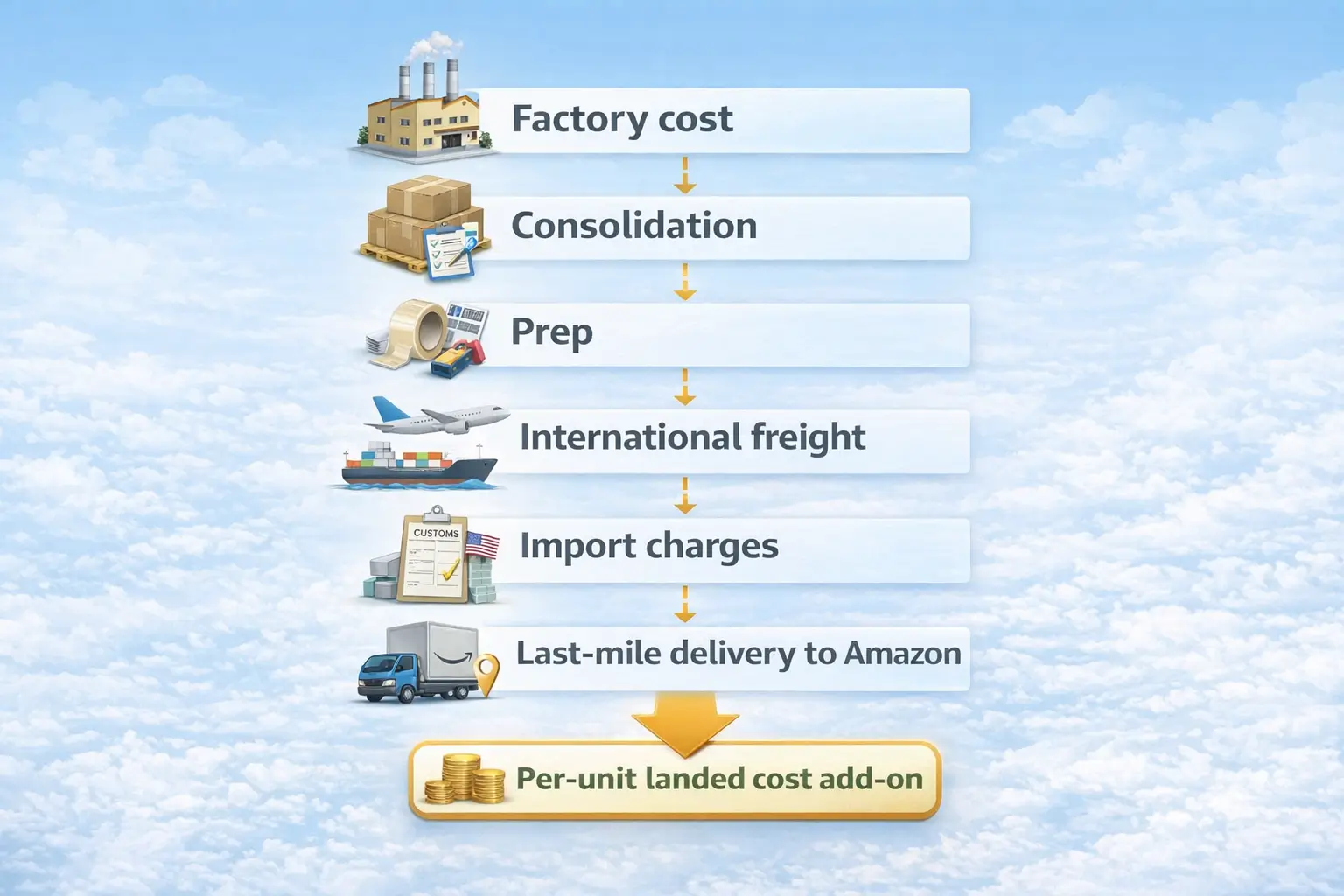
A reusable landed-cost workflow:
- List shipment-level costs from factory pickup to delivery to Amazon.
- Define “sellable units” in that shipment.
- Per-unit landed cost add-on = total shipment-level costs ÷ sellable units.
- Add the per-unit add-on to COGS and re-run calculator scenarios.
Boundaries:
- Import duties/taxes and responsibilities depend on shipment structure; consult a qualified broker for formal guidance.
- Costs vary by product, route, and service scope—use scenario ranges, not a single “perfect” number.
Landed cost components checklist for China to US FBA shipments
Landed cost is “factory cost + everything to get the unit to Amazon.”
- COGS and product-level packaging you pay for
- Consolidation/storage (if multiple suppliers)
- Prep/labeling/kitting/carton planning
- International freight (ocean/air/express as planned)
- Import-related charges (structure-dependent)
- Destination handling + last-mile delivery to Amazon
Simple per-unit landed cost method you can reuse
The key is consistency: keep the same inclusion rules across scenarios.
- Sum shipment-level logistics/prep/import cost lines.
- Divide by sellable units.
- Add the result to COGS and compare base vs conservative scenarios.
Prep and carton planning: why they affect both fees and landed cost
Prep and packaging choices affect both Amazon fees and freight economics because they change the final packaged size/weight.
- Packaging changes can move fee outcomes—re-run inputs after changes.
- Amazon has packaging and labeling requirements for FBA shipments; aligning early reduces rework risk. Source: Product packaging requirements (Seller Central)
- Service availability changes over time; for example, Amazon announced changes to its own FBA prep and labeling service for the US store starting January 1, 2026. Source: FBA Prep Service (Seller Central)
When you may want help estimating freight and prep for your landed cost model
If you’re doing a first China-to-US shipment, consolidating multiple suppliers, or working with tight margins, validating your freight and prep assumptions can reduce “surprise costs” the calculator can’t predict. For a consolidation + prep + shipping workflow into Amazon, see FBABEE.
FBA vs FBM: how to decide beyond the calculator numbers
Use the calculator to compare estimated fees and net proceeds, then choose the option you can operate reliably—because cost is only one dimension.
| Factor | FBA | FBM |
|---|---|---|
| Operations | Amazon handles fulfillment for many orders | You/3PL handle pick-pack-ship |
| Cost drivers | Strong size/weight fee sensitivity | Strong carrier-rate and process sensitivity |
| Inventory risk | Storage/aging can matter if sell-through is slow | You control storage, but still pay holding/handling |
| Scaling | Often easier to scale ops once inbound is stable | Scaling requires strong shipping operations |
| Returns | Program terms vary | You manage returns (or outsource) |
The fair comparison rule: keep assumptions consistent
Compare FBA vs FBM only when you keep the same selling price, product configuration, and cost assumptions (including landed cost add-ons and a returns allowance).
Why estimates differ from reality and how to troubleshoot
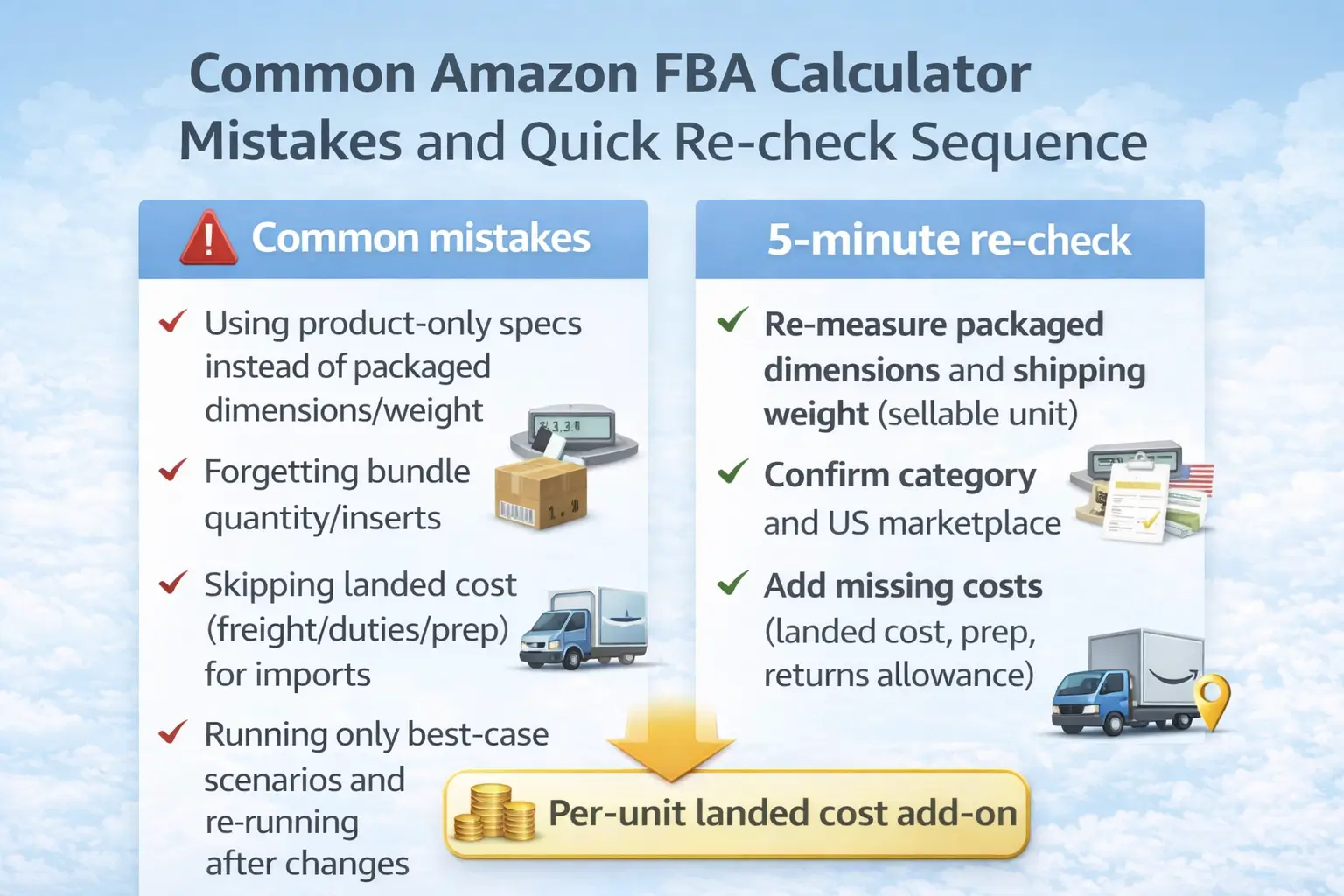
Common mistakes:
- Using product-only specs instead of packaged dimensions/weight
- Forgetting bundle quantity/inserts
- Skipping landed cost (freight/duties/prep) for imports
- Running only best-case scenarios and not re-running after changes
Quick re-check sequence in five minutes
- Re-measure packaged dimensions and shipping weight (sellable unit).
- Confirm category and marketplace context (US).
- Add missing costs (landed cost, prep, returns allowance).
- Re-run a conservative scenario and compare against your margin requirement.
Scenario planning: test price, packaging, and landed cost before you buy inventory
Scenario planning reduces risk: run a base case and a conservative case, then decide using the conservative result.
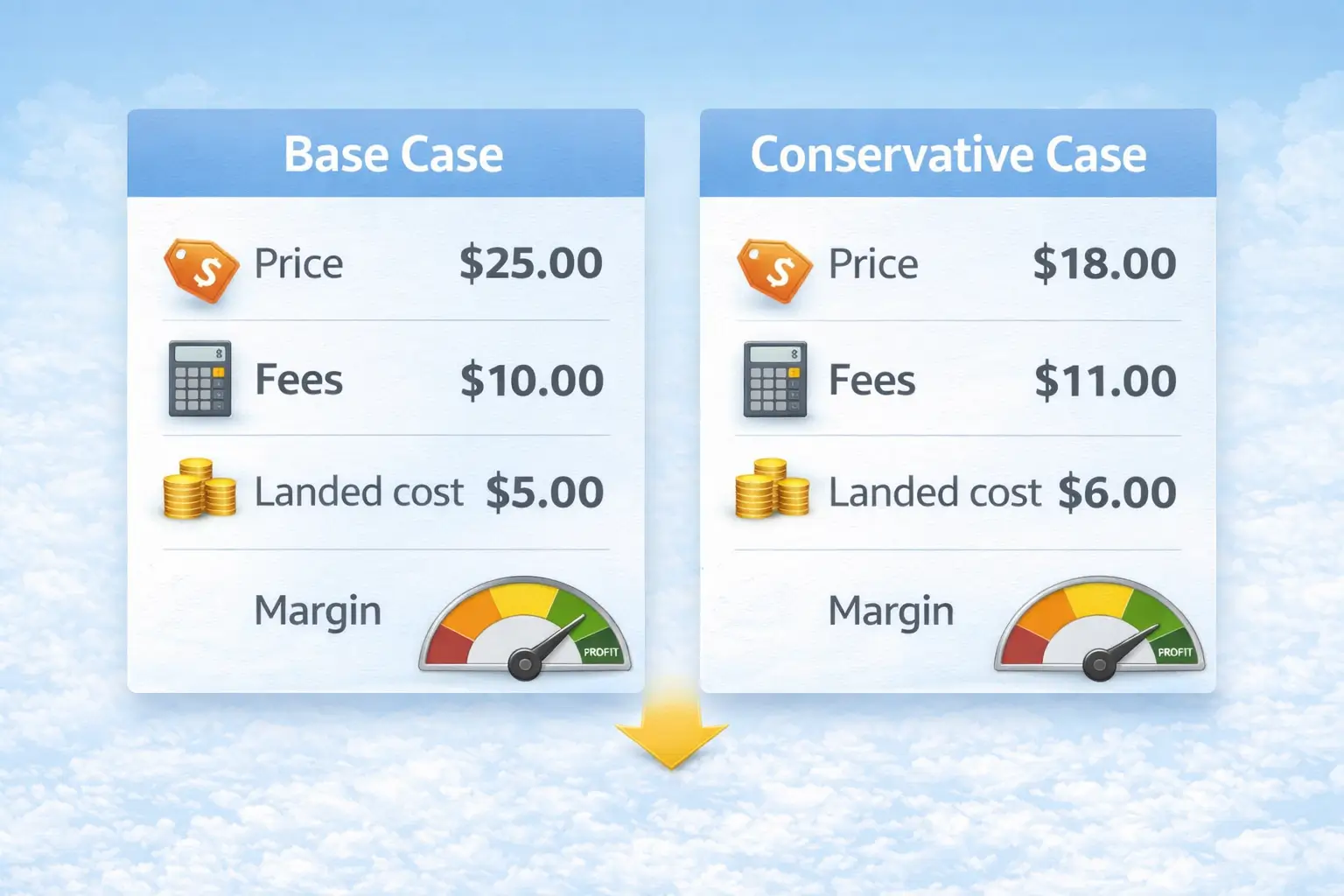
A simple method:
- Base case: most likely price + packaged measurements + landed-cost add-on.
- Conservative case: lower price or higher costs, plus a conservative returns/storage allowance.
- If the conservative case fails your margin requirement, treat the plan as high-risk or redesign the product/packaging/shipping plan.
A simple decision rule: do not ship inventory unless the conservative case still works
If you only move forward when the conservative case still meets your margin requirement, you reduce the chance that a small surprise (a slightly larger package, slower sell-through, or higher logistics cost) turns a “profitable” plan into a loss. Adjust how conservative you are based on uncertainty and risk tolerance.
Reality check: what an Amazon FBA calculator cannot predict
The calculator can estimate fees and help you model unit economics, but it can’t predict market outcomes.
- Sales volume, conversion, and competition-driven price changes
- Ad performance and promotion impact
- Real returns rate and sell-through speed
- Operational execution issues (prep quality, documentation, inbound variability)
FAQ about the Amazon FBA calculator
Quick answers to common questions (see the main sections above for the full workflow and tables).
What is the Amazon FBA calculator and what is it used for
It estimates major Amazon fees and shows net proceeds so you can price products, compare FBA vs FBM, and screen ideas.
Is the Amazon FBA calculator free and do you need Seller Central
Amazon describes the calculator as free to use, and many enrolled sellers can access it within Seller Central (paths can vary).
Source: How to estimate profits with the FBA Revenue Calculator (Amazon)
What information do you need before using an Amazon FBA calculator
Selling price, category, packaged dimensions, shipping weight, and COGS—plus landed cost add-ons if you import.
What fees the calculator includes and what costs are usually missing
It focuses on Amazon-side fees; you typically add COGS, inbound freight, duties/taxes, prep, ads, and a returns allowance.
Sources: Standard selling fees (Amazon), FBA fulfillment fee (Seller Central)
How to add freight duties and prep for China sourcing to get a true margin
Allocate shipment-level costs to a per-unit landed-cost add-on, add it to COGS, then re-run base and conservative scenarios.
Why calculator results differ from real payouts and profit
Most gaps come from wrong packaged measurements, missing costs (especially landed cost), and time-based variance (storage/returns/ads).
Summary and next steps for Amazon sellers
Use the calculator as a fee estimator, then make your decision with a complete cost model and conservative scenario checks.
Key takeaways:
- Packaged dimensions/weight matter—measure the sellable unit.
- Separate Amazon fees from non-Amazon costs.
- For imports, calculate per-unit landed cost and add it to COGS before deciding.
- Compare FBA vs FBM with consistent assumptions.
- Decide using the conservative scenario, not the best case.
Practical next steps:
- Pick one product idea and run base + conservative scenarios.
- Build a simple landed-cost add-on if you import (even a rough model beats “zero”).
- Update assumptions after your first shipment using real invoices and outcomes.
If you want to validate consolidation, prep, and shipping assumptions before a China-to-US FBA shipment, you can review options at FBABEE.



