

If you searched “Amazon FBA Label Service,” you’re probably trying to answer one practical question: who is responsible for labeling units before they reach an Amazon fulfillment center—and what should you do now in the US? This guide explains the change that’s driving confusion, what the service used to do, and how to choose a replacement workflow that fits your supply chain.
Is FBA Label Service still available in the US—and what should you do now?
The short version is: Amazon ended US FBA prep and item labeling services starting January 1, 2026, which pushes labeling/prep responsibility back to the seller (or the seller’s partners) before inventory is sent to FBA. (sellercentral.amazon.com)
| What you’re trying to confirm | Practical answer (US) | What to do next (action) |
|---|---|---|
| “Will Amazon label/prep my units for FBA in the US?” | For US FBA shipments, Amazon no longer offers prep and item labeling services starting Jan 1, 2026. (sellercentral.amazon.com) | Pick a replacement path: DIY, factory labeling, or a prep partner (see decision table below). |
| “What if I used FBA Label Service before?” | FBA Label Service historically let Amazon apply barcodes for a per-unit fee; certain shipments created before the cutoff may still follow prior handling rules depending on Amazon’s stated terms. (sellercentral.amazon.com) | Audit which SKUs relied on Amazon labeling/prep and update your SOP and supplier instructions. |
| “What prevents expensive rework?” | Most rework comes from wrong barcode choice, wrong label on the wrong SKU, or carton mix-ups—not from printing itself. | Add a simple pre-ship QA routine: scan test + SKU-to-carton reconciliation + photo proof for exceptions. |
Boundary notes (read this before acting):
- This article is written for the US marketplace; fees and availability differ in other Amazon stores. (sellercentral.amazon.com.au)
- Exact requirements can vary by SKU/category and program path; verify your current settings and requirements in Seller Central (don’t rely on older blog posts). (sellercentral.amazon.com)
What Amazon’s FBA Label Service was (and what “Who labels” actually controls)
Now that you know the status, the key point is simple: FBA Label Service was a paid option where Amazon applied barcode labels to eligible items, shifting the physical labeling work from the seller to Amazon. (sellercentral.amazon.com)
What it did (when offered)
- Applied Amazon barcodes (commonly an FNSKU label) to eligible units at/around inbound receiving, based on the information in your listing/shipment setup. (sellercentral.amazon.com)
- Charged a per-unit labeling fee when Amazon performed that labeling. (sellercentral.amazon.com)
What “Who labels” controls (conceptually)
Think of “Who labels?” as a responsibility switch:
- If you label: the unit must be correctly labeled before it arrives at FBA.
- If Amazon labels (when/where it was offered): Amazon takes on the labeling step and charges the per-unit service fee. (sellercentral.amazon.com)
Boundary note: Eligibility and exact flows can vary by listing/category and Amazon program details—treat “Who labels” as a responsibility outcome you must verify, not just a UI toggle. (sellercentral.amazon.com)
Fees and the real cost comparison (including hidden rework cost)
With the service defined, here’s the decision anchor: the US FBA Label Service fee was $0.55 per unit labeled and received, but the bigger cost driver for many sellers is rework—wrong labels, mixed cartons, or relabeling after consolidation. (sellercentral.amazon.com)
The fee (US) and what it means
- Amazon’s US help references a $0.55 labeling fee per unit that is labeled and received using FBA Label Service, and notes sellers can opt out on a per-shipment basis. (sellercentral.amazon.com)
Cost mini-table: what you’re really comparing
| Option | Direct cost you can “see” | Hidden costs you may underestimate | Best when… |
|---|---|---|---|
| Amazon labels (historical US) | Per-unit fee (e.g., $0.55 when applicable in US) (sellercentral.amazon.com) | Less control over label QA timing; limited ability to fix upstream supplier mistakes once goods are in the flow | Small runs, simple SKUs, when the option was available |
| DIY labeling (your team) | Printer/labels + labor time | Training errors, inconsistent scans, last-minute shipment delays | Low SKU count, stable process, you can QA consistently |
| Factory labeling | Often bundled into production/packout work | Wrong file/version, mis-mapped SKU, weak scan QA, no carton discipline | Single supplier, strong factory QA, clear labeling brief |
| Prep partner / 3PL labeling | Service fee (varies by provider) | Coordination overhead, unclear SOP handoffs, mismatch between pack list and cartons | Multi-SKU, multi-supplier, you need centralized inbound control |
Hidden-cost checklist (use this to avoid “cheap but painful” choices)
- Rework loops: label version changes, wrong SKU mapping, or relabel after consolidation.
- Carton-level mistakes: mixed SKUs in a carton without a plan; carton count mismatch vs pack list.
- Coordination tax: time spent re-explaining instructions across suppliers, forwarders, and prep providers.
- Exceptions handling: what happens when 2–3% of units are wrong—do you have a “catch and fix” step?
Boundary note: Fees and service availability are marketplace-dependent and can change; verify current values and terms in your Seller Central documentation. (sellercentral.amazon.com.au)
FNSKU vs UPC/EAN: which barcode should you use—and why it changes your workflow
After cost, the highest-impact decision is this: if your workflow requires an Amazon-specific barcode label (often an FNSKU), you must generate, control, and apply that label correctly—whereas using a manufacturer barcode (UPC/EAN) can shift labeling steps but may not be available for every listing scenario.
Plain-English definitions
- FNSKU (Amazon barcode label): a label tied to your Amazon listing and seller context; you typically generate it inside Seller Central and apply it to each unit when required.
- UPC/EAN/ISBN (manufacturer barcode): the barcode printed on packaging by the brand/manufacturer (or stickered during production).
Decision bullets (keep these rules simple)
- If your shipment/listing setup indicates you need an Amazon barcode label, treat FNSKU control as mandatory: one SKU mapping file, one label version, and one QA routine before shipping.
- If your listing can use a manufacturer barcode, your labeling work may be lighter—but you still need carton discipline and scan QA, especially after consolidation.
- When in doubt, prioritize the option that gives you traceable control (clear SKU-to-label mapping and a scan test step), then verify requirements in Seller Central for that specific SKU.
What goes wrong when you “guess”
- Wrong label on the wrong SKU (classic mapping error): creates rework and receiving confusion.
- Right label, wrong placement (creases, seams, curvature): scan failures and delays.
- Multiple suppliers, multiple label versions: mismatch after consolidation when cartons are combined.
Boundary note: Barcode eligibility and labeling responsibility can differ by listing/category and account settings. If you’re not sure, verify per SKU in Seller Central rather than copying a rule from an older blog post. (sellercentral.amazon.com)
Common labeling mistakes: a pre-ship checklist (plus carton-level controls)
Once barcode and responsibility are set, the direct answer is: most inbound issues come from preventable labeling and carton-control mistakes, so a simple pre-ship checklist is usually the fastest risk reducer.

Pre-ship labeling checklist (8–12 checks)
- Right label type for the SKU: confirm you’re applying the barcode your listing/shipment expects.
- Correct SKU-to-label mapping: the label on the unit matches the SKU/ASIN you intend to ship.
- One label version in circulation: no “old PDF vs new PDF” mix across suppliers.
- Placement is scan-friendly: flat surface, no seams, no heavy curvature, not wrapping edges.
- Print quality passes a quick scan test: sample scan a few units per batch (don’t rely on a visual check only).
- Do not cover critical info: warnings, compliance markings, or essential product identifiers.
- Packaging state matches your plan: polybagging/bundling/inserts are consistent with how you created the shipment.
- Count reconciliation: unit counts match your pack list before cartons are sealed.
- Exception bin: mislabeled or questionable units are separated immediately (don’t “hope it’s fine”).
- Photo proof for exceptions: if something is borderline (placement, packaging), take a photo and decide before shipping.
Carton-level controls (these prevent “everything was right… until consolidation”)
- Carton plan discipline: define which SKUs go into which cartons—then stick to it.
- SKU-to-carton reconciliation: verify cartons against the pack list (sample at minimum; full check for high-risk SKUs).
- No silent mixing: if cartons contain mixed SKUs, label and document it clearly so downstream receiving isn’t guessing.
What to do if you find an error: Fix it before it ships—either at the factory, at a consolidation point, or at a prep partner. Relying on downstream “fixes” is unpredictable and can be more expensive than a controlled correction upstream.
Boundary note: Checklists reduce risk but cannot guarantee a specific inbound outcome; Amazon’s receiving and program rules can change and vary by product. (www.supplychaindive.com)
Post-change labeling options: DIY vs factory vs prep partner (decision table + best-fit scenarios)
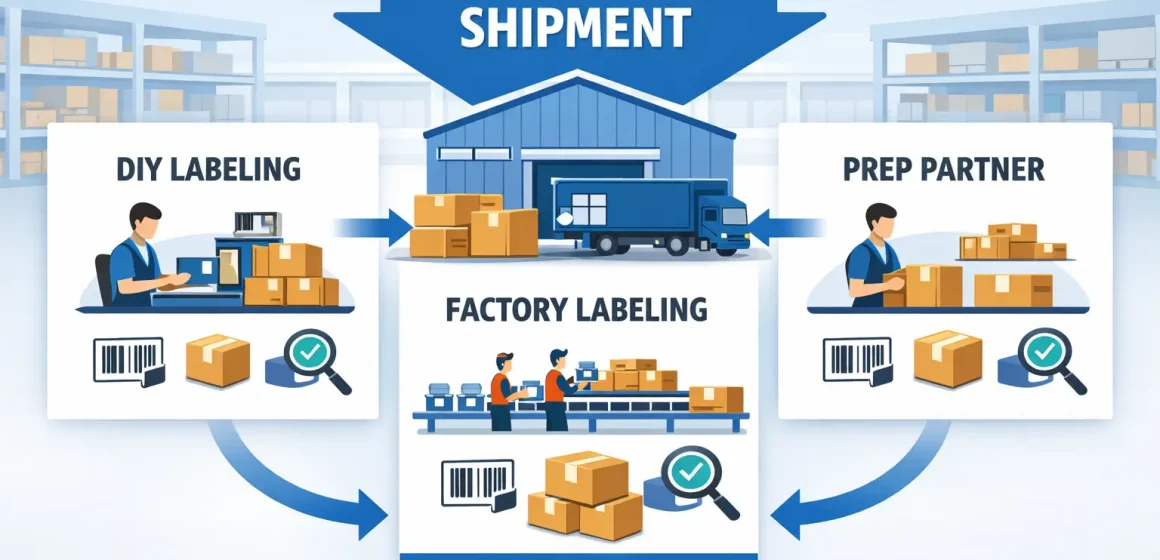
With the risks understood, the direct answer is: the “best” option depends on your SKU complexity and supplier reliability—DIY gives control if you can QA, factory labeling is efficient if the factory is disciplined, and a prep partner is often the safest scaling choice for multi-supplier consolidation.
Decision table: choose the workflow that matches your constraints
| Dimension | DIY labeling (your team) | Factory labeling (at production) | Prep partner labeling (after receiving/consolidation) |
|---|---|---|---|
| Control | High (if your SOP is strong) | Medium (depends on factory discipline) | High (if partner provides verification + exception handling) |
| Coordination effort | Medium (you own process + staffing) | Medium–High (more briefing + version control) | Medium (handoff + SOP alignment) |
| Risk of “wrong label on wrong SKU” | Medium (training-dependent) | Medium–High (mapping/version mistakes) | Lower if partner reconciles against pack list and scans samples |
| Best fit | Low SKU count, stable workflow | Single supplier, simple SKUs, predictable runs | Multi-SKU, multi-supplier, consolidation-heavy operations |
| Failure mode to watch | Inconsistent scans, last-minute crunch | Old files, mixed versions, weak QA | Miscommunication on carton plan or SKU mapping |
Best-fit scenarios (quick picks)
- DIY tends to work when you have a small SKU catalog, predictable replenishment, and someone who can run a consistent scan/QA routine.
- Factory labeling tends to work when you have one main supplier and can enforce label file/version control plus a simple QA checkpoint.
- Prep partner labeling tends to work when you consolidate multiple suppliers, need exception handling, or can’t afford rework cycles close to ship dates.
Boundary note: Any option can fail without version control and carton discipline; choose the option that lets you catch errors before inventory is locked into a shipment. (www.supplychaindive.com)
China-sourcing runbook: where labeling should happen (factory vs consolidation/prep partner)
After comparing options, the direct answer is: for China-sourcing sellers—especially with multiple suppliers—labeling is safest at the point where you can enforce a single label version and reconcile cartons against a pack list (often a consolidation or prep point).

Step-by-step runbook (keep it boring and repeatable)
- Decide barcode approach per SKU (FNSKU vs manufacturer barcode) and document it in one “SKU labeling sheet.”
- Generate and freeze label files (one version per SKU) and define who is allowed to change them.
- Send a “labeling briefing pack” to the factory/prep partner (see checklist below).
- Receiving check at the control point: when goods arrive (factory outbound or consolidation inbound), verify carton counts and SKU mapping before any relabeling.
- QA checkpoint #1 (sample scan): scan a sample from each SKU batch; isolate exceptions.
- Label/apply at the chosen point (factory or consolidation/prep) using the frozen label version.
- QA checkpoint #2 (carton reconciliation): reconcile cartons to the pack list; confirm carton plan.
- QA checkpoint #3 (final exception sweep): separate and fix any mislabeled units before shipment creation is finalized.
Labeling briefing pack (what to send so partners don’t guess)
- The SKU labeling sheet (SKU name, internal SKU, ASIN/SKU mapping, label type).
- The label PDFs/files (frozen version), plus a “do not use old versions” note.
- A carton plan (SKU-to-carton rules, mixed-carton handling if applicable).
- A pack list template (what you expect back: carton counts, unit counts, exceptions).
- Photo requirements for exceptions (e.g., questionable placement, packaging edge cases).
Boundary note: This is an operations best-practice runbook, not a guarantee. Adapt steps to product category and supplier capability, and verify any Amazon-specific prep requirements for your SKUs. (www.supplychaindive.com)
Shipment workflow checks: where “Who labels” shows up and what to verify before you ship
Once your operations path is chosen, the direct answer is: don’t focus on a click-by-click UI path—focus on verifying that your shipment plan reflects the correct labeling responsibility and that your cartons/labels match that plan.
Verification points (UI-agnostic)
- Responsibility outcome: confirm the shipment plan reflects whether you or Amazon is expected to label (where applicable) and that you’re not accidentally paying for a service you didn’t intend. (sellercentral.amazon.com)
- SKU-to-plan consistency: the SKUs and quantities in your plan match your pack list and carton plan.
- Label readiness: if you’re responsible for labeling, confirm labels are applied and scan-tested before cartons are sealed.
- Carton integrity: carton counts and contents match what you’ll declare (and what your partner reports back).
- Exception handling: decide what happens if a carton or batch fails QA (hold, relabel, re-pack) before you’re on a deadline.
If a prep partner is involved: handoff checklist
- Send the SKU labeling sheet + label files + carton plan before goods arrive.
- Confirm how they report exceptions (photos, counts, and what gets fixed automatically vs held).
- Confirm where relabeling happens (before/after consolidation) and who approves changes.
Boundary note: Seller Central screens can change. If you’re uncertain, verify the responsibility outcome in your shipment plan summary and cross-check the current help documentation. (sellercentral.amazon.com)
Transition checklist if you relied on Amazon labeling/prep before
With the workflow clarified, the direct answer is: treat the transition as an audit + SOP update + pilot shipment, not a last-minute flip—because inconsistent labeling across SKUs creates avoidable rework. (www.supplychaindive.com)
Transition checklist (audit → pilot → scale)
- Audit your catalog: list SKUs that used Amazon labeling/prep (or where you were unsure who owned it).
- Group SKUs by complexity: simple single-supplier vs multi-supplier consolidated vs bundles/kits.
- Choose a path per group: DIY, factory labeling, or prep partner labeling.
- Update your SOP + supplier instructions: freeze label versioning rules and carton plan rules.
- Run a pilot shipment: start with a small subset of SKUs; validate scan QA and carton reconciliation.
- Scale in waves: expand once exception rates are low and responsibilities are stable.
- Add a monthly “label health check”: spot-check mappings, label versions, and carton plan adherence.
Mini-timeline (conservative, flexible)
- Week 0–1: catalog audit + decide labeling paths
- Week 1–2: update SOP + partner briefing packs
- Week 2–4: pilot shipments + fix failure modes
- Ongoing: scale + periodic QA checks
Boundary note: Timeline depends on supplier responsiveness and your shipment cadence. Avoid promising a specific cutover date if you haven’t validated the pilot.
DIY vs prep partner: when outsourcing becomes the safer choice
After planning the transition, the direct answer is: outsourcing becomes the safer choice when complexity grows faster than your ability to QA—especially with multi-supplier consolidation and frequent replenishment.
Outsourcing triggers (signs DIY is likely to break)
- Your SKU count is growing and label file/version control is getting messy.
- Multiple suppliers ship similar-looking SKUs (higher mapping error risk).
- You regularly consolidate shipments and cartons get reworked late.
- You don’t have a consistent scan QA routine (or no one owns it).
- Exceptions are handled ad hoc (“we’ll fix it later”) rather than through a defined process.
- Replenishment speed matters and rework cycles create stockout risk.
Counter-signals (DIY can be fine)
- Small, stable SKU catalog and predictable packaging.
- One main supplier with reliable labeling and clear carton discipline.
- You can scan-test samples and reconcile cartons consistently.
Boundary note: These are heuristics; the right choice depends on your team’s process maturity and the cost of errors in your business.
FAQ
Did Amazon end FBA prep and item labeling services in the US?
A: Yes—Amazon’s help content and industry reporting indicate prep and item labeling services for US FBA shipments ended starting January 1, 2026, which means sellers need inventory prepped and labeled before sending it to FBA. (sellercentral.amazon.com)
What is Amazon FBA Label Service?
A: It was a paid option where Amazon applied barcode labels to eligible items (based on your shipment/listing info), shifting unit labeling work away from the seller when the option was available. (sellercentral.amazon.com)
How much is the FBA Label Service fee per unit?
A: Amazon’s US fee reference states $0.55 per unit labeled and received using FBA Label Service (and notes you can opt out per shipment). Fees can vary by marketplace, so verify current terms in your Seller Central documentation. (sellercentral.amazon.com)
FNSKU vs UPC/EAN: which barcode should I use for FBA and why?
A: Use the barcode approach your listing/shipment requires; if an Amazon barcode label (FNSKU) is required, you need strict SKU-to-label mapping and scan QA. If a manufacturer barcode is allowed, labeling work may be lighter—but carton discipline and reconciliation still matter. Verify per SKU in Seller Central rather than relying on older general rules. (sellercentral.amazon.com)
What are the most common FBA labeling mistakes that cause delays or rework?
A: The common ones are wrong label-to-SKU mapping, poor placement/scannability (wrinkles, seams, curvature), mixed cartons without a carton plan, and count mismatches vs pack lists. A scan test plus carton reconciliation catches most of these early. (www.supplychaindive.com)
After January 1, 2026, what are my labeling options if Amazon won’t do it?
A: Most sellers choose between DIY labeling, factory labeling, or using a prep partner/3PL. The best fit depends on SKU complexity, supplier reliability, and whether you consolidate shipments—use the decision table in this guide to pick the option that gives you the most control over QA at the lowest coordination cost. (www.supplychaindive.com)
Where do I choose who labels in the shipment workflow, and what does it affect?
A: The key is verifying the responsibility outcome in your shipment plan and ensuring your physical cartons/labels match that plan. “Who labels” affects whether you must label units before they arrive and whether you could be charged a labeling fee where applicable. (sellercentral.amazon.com)
Summary: next steps and what to prepare before you label (or outsource)
To close, here’s the simplest action plan: make responsibility explicit, control label versions, and add QA at the point where you can still fix mistakes cheaply.
Next steps (do these in order)
- Confirm US status and your intended labeling responsibility for key SKUs. (sellercentral.amazon.com)
- Decide your default path: DIY, factory, or prep partner—based on SKU count and supplier count.
- Freeze label version control: one SKU-to-label mapping sheet, one approved label file set.
- Add two QA checkpoints: (a) scan test samples, (b) carton reconciliation vs pack list.
- Run a pilot shipment before scaling changes across the whole catalog.
If you source from multiple factories and consolidate in China, the biggest win usually comes from setting one clear labeling control point (with scan QA + carton reconciliation). If you want help designing that workflow—especially for multi-SKU, kitting, or staged replenishment—FBABEE can coordinate consolidation + prep so the process stays consistent across suppliers.



