Heavy box label decision + placement
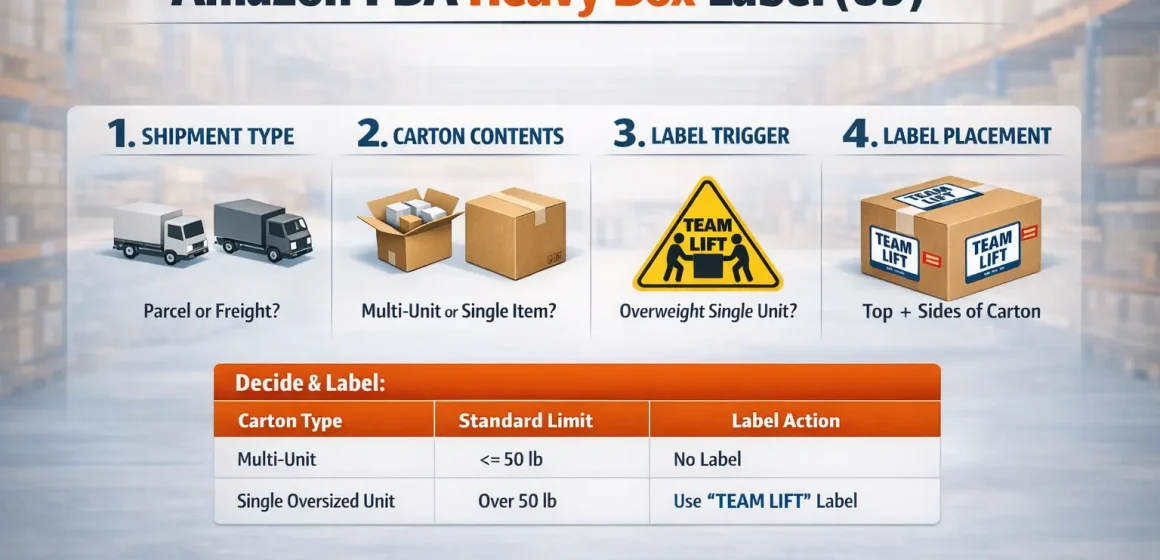
You typically need a Team Lift / heavy-handling label when a carton contains a single oversized unit that exceeds the standard carton weight limit-then you place that label where handlers can see it (top + sides).
Use the mini-table below as a “do it now” checklist, and then verify details in your Seller Central help for your shipment type.
Quick decision + placement mini-table (US-first)
| Step | What to check | What to do (practical) | Label wording to use | Where to place |
|---|---|---|---|---|
| 1 | Shipment type (Small Parcel vs LTL/FTL) | Confirm whether you’re sending cartons as small parcel or as freight/palletized freight | — | — |
| 2 | Carton contents (multi-unit vs single heavy unit) | If the carton has multiple units, keep it under the standard limit; if it’s one oversized heavy unit, label for safe handling | “Team Lift” (and “Mechanical Lift” if applicable) | Top + sides |
| 3 | What caused the “15 kg” result in Google | Treat 15 kg templates as non-US marketplace templates unless your US Seller Central explicitly shows that threshold | Don’t copy kg templates into US by default | — |
| 4 | Visibility at receiving | Keep labels unblocked: don’t tape over them; place them before shrink wrap when possible | Clear, high-contrast text | Top + at least two sides |
Boundary notes (read before you print 200 labels):
- Amazon requirements can change and can differ by marketplace and shipment method-verify the current rule in your Seller Central locale for the shipment you’re creating.
- Don’t convert kg to lb and treat it as compliance proof; mixed-locale templates are a common reason this topic is confusing.
Terms that get mixed up: Team Lift vs Heavy Package vs Mechanical Lift
Now that you have the checklist, the key is matching the right label to the right reason you’re labeling.
In practice, Team Lift and Mechanical Lift are handling warnings, while “Heavy Package” is often the wording you’ll see in some non-US label templates.
- Team Lift: A warning that a carton is heavy enough that it should be lifted by two people (often referenced when a single oversized unit is above the standard carton limit).
- Mechanical Lift: A warning that the carton is heavy enough that it should be moved with lifting equipment (forklift/hoist).
- Heavy Package / Heavy Parcel: Common wording used in some marketplaces’ templates (especially kg-based label PDFs). It may show up in US search results even when you’re shipping to the US.
Boundary conditions to keep you honest:
- Label wording and thresholds can be locale-dependent; don’t assume the same wording implies the same threshold everywhere.
- If your box is heavy because of multiple units, the “single heavy unit exception” logic may not apply.
Decision Guide (US): Do your cartons need a heavy-handling label?
With the terms clear, use this decision workflow: identify shipment context → weigh cartons accurately → decide whether it’s a multi-unit carton vs a single oversized heavy unit → label accordingly.
Amazon’s published guides for US sellers commonly describe a standard carton weight limit and then allow exceptions when the carton contains one single oversized unit, paired with Team Lift/Mechanical Lift labeling guidance.
Step-by-step decision workflow (US-first)
- Confirm your shipment method
- Small Parcel Delivery (cartons handed to parcel carriers)
- LTL/FTL freight (palletized freight with BOL, scheduled delivery)
- Weigh each carton as packed
- Weigh after final packing materials are included (inner packaging, dunnage, inserts, outer carton tape).
- Classify what’s inside each carton
- Multi-unit carton (multiple items/units inside one carton)
- Single oversized unit carton (one oversized/heavy unit inside the carton)
- Apply the “standard limit vs single heavy unit” logic
- If it’s multi-unit, plan to keep the carton under the standard limit.
- If it’s one oversized unit, the carton may exceed the standard limit, but you typically need a Team Lift (and for very heavy units, possibly Mechanical Lift) label.
- Document the decision
- Record carton ID → weight → contents type → label applied (helps you audit mistakes later).
Boundary conditions (don’t skip):
- If you cannot confirm the current threshold/label trigger for your shipment type in Seller Central, treat your decision as “verify before mass printing” instead of assuming a forum screenshot is current.
- If you’re shipping freight, there are additional operational requirements (BOL, pallet rules) that matter for smooth receiving.
15 kg vs 50 lb: why the mismatch shows up (and what US sellers should do)
If your goal is US compliance, the “15 kg” result is usually a template or guidance from a different marketplace that’s ranking globally-not a guarantee that US inbound requirements changed.
Sellers repeatedly see this mismatch because Amazon-hosted label PDFs in kg (and non-US help content) can surface in US searches, and sometimes people quote snippets without context.
Why “15 kg” appears in US searches
- Locale templates rank well: Amazon-hosted label PDFs for EU/UK (for example, “HEAVY PACKAGE OVER 15Kg”) are easy for search engines to surface.
- Forum quotes amplify confusion: Sellers quote lines they saw in Seller Central or shipment flow screens, but those quotes may reflect a different locale or an older/partial view.
- Unit mixing is common: People convert 15 kg to 33 lb and assume it’s the “new US rule,” even when their US guidance is written in pounds.
What US sellers should do (safe verification path)
- Treat Google results as “leads,” not as rules.
- Verify in your US Seller Central for the shipment type you’re creating (small parcel vs freight).
- Align your templates to your destination marketplace.
- If you download a kg template, assume it’s for a kg-based marketplace unless clearly labeled otherwise.
- Standardize your internal SOP
- One shared folder of “approved” label templates by marketplace (US / UK / EU), so factories don’t Google random versions.
Boundary conditions:
- Avoid using kg → lb conversion as compliance proof; the controlling rule is the one in your Seller Central locale for that shipment.
- If your shipment creation screen provides a label download link based on the weight you enter, prefer that over third-party templates.
Where to place labels (top + sides) and how many to use
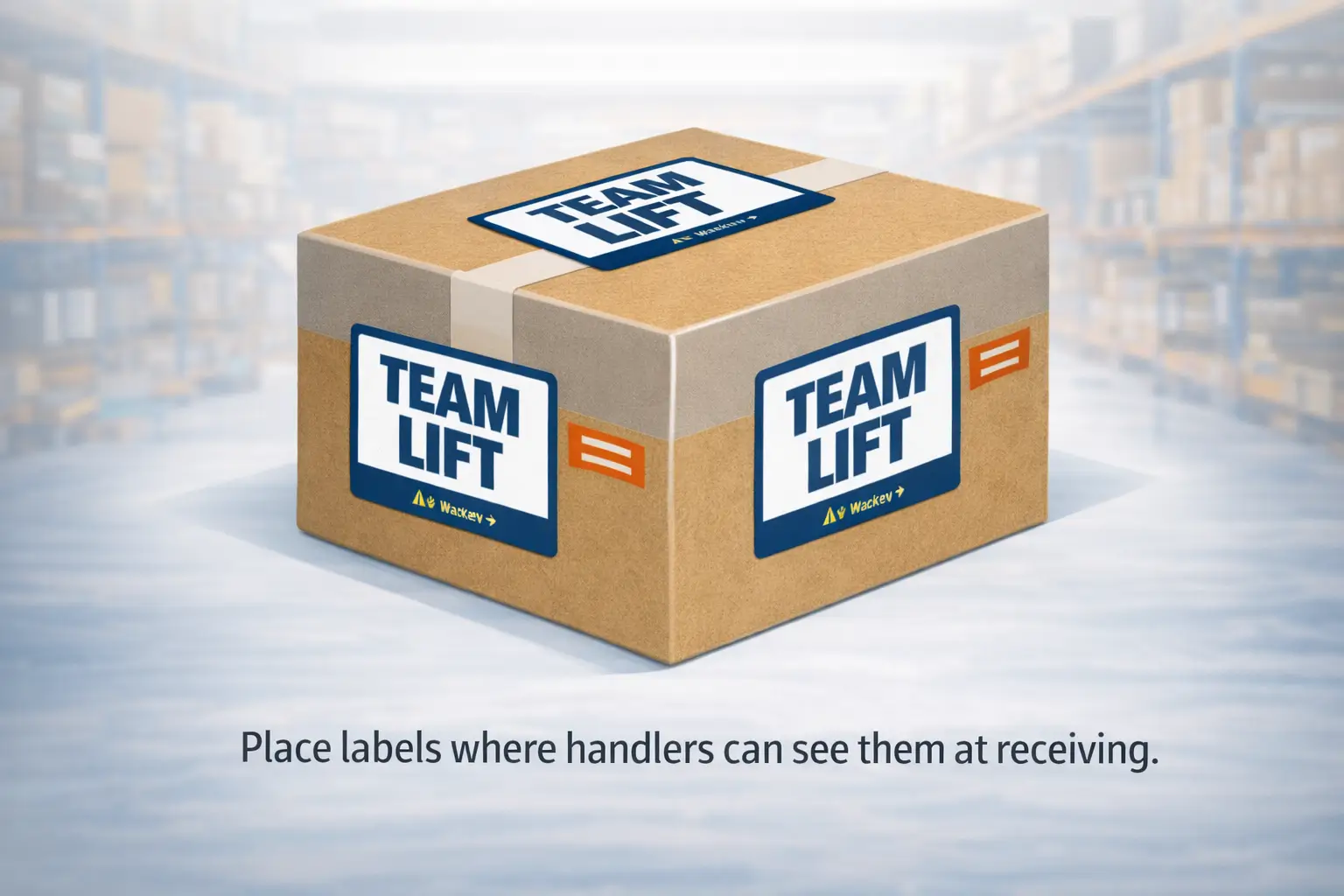
Once you’ve decided a carton needs a heavy-handling label, the practical requirement is simple: make the warning visible from multiple angles so handlers don’t miss it.
Many Amazon-facing guides and examples consistently reference placing Team Lift/Mechanical Lift warnings on the top and sides of the carton.
Placement checklist (prep-team friendly)
- Place on the top of the carton (clear of seams where tape will distort the print).
- Place on the sides where a handler can see it when the carton is stacked or moved.
- Don’t cover labels
- Avoid opaque tape over the label area.
- If using stretch wrap, apply labels before wrapping or leave a clear “window.”
- Keep the label readable
- High-contrast print, large enough to read at arm’s length.
- Flat application (no deep wrinkles).
“How many labels?” (safe answer without inventing a mandate)
- If your Seller Central guidance specifies a number, follow that.
- If it doesn’t (or you can’t confirm it), a practical baseline is: top + at least two sides so the warning is visible in common handling positions.
Boundary conditions:
- If you ship mixed cartons (some heavy, some not), don’t “blanket label” everything-make sure your labels match carton weights so your process stays auditable.
Printable templates: safest way to source or print labels
The safest approach is to use Amazon-provided assets when available for your marketplace; the second safest is to print a clear label that explicitly indicates “Team Lift” or “Mechanical Lift” (matching your Seller Central wording).
What matters most is clarity and correct placement-not finding a perfect-looking sticker on Google.
Safe template sourcing (ranked)
- Seller Central / shipment workflow downloads (preferred when available)
- Amazon-hosted label PDFs/assets (ensure the locale matches your destination marketplace)
- Self-printed labels with clear wording (“TEAM LIFT” / “MECHANICAL LIFT”) if your guidance allows a label that clearly indicates the handling warning
Self-print checklist (keep it “receiving-proof”)
- Clear, unambiguous text (avoid tiny fonts or decorative styles).
- Durable adhesive (won’t peel during cross-border transport).
- Print enough contrast to remain readable under warehouse lighting.
- Don’t mix marketplaces (for example, don’t use an “OVER 15Kg” template for a US SOP unless your US guidance explicitly uses that rule).
Boundary conditions:
- If your shipment involves multiple suppliers, the #1 risk is template drift; centralize templates and require factories to use only “approved” versions.
What can go wrong if heavy cartons aren’t labeled correctly
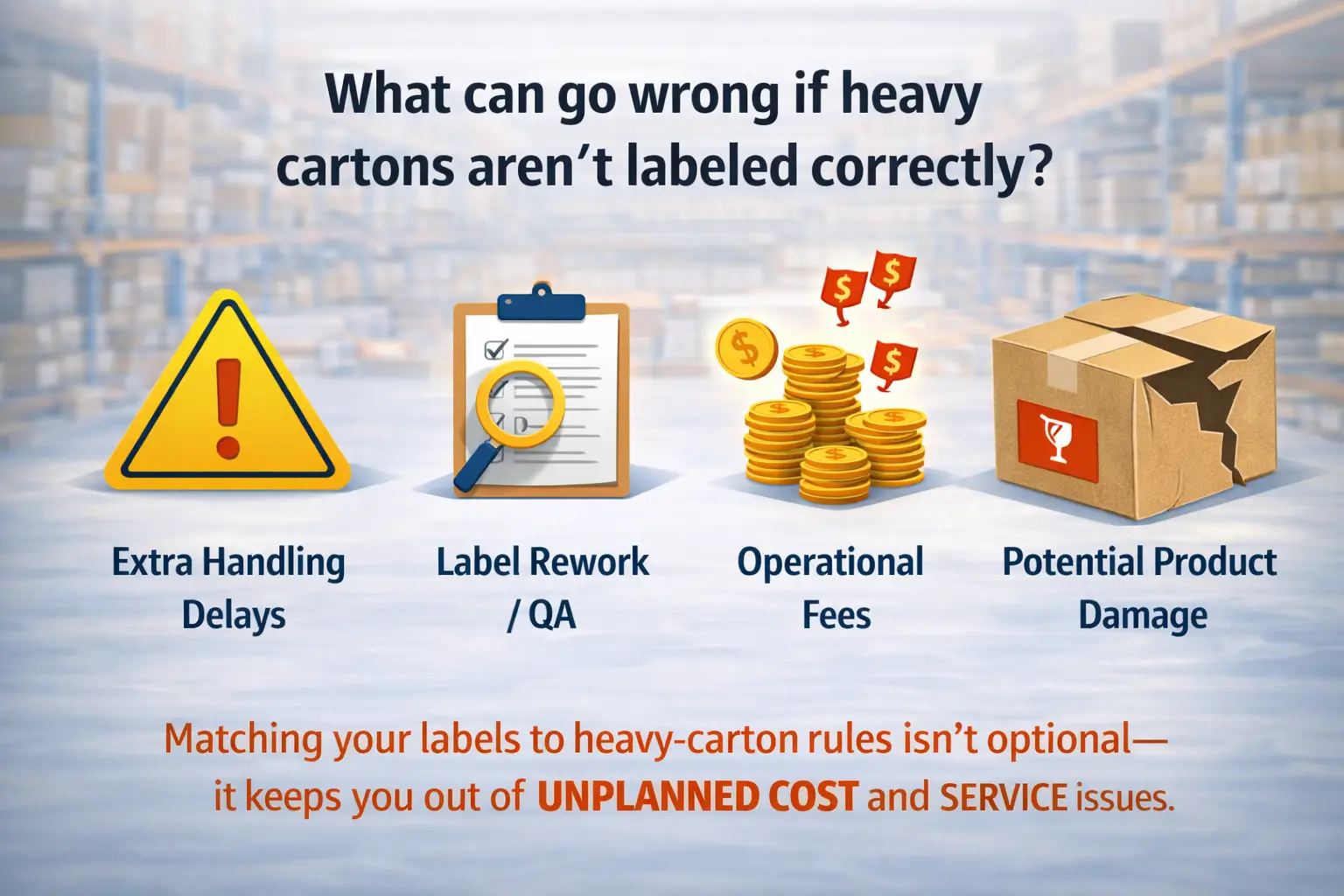
The most common consequence of missing or unclear heavy-handling labels is not “instant refusal”-it’s operational friction: extra handling steps, relabeling/rework, delays, and occasional unplanned services.
Some Amazon-facing checklists and guidance also warn that noncompliance can lead to more severe outcomes depending on the issue and shipment context.
Common failure patterns (and how to prevent them)
- Wrong rule applied (locale mismatch)
- Prevention: store templates by marketplace; require a final “US vs EU/UK” check.
- Label covered by tape or wrap
- Prevention: define “no-tape zones” for label placement; label before wrapping.
- Near-threshold cartons created by last-minute packing changes
- Prevention: weigh after final sealing; re-weigh any carton that was reopened.
- Mixed cartons labeled inconsistently
- Prevention: carton ID + weight log; spot-check the heaviest 10% before pickup.
Boundary conditions:
- Avoid predicting enforcement outcomes (fees/refusal) unless you have an explicit, current source for your shipment type; outcomes can vary by situation.
Prep-center QA workflow to prevent heavy-label mistakes
You can reduce heavy-label mistakes by using one repeatable SOP: weigh → log → decide label → apply → final QC.
This is not an Amazon mandate-it’s a practical workflow that prevents the most common “we thought it was under the limit” mistakes.
Lightweight SOP (copy/paste to your team)
- Weigh & label cartons as a single step
- As each carton is sealed, weigh it and assign a carton ID (sticker or marker).
- Record weight + carton type
- Log: carton ID, weight, “multi-unit” vs “single oversized unit,” shipment method (parcel vs freight).
- Apply label based on your rule
- If your rule indicates Team Lift/Mechanical Lift, apply the correct label immediately.
- Final QC scan (5-10 minutes per shipment)
- Spot-check: the heaviest cartons, any cartons near your threshold, and any cartons repacked that day.
- Photo record (optional but useful)
- One photo per “heavy-labeled” carton showing label placement (top + side).
Boundary conditions:
- If your team can’t confirm the current rule for a shipment type, stop and verify before bulk labeling-don’t guess and standardize the guess.
Edge cases: near-threshold cartons and mixed-carton shipments
When cartons are near the threshold, the safest approach is consistency + re-weighing, not rounding or hoping receiving won’t notice.
Mixed shipments are manageable if you make labeling decisions carton-by-carton and keep a basic weight log.
Near-threshold checklist (no invented tolerances)
- Re-weigh with the same scale you’ll use for final shipping labels (avoid mixing devices).
- Include packaging weight (dunnage, inserts, double-boxing).
- If it’s over and it’s multi-unit: re-pack into two cartons (don’t rely on “it’s only a little over”).
- If it’s over and it’s a single oversized unit: keep it as a single unit carton and apply the correct handling label(s).
- Document the call: carton ID + weight + label applied.
Mixed cartons (some heavy, some not)
- Label only the cartons that truly require it under your rule.
- Use a visual cue on the carton ID label (for example, “HL” for heavy label applied) to help QC spot mistakes quickly.
- Don’t let factories “helpfully” apply UK/EU templates to US shipments; keep templates locked by marketplace.
Boundary conditions:
- If your Seller Central guidance is ambiguous for a specific product category or shipment type, treat that ambiguity as a trigger to verify (not a reason to create a new rule).
Related rules to confirm: carton limits, single-item exceptions, and freight context
Heavy-handling labels sit inside a bigger system of carton limits and shipment requirements-so the last step is making sure you’re applying the correct rule set for your shipment type.
In US-facing Amazon guides, a common pattern is: multi-unit cartons must stay under a standard limit; single oversized units can exceed it but require handling labels; very heavy single units may require Mechanical Lift labeling.
Rule map (mini-table)
| Situation | Typical rule pattern (high level) | Handling label action |
|---|---|---|
| Multi-unit carton | Keep carton under the standard carton weight limit | Usually none |
| Single oversized unit over the standard limit | Carton may exceed the standard limit (exception) | Team Lift label on top + sides |
| Single oversized unit extremely heavy | Additional handling warning may apply | Mechanical Lift label on top + sides |
| Freight (LTL/FTL) deliveries | Additional requirements beyond parcel (BOL, pallet quality, etc.) | Follow freight guidance + apply handling labels as needed |
Boundary conditions (important):
- If you include any numeric thresholds in your SOP, source them to the correct, current Amazon guidance for your locale and shipment type.
- Freight shipments can introduce extra operational requirements (documentation and pallet standards) that affect receiving efficiency.
FAQ
Q: What is the weight limit for a box on FBA?
A: Many Amazon-facing US guides describe a standard carton weight limit for boxes with multiple units, with an exception when a carton contains one single oversized unit. If your carton is heavy because it contains multiple units, the safe move is usually to re-pack into multiple cartons; if it is heavy because of one oversized unit, apply the correct handling label and verify the latest threshold in your Seller Central for your shipment type.
Q: When do I need a Team Lift / Heavy Package label for Amazon FBA cartons in the US?
A: A common US pattern is that Team Lift labeling applies when the carton contains a single oversized unit that exceeds the standard carton weight limit. If your carton is heavy because it contains many units, treat it as a packing issue (re-box) instead of just label it. Always confirm the exact trigger in your US Seller Central help for the shipment you are creating.
Q: Where do you place the Team Lift / Heavy Package label on the box?
A: Place the heavy-handling warning where it is visible at receiving: typically on the top and on the sides of the carton. Avoid seams, do not tape over the label area, and apply labels before shrink wrapping when possible so the warning remains readable in a warehouse environment.
Q: How many Team Lift / Heavy Package labels should be on one carton?
A: If your Seller Central guidance specifies a number, follow it. If it does not (or you cannot confirm it), use a practical minimum that achieves visibility: top plus at least two sides. The goal is that handlers see the warning from common angles when cartons are stacked or moved.
Q: Why do I see over-15-kg templates if I am shipping to US FBA?
A: Over 15 kg templates are commonly associated with non-US marketplaces and can rank globally because they are Amazon-hosted PDFs. Do not assume they represent US requirements. For US shipments, verify the current trigger in your US Seller Central locale and align your templates and SOP to the destination marketplace.
Q: Can I print my own Team Lift / Heavy Package label (and what must it include)?
A: Prefer Amazon-provided templates or shipment workflow downloads when available. If you self-print, keep it unambiguous: the label should clearly indicate Team Lift (or Mechanical Lift where applicable) and be placed correctly (top plus sides). Avoid downloading a template that uses kg thresholds unless it matches your destination marketplace.
Q: What happens if I ship an overweight or unlabeled heavy box to an Amazon fulfillment center?
A: The most common impact is operational friction: relabeling or rework, slower receiving, and avoidable delays. Some Amazon-facing guidance also warns of more serious outcomes for repeated or severe noncompliance, but those outcomes can depend on context. The practical fix is to weigh accurately, apply visible labels, and keep a basic carton log.
Summary + next actions (SOP-ready)
If you want one clean rule of thumb: don’t let multi-unit cartons creep over the standard limit, and when a single oversized unit makes a carton heavy, label it so handlers can’t miss it (top + sides).
Then make your process consistent so you don’t re-learn the same lesson every shipment.
SOP-ready checklist (copy/paste)
- Confirm shipment type (parcel vs freight)
- Weigh cartons after final packing and sealing
- Mark carton ID + weight in a simple log
- If multi-unit carton is overweight → re-pack into multiple cartons
- If single oversized unit drives overweight → apply Team Lift/Mechanical Lift label
- Place labels on top + sides; don’t tape/wrap over them
- Spot-check the heaviest cartons and near-threshold cartons before pickup
Need a China-side team to consolidate cartons, run a consistent weight/label QA, and ship door-to-door into FBA (parcel or freight)?
FBABEE supports consolidation, inspection, kitting, prep/labeling, and export-ready carton planning-so your inbound arrives cleaner and with fewer last-minute reworks.