

If you’re sending inventory into Amazon FBA, barcode “requirements” boil down to two things: choosing the right barcode path (manufacturer barcode vs FNSKU) and executing labels so every unit scans cleanly at check-in. This guide gives you the decision first, then a practical labeling + QC checklist you can hand to a factory or prep team.
Because eligibility and settings can vary by listing and program, treat this as a practical reference and verify edge cases in Seller Central before you mass-print packaging or labels.
Amazon FBA barcode requirements (UPC/EAN vs FNSKU) + 2026 update
If you want the lowest-risk default, use an FNSKU when you’re unsure or when your product isn’t eligible to be tracked by a manufacturer barcode—and switch only when you’ve confirmed eligibility and you’re comfortable with the tracking model.
Quick map of identifiers (what’s “catalog” vs what’s “scanned on the unit”)
| Identifier | What it’s mainly used for | Who controls it |
|---|---|---|
| UPC / EAN (GTIN family) | A global product identifier; often printed on retail packaging | Brand/manufacturer (via GS1 or another accepted route) |
| ASIN | Amazon’s catalog listing identifier (not the same as a scannable barcode) | Amazon catalog system |
| FNSKU | Amazon’s scannable label used to track your FBA units | Generated in Seller Central for your SKU/listing |
Decision bullets (use these before you tell a factory what to print)
- If your SKU is not eligible to be tracked by a manufacturer barcode, plan on FNSKU labels.
- If you’re eligible and want stickerless handling, you may be able to use manufacturer barcodes (confirm settings first).
- If you want clear “my inventory” traceability and fewer mix-ups during consolidation, FNSKU is typically the safer operational choice.
- If you have multiple suppliers for multiple SKUs, choose one “label owner” and one “single source of truth” mapping file before consolidation.
- If packaging is glossy, curved, or easily scuffed, plan for more QC (scan testing + placement control).
2026 update (important)
- Amazon’s help content states that FBA barcode requirements are changing starting March 31, 2026, including changes related to commingling/pooled inventory and manufacturer-barcode eligibility. See the “Barcode Choice and Labeling FAQ” in Seller Central and treat it as the source of truth before you update your SOP.
Barcode basics: UPC/EAN/GTIN vs ASIN vs FNSKU (what each one actually does)
Now that you’ve seen the quick choice, here’s the clean mental model: UPC/EAN (GTIN) identifies the product globally, ASIN identifies the Amazon listing, and FNSKU identifies how your FBA units are tracked and scanned. Confusing these is one of the fastest ways to send the wrong instructions to a factory.
- GTIN (often UPC/EAN in practice): A GS1 identification key used to uniquely identify a trade item. You’ll often see the GTIN encoded into a UPC or EAN barcode on packaging.
- UPC / EAN: Common GTIN formats (often North America vs international usage).
- ASIN: Amazon’s catalog ID for a product listing; it’s not inherently the barcode you stick on a unit.
- FNSKU: The “Amazon barcode” label associated with your SKU/listing for FBA; it’s what you print from Seller Central when you label units with Amazon barcodes.
Decision guide: when to use manufacturer barcodes vs FNSKU (and what “commingling” means)
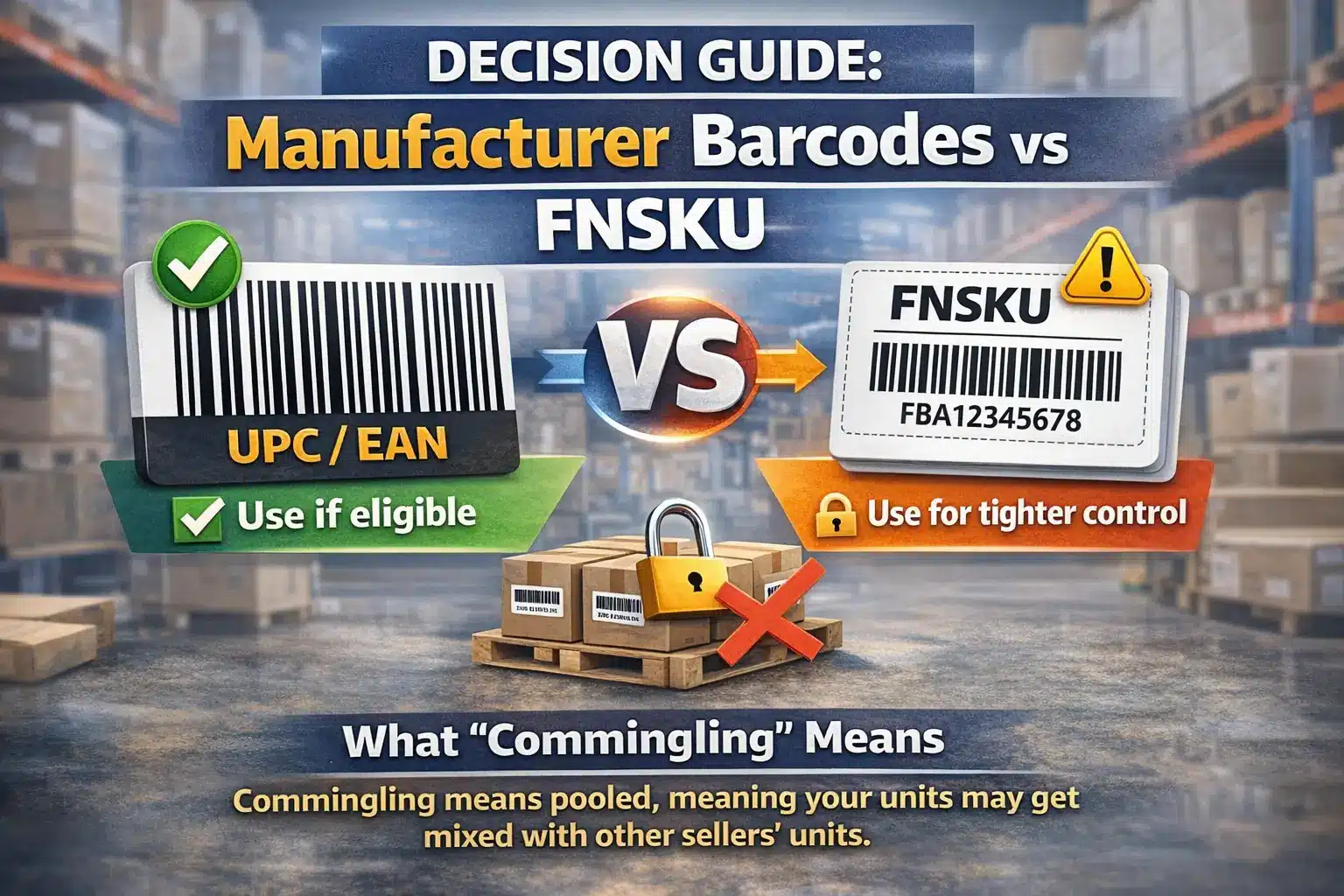
With the identifiers clear, your core decision is simple: use an FNSKU when Amazon requires it or when you want tighter control over unit tracking; use manufacturer barcodes when you’re eligible and you specifically want stickerless handling. The nuance is eligibility and how pooled inventory works.
What “commingling / pooled inventory” means in plain English
Commingling (often discussed alongside “virtual tracking”) is about whether identical units can be fulfilled across sellers under certain rules. If you want to reduce operational ambiguity—especially with multiple suppliers—many sellers treat FNSKU as the safer default because it reduces the chance of the “wrong barcode gets scanned” or “wrong unit gets attributed” failure mode.
A 2-minute checklist to choose UPC/EAN vs FNSKU (per SKU)
If you’re deciding per SKU, run this checklist—if any step is unclear, pick FNSKU and verify later:
- Eligibility check: In Seller Central, is the SKU eligible to be tracked using a manufacturer barcode (stickerless)?
- Traceability preference: Do you want your inbound units tracked clearly as your inventory path in FBA?
- Supplier complexity: Are you consolidating from multiple factories, multiple SKUs, or frequent packaging updates?
- Packaging reality: Is the surface flat and durable enough to keep a barcode readable and scannable through shipping?
- Rework tolerance: If Amazon flags labels as unscannable, can you tolerate relabeling and delays?
Practical default (conditional): If you’re a private-label seller with multi-supplier consolidation and you want fewer labeling surprises, FNSKU is often the operationally safer choice, unless you’ve confirmed manufacturer-barcode eligibility and you’re comfortable with the tracking model.
March 31, 2026 change: what it affects and what to update now
If your current process relies on manufacturer barcodes and pooled inventory behavior, treat March 31, 2026 as a forced “SOP review date”: Amazon states barcode requirements are changing starting that day. The important move is not guessing the details—it’s updating your workflow so you don’t get caught mid-shipment with mismatched settings.
What Amazon is saying (high-level)
Seller Central’s “Barcode Choice and Labeling FAQ” and related announcements indicate:
- Barcode requirements are changing starting March 31, 2026.
- Commingling practices will end effective that date, with updated eligibility criteria for using manufacturer barcodes.
What to update now (SOP checklist)
Use this checklist to make your process change-ready:
- Audit your current barcode setting per SKU: Which SKUs are using manufacturer barcodes vs Amazon barcodes today?
- Freeze labeling instructions per shipment: Don’t change barcode strategy mid-inbound plan unless you’ve confirmed Amazon’s constraints for inventory already in transit/in FCs.
- Update your supplier/prep instruction pack: Add a clear “barcode path” field and require a single mapping file version.
- Add a pre-carton QC gate: Make scan testing and “wrong-label” spot checks mandatory before cartons are sealed.
- Plan a buffer for changeover: If you anticipate switching barcodes, do it between replenishment cycles (so you’re not mixing old and new labeling logic in the same SKU flow).
How to generate and print FNSKU labels in Seller Central
Once you decide you need FNSKUs, the goal is to produce one correct label file per SKU/variation and keep the mapping consistent from printing through packing. Most labeling failures here are “right label, wrong unit” errors.
High-level step flow (tool-agnostic)
- In Seller Central, locate the SKU you’re sending to FBA and choose the option to print item labels (Amazon barcodes/FNSKUs).
- Select the label quantity and a supported label format (match your printer and label stock).
- Download the label PDF (or equivalent output).
- Print a small test batch first (alignment + barcode clarity).
- Apply labels to units (or send the PDF + instructions to your factory/prep team).
- Run a quick scan test + SKU spot-check before cartons are sealed.
“Before you print” mini-checklist
- SKU/variation: confirm the label corresponds to the exact pack size / variation you’re shipping.
- One source of truth: keep one mapping sheet (SKU → product name/variation → barcode path → label file name).
- Printer fit: confirm your printer matches the label format (misalignment can shrink or crop barcodes).
FNSKU label specs: size, material, print quality, and scannability
After you generate labels, print quality and label material become the difference between smooth check-in and exceptions. Amazon’s “Use Amazon barcodes” guidance includes specific requirements you should treat as non-negotiable when you use FNSKUs.
Print/material requirements (requirements + practical interpretation)
- Color/contrast: Print Amazon barcodes in black ink on white, non-reflective labels.
- Adhesive: Use removable adhesive labels (so relabeling is possible without damaging packaging).
- Label dimensions: Amazon’s guidance states barcode labels should fall within a specific size range (avoid printing too small to scan reliably).
- Clarity: Don’t let the barcode get cropped, stretched, smudged, or printed on low-contrast surfaces.
Scan reliability best practice (not a policy, but a saver)
- Do a scan test on the final surface (after shrink wrap/polybagging if applicable).
- If you see glare (transparent packaging) or curvature issues (bottles/cylinders), adjust placement or use a flatter label zone.
Placement rules: where the label goes and how to handle multiple barcodes
Once the label itself is correct, placement is the next biggest failure point: a perfectly printed barcode can still fail if it wrinkles, sits on a seam, or competes with another scannable code. The rule of thumb is “flat, visible, durable, unambiguous.”
Do / Don’t placement rules
Do
- Place the label on a flat, smooth area where it won’t crease during handling.
- Keep the barcode fully visible (not under seams, folds, or straps).
- Make sure the label is securely adhered and won’t peel in transit.
Don’t
- Don’t place labels across edges, corners, or box seams where they can warp or tear.
- Don’t place barcodes where glare prevents scanning (e.g., reflective film).
- Don’t allow multiple scannable barcodes to “compete” unless you’re sure the correct one will be scanned.
Packaging examples (quick guidance)
- Retail box: Put the label on the largest flat face; avoid the bottom seams and corners.
- Polybagged unit: Place on a flat panel; avoid wrinkles; ensure the barcode remains scannable through the bag material.
- Cylindrical item: Use the flattest available label zone; avoid tight curvature that distorts the bars.
Handling multiple barcodes (practical reality)
If a UPC/EAN is already on the packaging, many sellers place the FNSKU label over or away from other scannable codes to reduce the chance of scanning the wrong barcode. When in doubt, verify the latest placement guidance in Seller Central and test-scan your final packed unit.
Common labeling mistakes + a pre-carton QC gate checklist to prevent delays
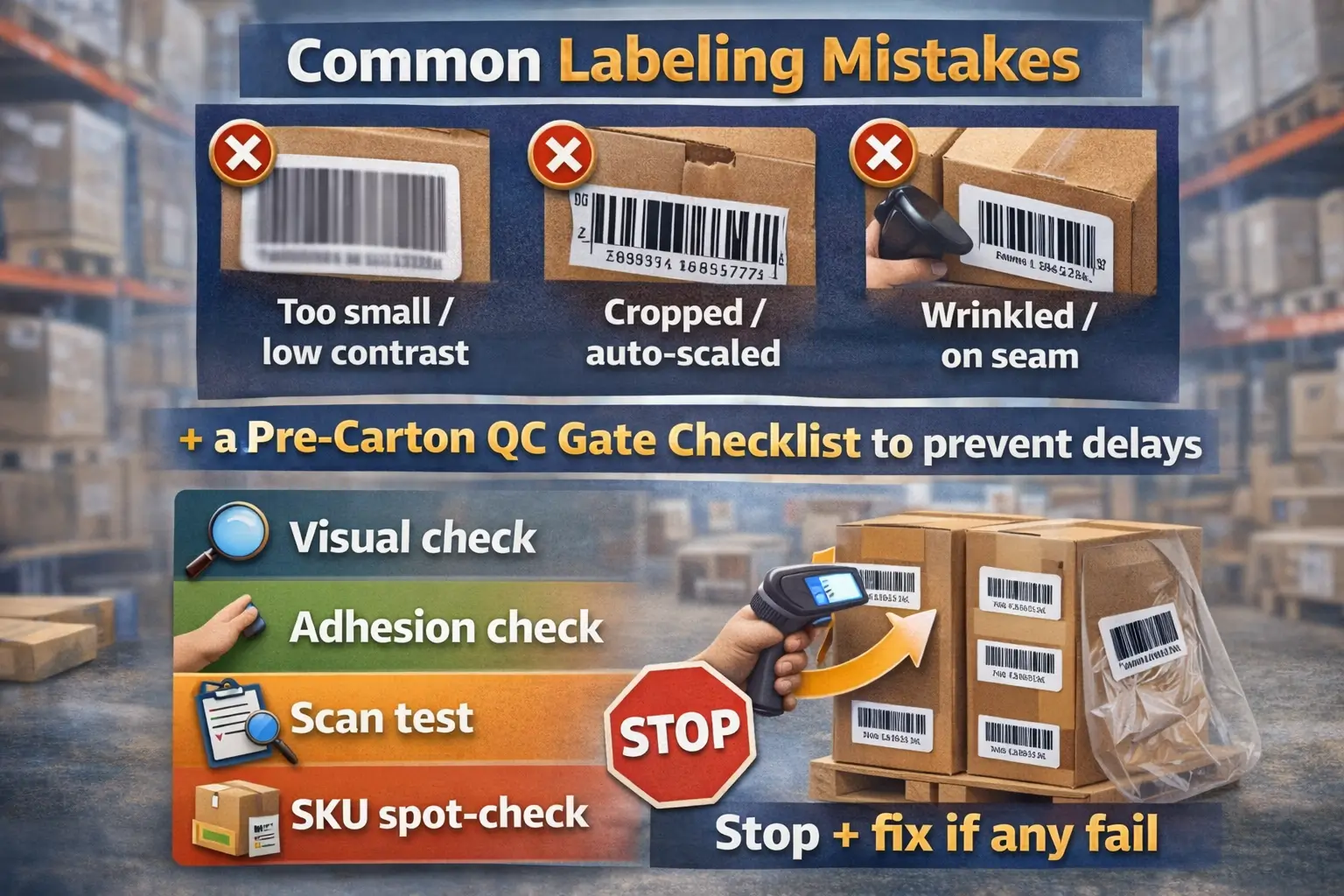
After you’ve got print and placement right, your best protection is catching failures before cartons are sealed and shipped. Most receiving issues are avoidable if you prevent “unscannable” and “wrong label on wrong unit” errors early.
Mistake → symptom → prevention table
| Common mistake | What it can cause | Prevention that scales |
|---|---|---|
| Barcode printed too small / low contrast | Unscannable at receiving | Use the required print style; test-print + scan before mass printing |
| Barcode cropped, stretched, or skewed | Scanner errors, manual handling | Confirm printer settings; avoid auto-scaling in PDF printing |
| Wrinkled label / label on seam | Failed scans | Place on flat surface; avoid folds/edges |
| Label peels off in transit | Missing barcode on arrival | Use proper label stock; apply on clean/dry surface |
| Wrong FNSKU on the unit (SKU mismatch) | Inventory attribution problems, delays | Maintain one mapping file; spot-check SKUs during packing |
| Multiple scannable barcodes competing | Wrong code scanned | Control placement; separate/cover competing codes when appropriate |
The “pre-carton QC gate” (10-minute checklist for factories or prep centers)
If you want a lightweight QC gate, run these checks before sealing cartons:
- Visual check: barcode is not cropped, smudged, or wrinkled.
- Adhesion check: label corners are fully stuck; no peeling.
- Scan test: scan a sample from each SKU/variation (or per production batch).
- SKU spot-check: verify the scanned label matches the correct product/variation and pack size.
- Packaging check: confirm the barcode remains readable after polybag/shrink wrap.
- Exception handling: if any sample fails, stop and fix the print/placement process before continuing.
Who should label when shipping from China: factory vs prep center vs destination
Once you know how to label correctly, the best labeling owner is the one who can keep SKU mappings clean and run consistent QC at the right stage. For China-sourcing sellers, the trade-off is usually speed vs control.
Option trade-offs (choose what matches your reality)
- Factory labels (at source): Fast and cheap when packaging is stable and the factory is disciplined; higher risk if you have many SKUs, changes, or multiple suppliers.
- China-side prep center labels (after consolidation): Often the best control point for multi-supplier consolidation because one team owns the mapping and QC gate.
- Destination labeling: Usually the most expensive and slowest to fix mistakes because rework happens after international transit.
Supplier / prep-center instruction pack (copy-paste checklist)
To reduce mix-ups, send one standardized pack to whoever labels:
- Barcode path per SKU: manufacturer barcode or FNSKU (explicit).
- Label files: the exact PDF(s) to use, plus a naming convention.
- SKU mapping sheet: SKU → product name → variation/pack size → barcode path → label file name.
- Placement instruction: 1–2 photos/notes showing where the label goes on the final packaging.
- QC gate: require scan testing + SKU spot-check before cartons are sealed.
- Version control: one “single source of truth” file (avoid multiple versions across suppliers).
If you’re consolidating from multiple factories, a China-side prep checkpoint can simplify accountability (one mapping file, one QC gate). If you want help standardizing the handoff pack, FBABEE can support labeling + consolidation workflows.
Where labeling & QC fit in a China → FBA workflow (simple process map)
After assigning responsibility, place labeling and QC where you have the most control—typically after consolidation but before cartons are finalized. This reduces the chance that “supplier A’s label ends up on supplier B’s unit.”
Simple process map you can adopt
- Supplier pickup / inbound receiving (collect SKUs and packaging versions).
- Consolidation (group by SKU/variation; confirm counts).
- Labeling + QC gate (apply labels, scan test, SKU spot-check).
- Carton planning & packing (keep SKU separation clear; minimize cross-mixing).
- Final check (spot-scan samples; confirm cartons match the inbound plan).
- Ship to FBA (hand off with consistent documentation and version control).
Special cases: bundles, multipacks, sets, and variations
After the standard workflow, special cases matter because the “sellable unit” is what must be labeled consistently with how you listed it. Most bundle mistakes are “correct labels, wrong unit definition.”
Common scenarios (what to label)
- Bundle sold as one unit: Label the outer bundle packaging as the sellable unit (one barcode path for the bundle SKU).
- Multipack sold as one unit (e.g., 3-pack): Label the outer multipack; don’t label individual items as separate sellable units unless they’re sold separately.
- Individual units sold separately: Each unit needs the correct barcode path for its SKU/variation.
Quick bundle QC reminder
- Confirm your SKU mapping matches the exact pack size and listing configuration.
- Run scan tests on the final wrapped/bundled unit (after shrink wrap/polybag).
FAQ
Q: What barcode types does Amazon accept for FBA products?
A: In practice you’ll see two “paths”: manufacturer barcodes (often UPC/EAN, part of the GTIN family) and Amazon barcodes (FNSKU labels printed from Seller Central). ASIN is a catalog identifier, not the barcode you typically stick on a unit.
Q: Do I have to label every product for Amazon FBA?
A: Not always. If your product is eligible to be tracked with a manufacturer barcode (stickerless/virtual tracking), you may not need FNSKU stickers—but eligibility depends on your listing settings and program, so confirm in Seller Central before mass printing.
Q: When should I use UPC/EAN versus an FNSKU label for FBA?
A: Use FNSKU when Amazon requires it or when you want tighter operational control (especially with multi-supplier consolidation). Use UPC/EAN (manufacturer barcode) when you’ve confirmed eligibility and you specifically want stickerless handling.
Q: What size and material should Amazon FBA barcode labels be?
A: Amazon’s “Use Amazon barcodes” guidance specifies black ink on white, non-reflective labels with removable adhesive, and it provides an allowed size range. Start with those requirements, test-print, and scan-test on the final packaging surface.
Q: Where should I place the barcode label, and do I need to cover other barcodes?
A: Place labels on a flat, visible area (not across seams/edges) and avoid wrinkles or glare. If other scannable barcodes are present, many sellers position the FNSKU to reduce competing scans (often over/away from the UPC), then verify with Amazon guidance and scan-test.
Q: What are the most common barcode labeling mistakes that cause FBA receiving delays?
A: The big ones are unscannable print (too small/low contrast/cropped), bad placement (wrinkles/seams), labels peeling, and SKU mismatch (wrong label on the unit). A pre-carton QC gate (scan test + SKU spot-check) catches most of these.
Q: What changes on March 31, 2026 for FBA barcode requirements?
A: Amazon states barcode requirements are changing starting March 31, 2026, including ending commingling practices and updating manufacturer-barcode eligibility. Treat this as a trigger to audit barcode settings per SKU and update your labeling SOP before your next replenishment cycle.
Summary: the simplest next step for your next shipment
With everything above in place, your simplest next step is to choose one barcode path per SKU, then lock the handoff pack and QC gate before cartons are sealed. That approach reduces the most common “avoidable” issues (wrong label, unscannable label, SKU mix-ups) without adding a lot of complexity.
A minimal action list:
- Decide UPC/EAN vs FNSKU per SKU (and verify eligibility if you want stickerless).
- Standardize one mapping file + one label file set.
- Apply a pre-carton QC gate (scan test + SKU spot-check).
- Update your SOP ahead of March 31, 2026 so your workflow doesn’t break mid-cycle.
If your first shipment from China involves multiple suppliers or frequent packaging changes, getting the barcode path + QC checkpoint right early can save rework later. FBABEE can help with consolidation + labeling coordination as an operational support option.



