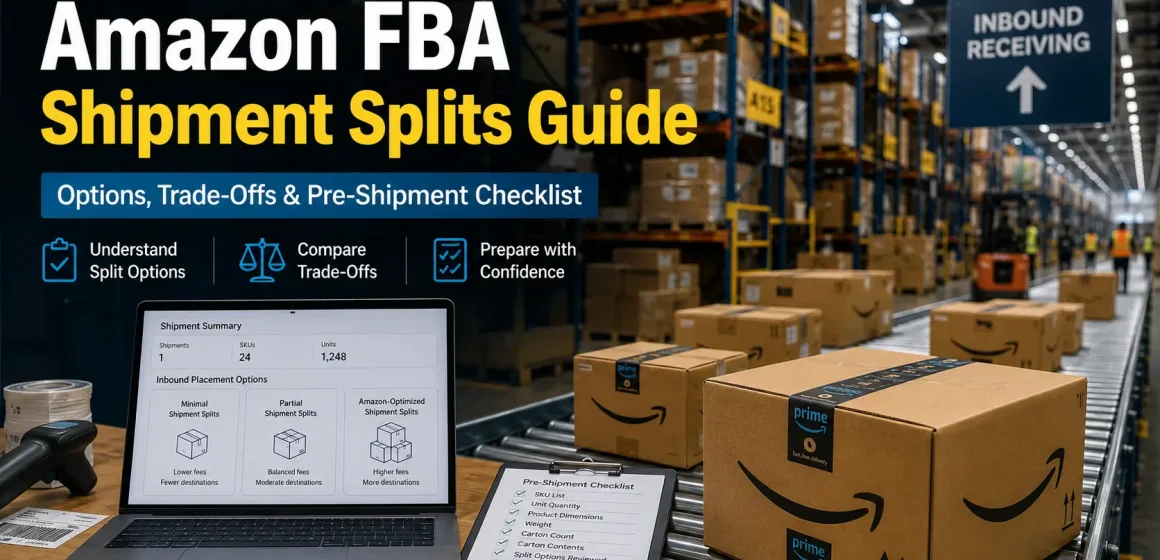
What Are FBA Shipment Splits?
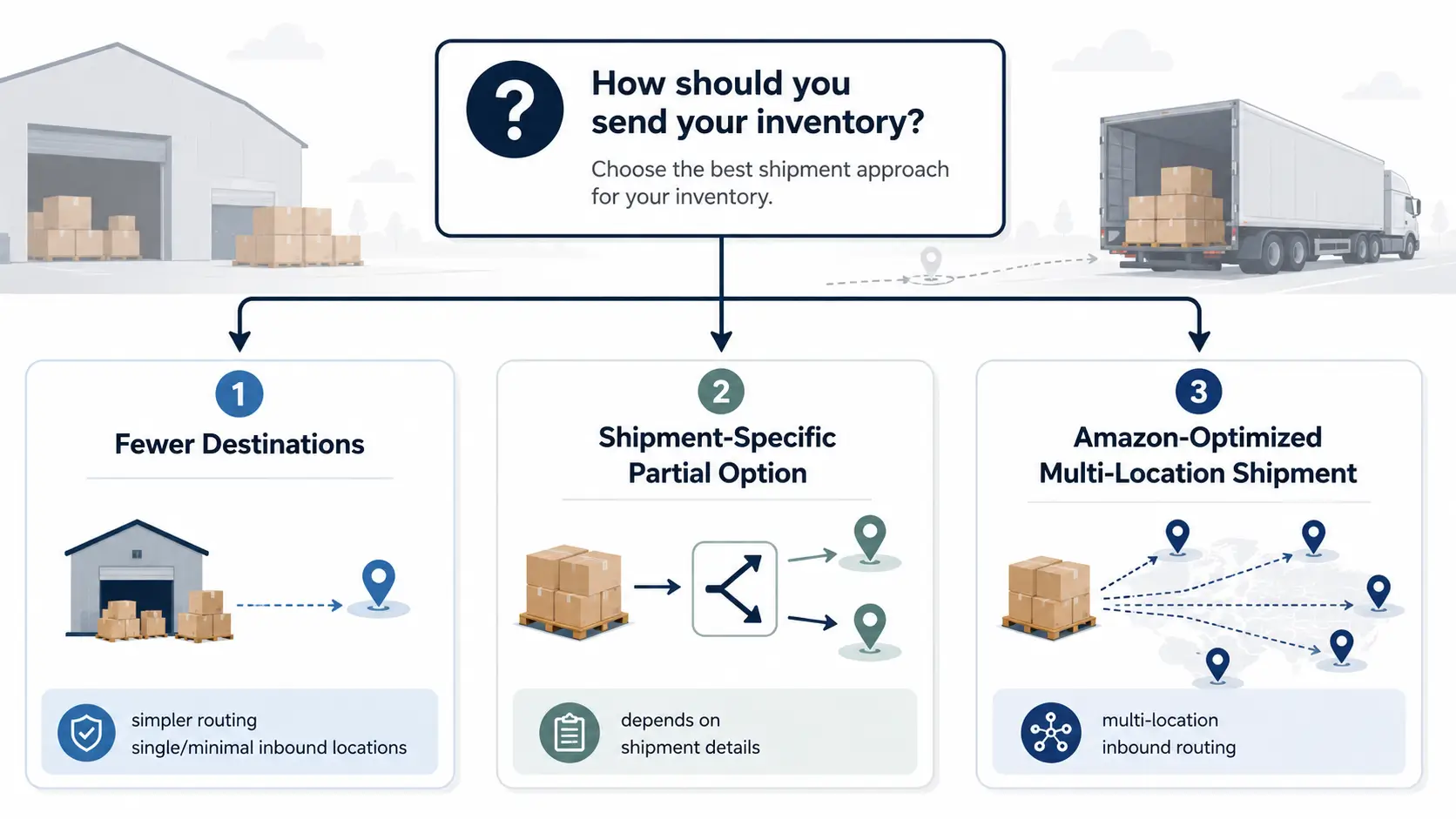
Amazon FBA shipment splits are inbound placement options that may send your inventory to one or multiple inbound locations. Depending on the shipment, sellers may see options such as minimal shipment splits, partial shipment splits, or Amazon-optimized shipment splits. Sellers can prepare cleaner shipment data and compare trade-offs, but they should not assume they can fully control which option Amazon offers.
Why Amazon FBA Shipments Get Split
Shipment splits happen because Amazon is trying to place inventory across its fulfillment network while giving sellers different inbound placement choices. From the seller’s side, this can feel confusing: one shipment plan may offer a simple destination, while another shipment with different SKUs, boxes, or product sizes may create more split destinations.
A split plan is not just a shipping inconvenience. It can affect freight planning, prep labor, carton labeling, delivery timing, and cost review. Sellers usually want one simple answer: “How do I send everything to one place?” In practice, the safer question is: Which option creates the best balance between simplicity, fee exposure, freight cost, and stockout risk for this shipment?
Amazon’s fee-preview documentation says the FBA inbound placement service fee rate is assessed based on product size tier, shipping weight, and inbound locations. That does not reveal Amazon’s full assignment logic. It does mean sellers should review product size, weight, box plan, and available inbound locations before assuming one option is always better. See Amazon’s Fee and Economics Preview report documentation for the current source context.
Compare Minimal, Partial, and Amazon-Optimized Shipment Splits
The names can be misleading if you only look at the number of destinations. A minimal split may look easier operationally, but it may involve a placement fee. An Amazon-optimized split may involve more inbound destinations, but Amazon describes it as a no-fee option when the shipment qualifies. Check Amazon’s FBA inbound placement service fee page before making cost decisions.
Use the comparison below as a decision guide, not a fee calculator.
| Shipment split option | What it usually means | Seller workload | Fee exposure | When it may fit | Watch-outs |
|---|---|---|---|---|---|
| Minimal shipment splits | Inventory goes to the minimal number of inbound locations, generally a single location when available. | Lower | May involve placement fee | You need simpler shipping, fewer appointments, or lower prep complexity. | Do not assume it is always the lowest total cost. |
| Partial shipment splits | Where available, inventory is split across more than one inbound location. | Medium | Depends on Seller Central preview | Shipment-specific cases where this option appears in the workflow. | Check the current Seller Central workflow before assuming it applies. |
| Amazon-optimized shipment splits | You send inventory to multiple inbound locations yourself when the shipment qualifies. | Higher | Amazon describes this as no-fee when qualified | You can manage multiple shipments and want to compare against placement-fee exposure. | More destinations can increase freight, labor, scheduling, and labeling complexity. |
The best option is shipment-specific. A seller shipping a small number of cartons with urgent inventory needs may value simplicity. A seller with enough carton volume, flexible timing, and strong freight coordination may be more willing to handle multiple destinations. The correct choice depends on the shipment preview, freight quotes, prep workload, and stockout risk.
What Sellers Can Control Before Shipment Creation
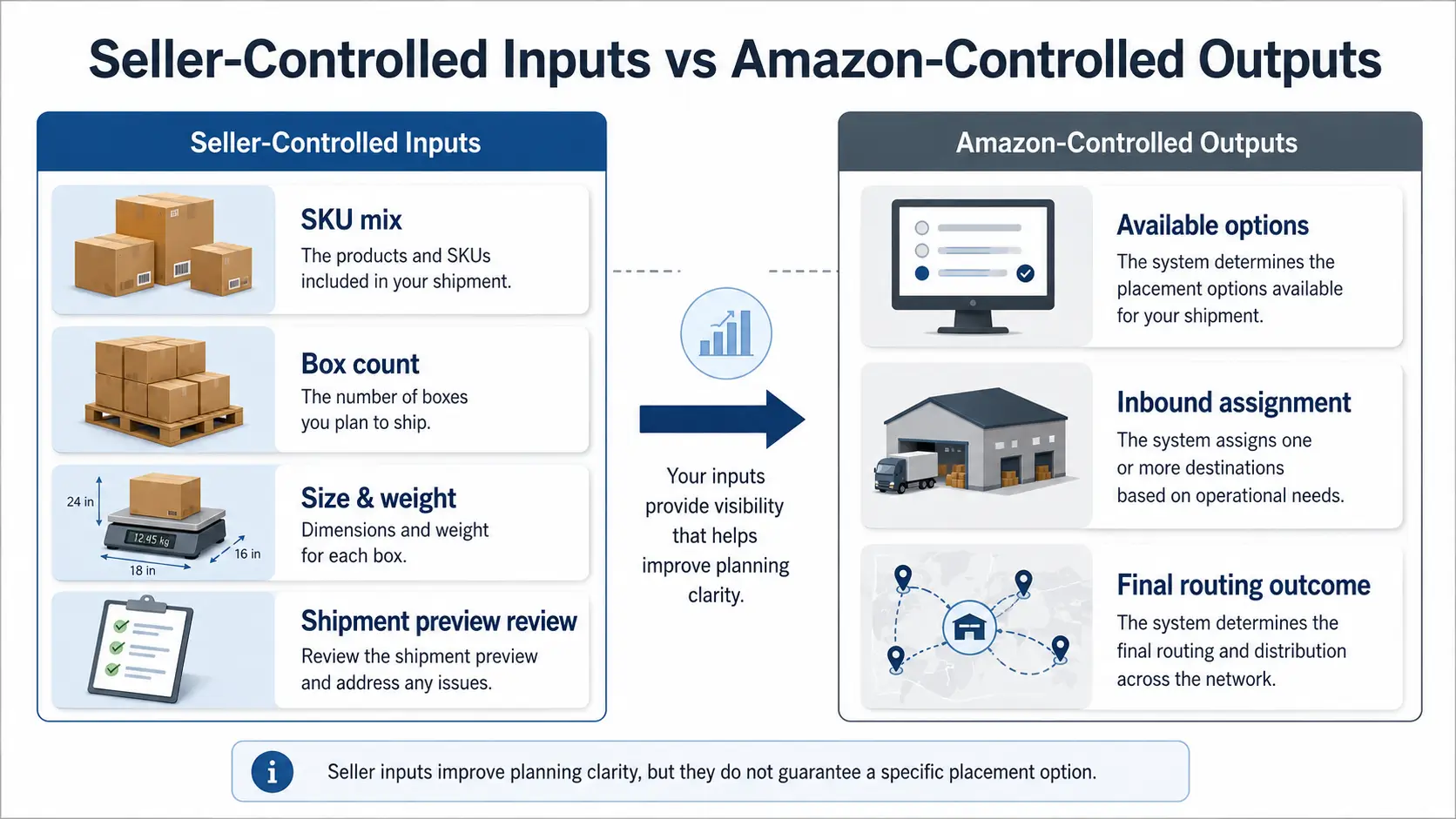
Sellers cannot control Amazon’s full placement decision, but they can control the quality of the shipment inputs they prepare. This is where many operational mistakes happen.
| Seller can prepare | Amazon determines | Why it matters | Safe action |
|---|---|---|---|
| SKU list and quantities | Which placement options appear | Mixed SKUs or uneven quantities can make review harder. | Check item mix before creating the plan. |
| Carton count and carton contents | Final inbound assignment | Consistent carton data can make the shipment easier to review, but it does not guarantee a specific option. | Keep box-level data accurate. |
| Product size and shipping weight details | Fee preview and placement cost exposure | Size tier and shipping weight affect the cost side of the decision. | Confirm dimensions and weights before comparing options. |
| Special handling or sort categories | Available workflow options | Mixing different categories can complicate shipment planning. | Separate shipment categories when appropriate. |
| Freight quotes and delivery timing | Network placement outcome | A no-fee placement option may still create more freight work. | Compare total landed impact, not only Amazon fee line items. |
| Stockout deadline | Inventory distribution and check-in timing | Waiting for a cheaper option can still hurt if inventory runs out. | Include timing risk in the decision. |
The practical goal is not to “beat” Amazon’s system. The goal is to avoid avoidable confusion before you approve the plan.
Pre-Shipment Checklist Before You Approve a Split Plan
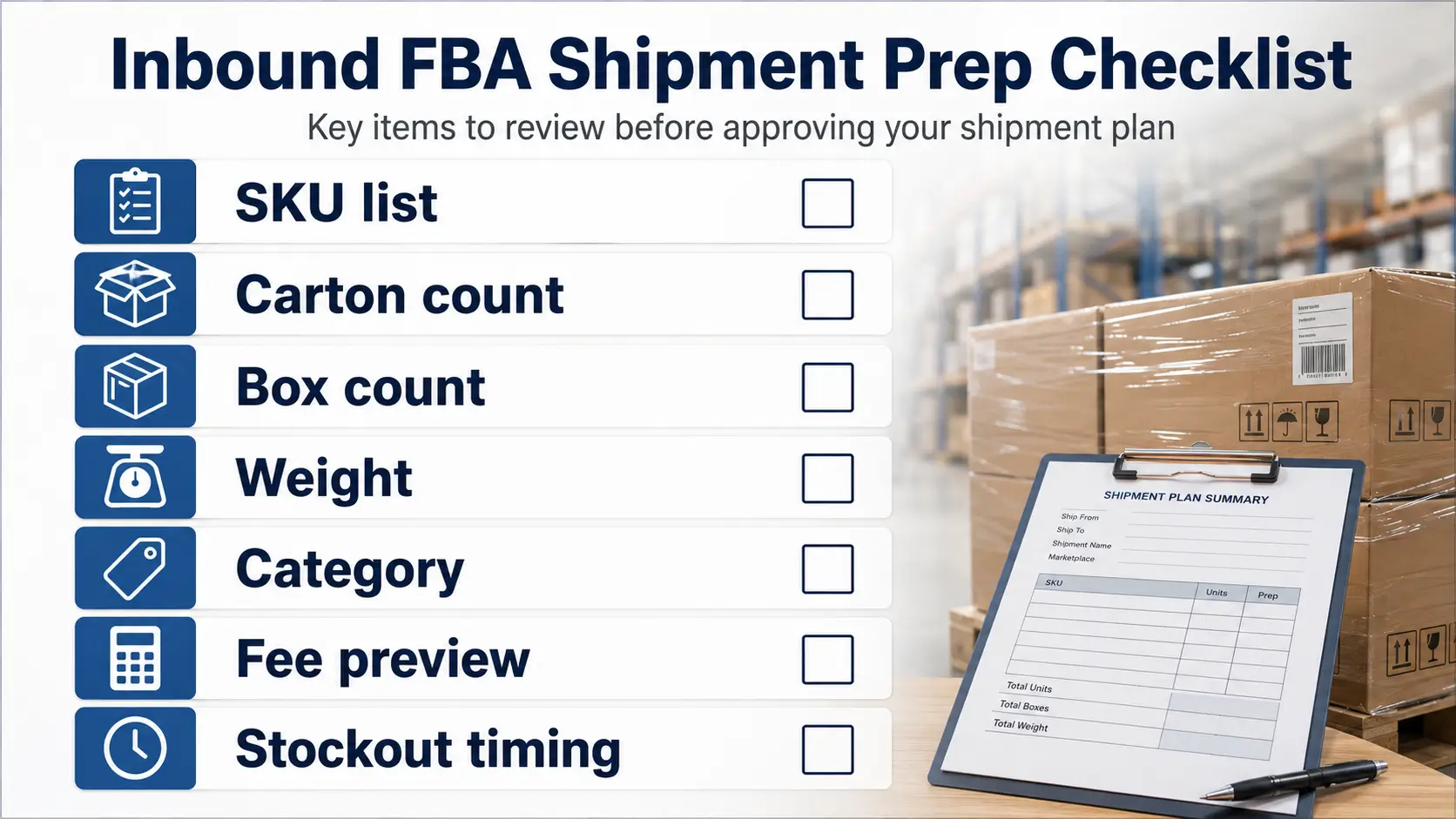
Before approving an FBA shipment plan, review these items:
- Confirm the SKU list and unit quantities.
- Check whether the shipment mixes very different product sizes or handling categories.
- Review box count and carton-level contents.
- Confirm product dimensions and shipping weights.
- Compare the available split options in Seller Central.
- Check whether the option with fewer destinations creates a placement fee.
- Estimate freight, prep labor, label work, and appointment complexity.
- Compare timing risk if inventory is close to stocking out.
- Save or export the shipment preview details for later fee review.
- Do not rely on a previous shipment’s result as a guarantee for the next shipment.
This checklist does not guarantee that Amazon will offer a specific split option. It helps you make a cleaner decision with fewer surprises.
Fee vs Freight: How to Think About the Trade-Off
Many sellers look at shipment splits only through the placement fee. That is too narrow.
A minimal split may reduce freight complexity because you ship to fewer locations. But if that option includes a placement fee, the apparent simplicity may cost more inside Seller Central. An Amazon-optimized split may reduce or avoid the placement fee when the shipment qualifies, but it may require more separate shipments, more labels, more freight coordination, and more operational time.
Amazon’s FBA inbound placement service fee report documentation can help sellers review how a shipment was assessed after the shipping plan is evaluated. Use it for review, not as a promise that a specific shipment will receive a specific fee outcome.
| Decision factor | Minimal split may help when… | More split destinations may help when… | Review trigger |
|---|---|---|---|
| Shipping simplicity | You need fewer destinations and simpler coordination. | You can manage multiple destinations efficiently. | Freight quotes differ sharply. |
| Amazon fee exposure | You accept the placement fee for simplicity. | You want to compare no-fee or lower-fee options when available. | Seller Central preview shows a meaningful difference. |
| Prep labor | Your team is short on time. | Your cartons are already well organized. | Multiple labels or carton groups add labor. |
| Check-in timing | Speed and simplicity matter more than fee optimization. | You can tolerate more routing complexity. | Inventory is close to stockout. |
| Operational risk | Fewer moving pieces reduce mistakes. | Multiple destinations are manageable with good process control. | Shipment errors are common in your workflow. |
Avoid choosing based on one line item. The better decision is the one that fits the whole shipment.
Why a Shipment Split Option May Not Appear
Sellers often ask why one shipment shows an Amazon-optimized or minimal split option while another does not. The answer is usually not visible from a single screen.
Possible review points can include product size tier, shipping weight, inbound locations, item mix, carton consistency, box count, and how the shipment is structured. These are review points, not guaranteed fixes. Amazon forum guidance also suggests sellers may get more inbound options by separating standard-size, non-standard-size, and special-handling shipments, keeping item mix and quantities equal across boxes, and increasing the number of boxes; use that guidance cautiously and verify against the current shipment workflow. See the Seller Central discussion on FBA inbound placement options.
| What you see | Possible factor to check | What to do | What not to assume |
|---|---|---|---|
| Minimal split is expensive | Placement fee exposure | Compare freight savings against fee preview. | Do not assume fewer destinations always cost less overall. |
| Amazon-optimized option does not appear | Shipment may not qualify | Review box count, item mix, carton contents, and shipment categories. | Do not assume one small carton change guarantees eligibility. |
| Partial split appears | Inventory type or shipment workflow may matter | Check current Seller Central guidance for that shipment. | Do not apply the same rule to every SKU. |
| Options change between plans | Shipment inputs changed | Compare quantities, box plan, size/weight, and timing. | Do not assume Amazon will repeat a previous plan. |
| Freight cost rises with more destinations | Carrier routing complexity | Get quotes before approving. | Do not treat “no placement fee” as “lowest total cost.” |
The safe working rule is simple: treat every shipment plan as its own decision.
Common Mistakes to Avoid
Mistake 1: Trying to “avoid splits” at all costs
Avoiding complexity is reasonable. But “avoid all splits” is not always possible, and it may not be the cheapest or lowest-risk decision. Focus on reducing unnecessary complexity, not forcing a guaranteed outcome.
Mistake 2: Looking only at Amazon’s placement fee
A lower placement fee can still lead to higher freight, more prep work, or slower inventory availability. Review the whole cost and timing picture.
Mistake 3: Assuming one inbound destination means inventory stays there
An inbound destination is part of the shipping plan. It should not be treated as a promise about long-term inventory location or customer delivery coverage.
Mistake 4: Reusing last shipment’s logic without review
A different SKU mix, box count, product size, or inventory deadline can change the decision. Use the previous shipment as a reference, not a rule.
Mistake 5: Approving the plan before checking carton-level data
Shipment split decisions depend heavily on the details you enter. Poor carton data can lead to extra review work, delays, or expensive rework.
FAQ
What are Amazon FBA shipment splits?
Amazon FBA shipment splits are inbound placement options where inventory may be assigned to one or multiple inbound locations. Depending on the shipment, sellers may see minimal, partial, or Amazon-optimized split options.
Why does Amazon split FBA shipments?
Amazon splits shipments to place inventory within its fulfillment network while offering different inbound placement choices to sellers. From the seller side, visible review points can include product size tier, shipping weight, inbound locations, item mix, carton data, and shipment structure.
What is the difference between minimal, partial, and Amazon-optimized shipment splits?
Minimal splits usually mean fewer inbound locations, generally one when available, often with a placement fee. Amazon-optimized splits involve sending inventory to multiple inbound locations yourself and are described by Amazon as no-fee when the shipment qualifies. Where available, partial shipment splits should be treated as shipment-specific; check the current Seller Central workflow before assuming they apply.
Can I send all FBA inventory to one fulfillment center?
Sometimes Seller Central may show an option that sends inventory to the minimal number of inbound locations, generally one location. That option is not guaranteed for every shipment and may involve a fee. Always review the current shipment preview before deciding.
How can I reduce shipment split complexity?
Prepare accurate SKU quantities, carton contents, box count, dimensions, weights, handling categories, and freight assumptions before approving the plan. This can make the decision cleaner, but it does not guarantee that Amazon will offer a specific split option.
Why is Amazon-optimized shipment split not available for my shipment?
The shipment may not meet the requirements for that option, or the shipment inputs may not support it. Review item mix, carton consistency, box count, product size and weight, and available options in Seller Central. Avoid assuming that one change will guarantee Amazon-optimized eligibility.
Prepare Your Shipment Data Before Asking for Help
Before asking a prep, logistics, or operations partner to review an FBA shipment plan, prepare the details they need:
- SKU list
- Unit quantity by SKU
- Product dimensions and shipping weight
- Carton count
- Carton contents
- Special handling category, if any
- Available Seller Central split options
- Placement fee preview
- Freight quotes or expected freight method
- Inventory urgency or stockout date
A good review starts with clean shipment data. The goal is not to promise a perfect route. The goal is to compare the available options, understand the trade-offs, and avoid approving a plan that creates preventable cost, labor, or timing problems.
To discuss shipment preparation with FBABEE, use the FBABEE contact page and include the shipment details above.