What is Amazon FBA inventory?
Amazon FBA inventory is the stock you own that’s assigned to Fulfillment by Amazon—stored in Amazon’s fulfillment network and used to fulfill orders when the units are in a sellable status. The most useful way to understand it is as a set of statuses that explain what you can sell now versus what’s still in process versus what needs fixing.
Definition + action map
- FBA inventory = your stock in the FBA program that Amazon can fulfill from once it becomes sellable.
- The status matters more than the total: sellable now vs not sellable yet vs blocked by an exception.
- Inbound usually means “still moving through shipping/check-in/receiving,” not “lost.”
- Reserved is often temporary allocation/processing—first check why it’s reserved.
- Stranded / Unfulfillable usually require an action (listing/offer fix or disposition decision).
Boundary conditions / caveats
- Seller Central labels and menus can differ by account and change over time—verify the latest inside Seller Central.
- This guide is informational and not official Amazon documentation.
- FBABEE is an independent provider and is not affiliated with Amazon.
FBA inventory vs FBM inventory: what “inventory” means in each model
With the definition set, here’s the quick distinction: FBA inventory is inventory Amazon can ship for you, while FBM inventory is inventory you ship yourself (from your own warehouse or a 3PL). That difference changes what “available” really means.
FBA vs FBM inventory (comparison table)
| Topic | FBA inventory (Fulfilled by Amazon) | FBM inventory (Fulfilled by Merchant) |
|---|---|---|
| Where inventory sits | Amazon fulfillment network (once received) | Your location / 3PL |
| Who ships the order | Amazon | You (or your 3PL) |
| What “available” implies | Amazon can ship now (if sellable) | You can ship now (based on your stock) |
| Common “not available” causes | Inbound/receiving, reservation, exceptions | Your own stock accuracy, pick/pack capacity |
Boundary conditions / caveats
- Many sellers run hybrid FBA + FBM; views can be split across programs and marketplaces.
- Treat this as a mental model—confirm details in your Seller Central account.
FBA inventory statuses explained (canonical status → action table)
The fastest way to read FBA inventory is to translate each status into two questions: Can I sell it today? and What’s the next action? This table is meant to be your one-page decoder.
Canonical status → action table
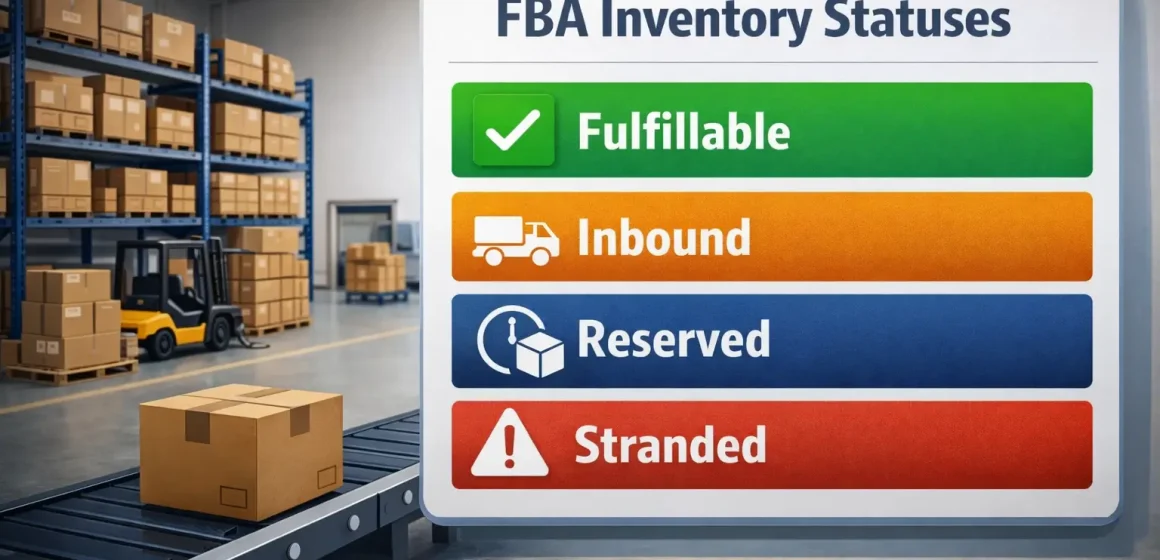
| Status label (common) | What it usually means | Sellable now? | What to do next |
|---|---|---|---|
| Fulfillable | Received and available for customer orders | Yes | Track sell-through; plan replenishment |
| Inbound | In transit or in receiving/reconciliation | No (yet) | Track shipment milestones; verify carton/unit accuracy |
| Reserved | Temporarily allocated or processing | Usually no | Check reserved reason bucket before restocking |
| Stranded | Inventory exists but isn’t connected to a buyable offer | No | Use the stranded reason to fix listing/offer state |
| Unfulfillable | Not sellable as new due to condition/disposition | No | Choose disposition (remove/return/dispose) as appropriate |
Boundary conditions / caveats
- Exact labels and columns vary; treat the table as “common meaning,” then confirm the definition shown in your account.
- “Excess/aged” often shows up as an inventory health flag on top of statuses, not as a separate status.
Where to check FBA inventory and reports in Seller Central
Most Seller Central accounts spread “FBA inventory” across a few views that support different decisions. Rather than memorizing click paths, it’s more reliable to know what to search for.
Where sellers typically look
- An FBA inventory page/dashboard for sellable units, inbound, and alerts (stranded/unfulfillable/aged).
- Inventory reports for exportable, SKU-level details (useful for reconciliation).
- Shipment/inbound views for check-in, receiving progress, and exceptions.
Boundary conditions / caveats
- Menus change; use Seller Central search/help and “look for” terms like FBA Inventory, Inventory Reports, and Shipments.
- Reports can be snapshots; interpret them alongside the live dashboard.
How inventory becomes sellable
Inbound inventory is easiest to manage when you treat it as milestones, not a countdown. Units typically become sellable after Amazon can check in and reconcile what arrived to your shipment plan.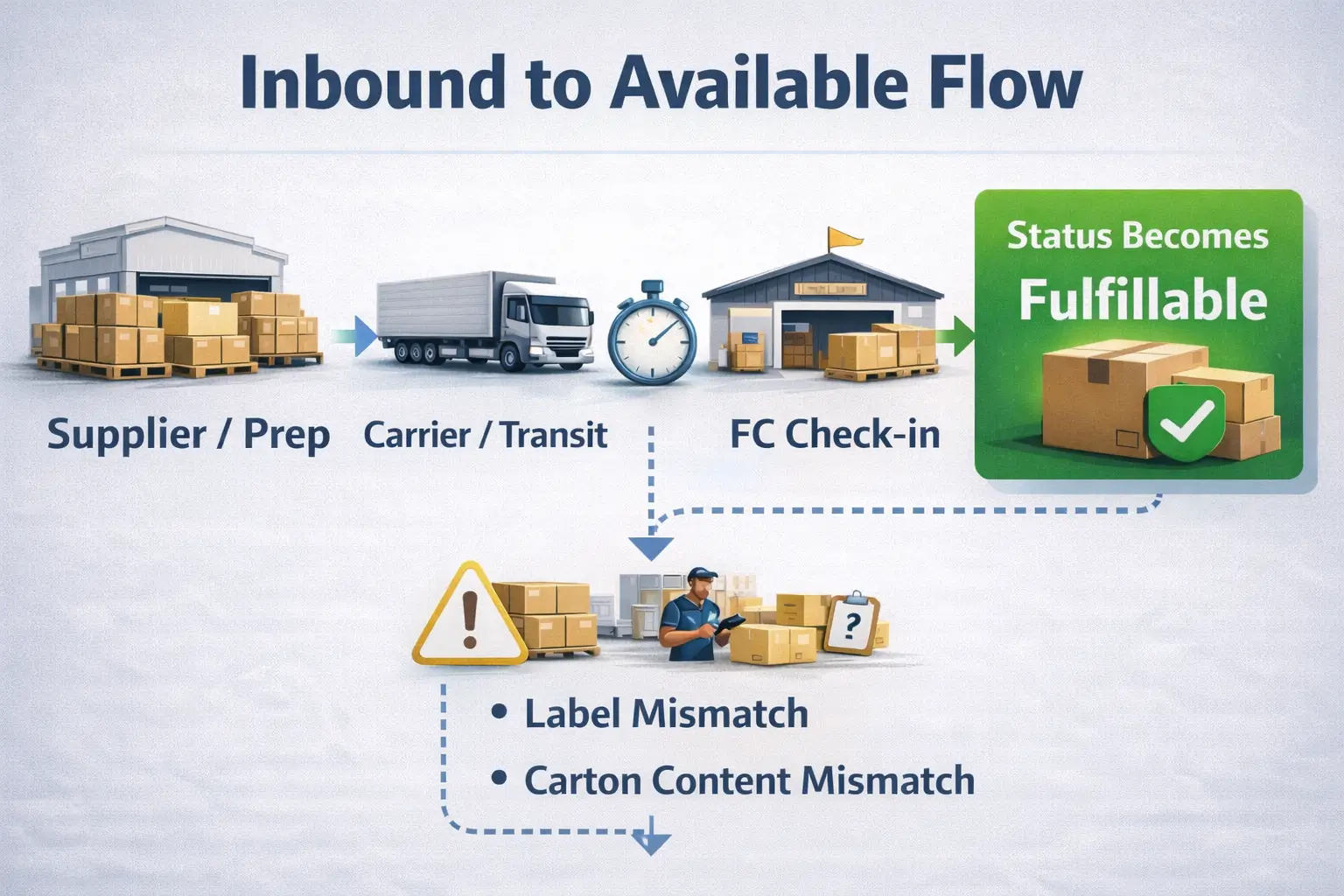
Typical inbound → available milestones (non-numeric step list)
- Create/confirm the shipment plan (what you’re sending and how it’s packed).
- Prep and label units/cartons to match the plan.
- Ship and hand off to the carrier.
- Check-in / delivery appointment into the fulfillment network.
- Receiving and reconciliation (counting, scanning, mismatch handling).
- Units become sellable once received and linked to a buyable offer/listing state.
Boundary conditions / caveats
- Receiving speed varies by FC workload and shipment complexity; avoid relying on a fixed timeline.
- If it’s not becoming sellable, the usual buckets are: inbound mismatch, listing/offer issue, or condition/disposition.
Troubleshooting when inventory isn’t sellable (Reserved, Stranded, Unfulfillable)
When inventory isn’t sellable, the fastest path is identifying whether you’re looking at a temporary hold, a listing/offer blocker, or a condition outcome. Start with the reason message Amazon shows for that SKU or shipment.
Quick triage checklist (start here)
- Confirm the status label (reserved vs stranded vs unfulfillable) and read the reason tied to it.
- Check if there’s an active, buyable offer for that SKU (stranded issues often aren’t “inventory problems”).
- If inbound is involved, confirm carton/SKU/quantity alignment with the shipment plan.
- For unfulfillable units, review your enabled disposition options (recover vs remove).
Boundary conditions / caveats
- The same “not sellable” symptom can have different causes; start with the reason Amazon provides.
- Some actions depend on category rules and account permissions.
Reserved: common reasons and what to check first
Reserved usually means units are held temporarily (allocated, processing, or moving within the network). The best first step is identifying the “bucket” before changing your restock plan.
Reserved checklist
- Allocated to customer orders or short-term processing
- FC transfer or internal movement
- Partial receiving/reconciliation still in progress
Boundary conditions / caveats
- Reserved reasons vary by account features; treat it as a signal to investigate, not proof you’re out of stock.
Stranded: definition, causes, and fixes
Stranded inventory is typically inventory that exists but isn’t connected to a buyable offer, so it can’t be purchased. Fixes are usually listing/offer work, not waiting.
Common stranded causes → fix paths
- Offer inactive or listing closed → restore the offer and confirm price/quantity/fulfillment settings
- Listing suppressed/missing info → correct required attributes and address the specific suppression reason
- Mapping/label mismatch → verify SKU/FNSKU mapping and relabel if required
- Eligibility/restricted category issue → confirm eligibility and provide required docs where applicable
Boundary conditions / caveats
- Use the specific stranded reason shown for that SKU; guessing wastes time.
Unfulfillable: why it happens and what to do with it
Unfulfillable inventory is typically inventory that can’t be sold as new due to returns, damage, or condition issues. The next step is choosing the most practical disposition option for your product.
Common options
- Remove/return (to inspect, rework, or route elsewhere if allowed)
- Dispose (when recovery isn’t worth it)
- Rework/relabel paths (only if allowed for your category/settings)
Boundary conditions / caveats
- Options vary by marketplace and product type; confirm what’s enabled in your account.
Inventory health: IPI and why balance matters
Inventory health is about staying in stock without accumulating slow movers. Amazon surfaces this through recommendations and metrics such as the Inventory Performance Index (IPI), which reflects how efficiently you manage FBA inventory over time.
Practical takeaways
- Inventory health is a feedback loop: sell-through, in-stock rate, and sellability issues (like stranded) often show up together.
- If you see repeated “aged/excess” signals, it’s usually a cue to adjust replenishment cadence, pricing, or assortment.
Boundary conditions / caveats
- Exact scoring and thresholds can change; avoid relying on fixed cutoffs unless you’ve verified current guidance.
Restock planning: avoid stockouts without overstocking
Restock planning is mostly timing: demand signal + lead time + a buffer for variability. Your goal is to have replenishment arrive before stockouts, without sending so much that you create aged/excess risk.
Restock decision guide (table)
| What you see | What it often means | What to do next |
|---|---|---|
| Fulfillable falling, inbound low | Stockout risk rising | Start replenishment; confirm production + shipping lead time |
| Inbound large vs demand | Overstock risk rising | Split shipments or slow reorders; re-check forecast |
| Reserved high, fulfillable low | Allocation/processing holding units | Investigate reserved reasons before reordering |
| Stranded alerts recurring | Listing hygiene is the bottleneck | Fix listing/offer state first, then restock |
Boundary conditions / caveats
- This is best-practice guidance; your tools and recommendations vary by seller and category.
- If you source from multiple suppliers, consolidation and carton planning can add time—plan for that operational reality.
Before it reaches Amazon: common inbound/prep mistakes that cause delays
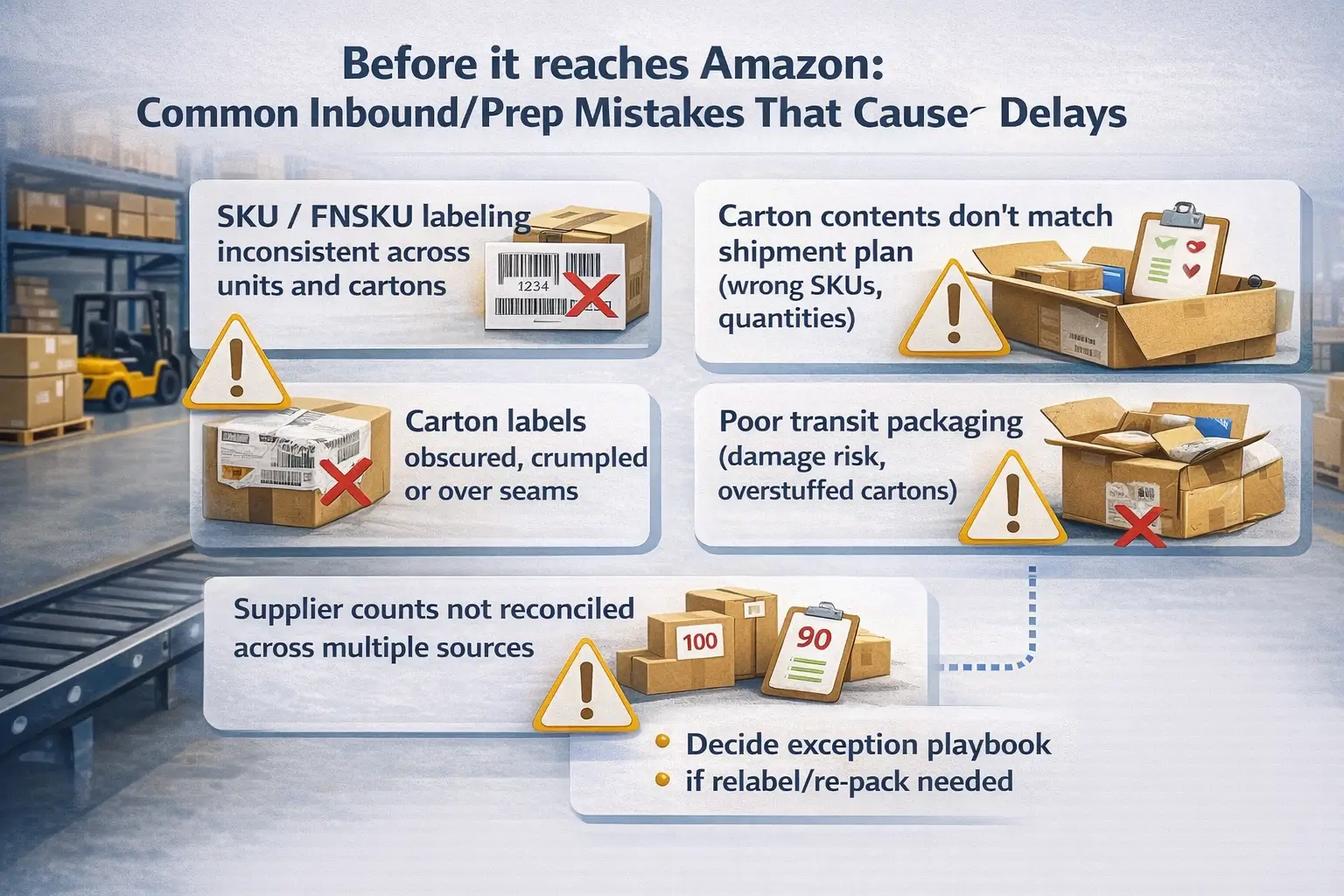
Many “inbound stuck” situations start upstream—especially with multiple suppliers, mixed cartons, or last-minute labeling changes. A simple prevention checklist helps reduce receiving exceptions.
Pre-inbound prevention checklist (vendor-neutral)
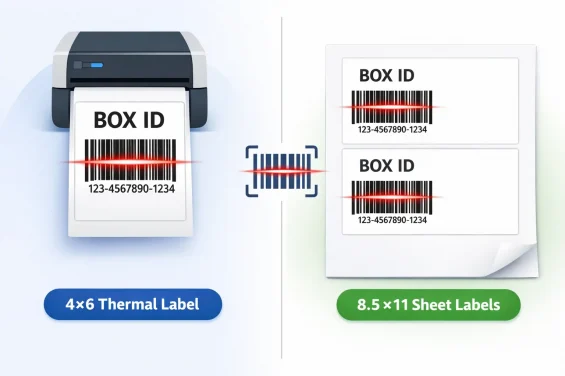
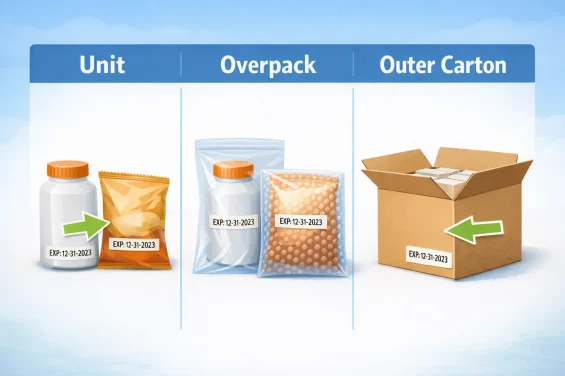
- Confirm SKU/FNSKU labeling is applied consistently across all units and cartons
- Ensure carton contents match what the shipment plan expects (SKUs and quantities)
- Keep carton labels scannable (flat, unobstructed, not over seams)
- Pack for transit (protect fragile items; avoid overstuffed cartons)
- Reconcile multi-supplier counts before final packing
- Decide an exception playbook (who relabels/re-packs if issues are flagged)
Boundary conditions / caveats
- Requirements vary by product type; verify category-specific prep/shipping guidance in Seller Central.
- Prevention reduces risk, but can’t eliminate all inbound variability.
If your inbound is complex (multi-supplier sourcing, mixed cartons, tight restock windows), a China-side consolidation + prep workflow can reduce avoidable exceptions. FBABEE supports consolidation, labeling/prep, and door-to-door shipping coordination for Amazon sellers—and is not affiliated with Amazon.
FAQ: Amazon FBA inventory questions sellers ask
Q: What is FBA inventory on Amazon?
A: It’s the inventory you own that’s assigned to the FBA program and tracked in Seller Central by sellability statuses—what’s sellable now, what’s inbound, and what’s blocked by an exception.
Q: What’s the difference between fulfillable, reserved, and inbound inventory?
A: Fulfillable is sellable now, inbound is still moving through shipping/receiving, and reserved is temporarily held (allocation/processing). Your next step depends on which bucket is driving the “not sellable” units.
Q: Why is my FBA inventory stuck in “Reserved”?
A: Reserved is often tied to allocation, processing, or internal movement. Check the reserved reason for that SKU and whether receiving/reconciliation is still in progress before changing your restock plan.
Q: What is stranded inventory, and how do I fix it?
A: Stranded inventory is usually inventory that exists but isn’t connected to a buyable offer. Fixes typically involve restoring the offer, correcting a suppressed listing, or resolving the specific eligibility/compliance requirement shown in Seller Central.
Q: Where do I check my Amazon FBA inventory in Seller Central?
A: Look for an FBA inventory dashboard/page plus inventory reports and shipment views. If menus differ, use Seller Central help search for terms like “FBA Inventory,” “Inventory Reports,” and “Shipments.”
Q: How long does it take for inbound inventory to become available?
A: It depends on shipping, check-in, receiving workload, and whether exceptions are triggered (mismatch, labeling issues, damage). Track inbound milestones and exception messages rather than relying on a fixed timeline.
Summary: the simplest way to read your FBA inventory numbers
The simplest mental model is: status → sellable? → next action. If you can do that quickly, you’ll restock earlier, fix exceptions faster, and avoid preventable inbound stalls.
The 60-second status → action loop
- Fulfillable: sell-through → plan replenishment
- Inbound: milestones → verify shipment/carton accuracy
- Reserved: reason bucket → investigate before reordering
- Stranded: reason → fix listing/offer state
- Unfulfillable: disposition → decide remove/return/dispose
If you’re repeatedly juggling inbound from multiple factories, it may help to standardize inspection, consolidation, labeling, and carton planning before shipment handoff. That’s the type of operational support FBABEE is built for (independent from Amazon).