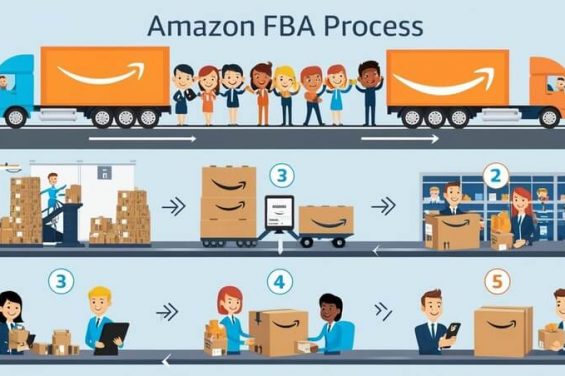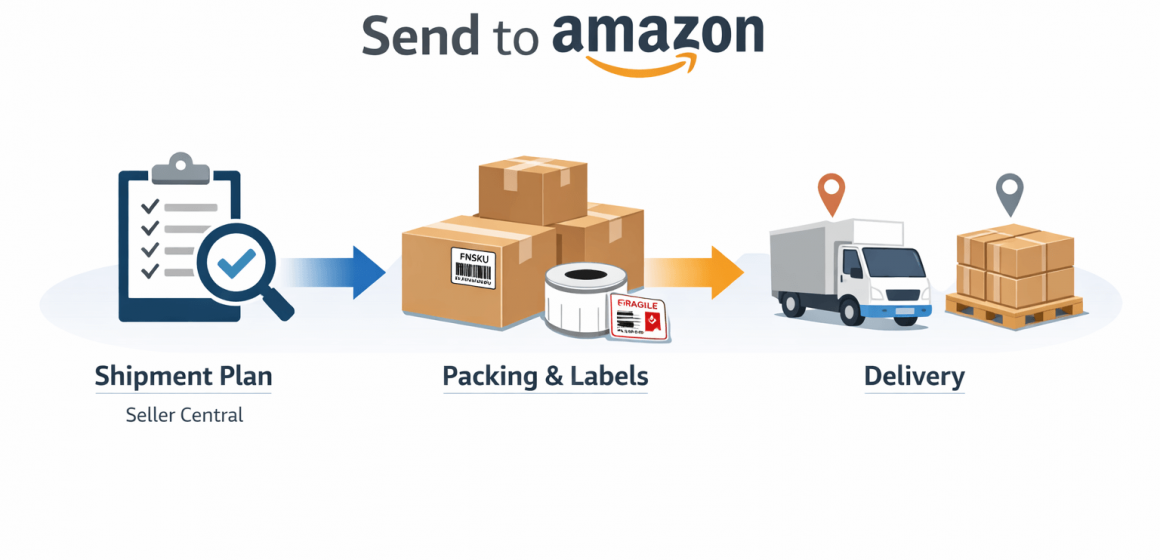
Fast Answer Box: Shipment Plan Creation (Send to Amazon) in 60 Seconds
Amazon FBA shipment plan creation is the Seller Central workflow where you tell Amazon what you’re sending, how it’s packed, and how it will arrive, so Amazon can route and receive your inventory correctly.
| What shipment plan creation controls | Why it matters | What to double-check |
|---|---|---|
| Shipment contents & quantities | Receiving accuracy | SKU/FNSKU, quantities |
| Packing information | Avoid relabel/rework | Case pack vs mixed, box contents |
| Labels | Scan & check-in | Correct label type + placement |
| Delivery method | Workflow steps change | SPD vs LTL/FTL, pallet needs |
| Destinations (possible splits) | Execution complexity | Split handling + handoff clarity |
- Boundary note: Seller Central screens and rules can change. Always verify the exact options and constraints inside your account.
Next: If you’re new to this, start by understanding what “shipment plan creation” actually means—and what a “shipping plan” is in FBA.
What Is Amazon FBA Shipment Plan Creation (and what it controls)?
Amazon FBA shipment plan creation is the process of building a shipment in Seller Central so Amazon knows exactly what inventory is coming, how it’s packaged, and how it will be delivered to fulfillment centers.
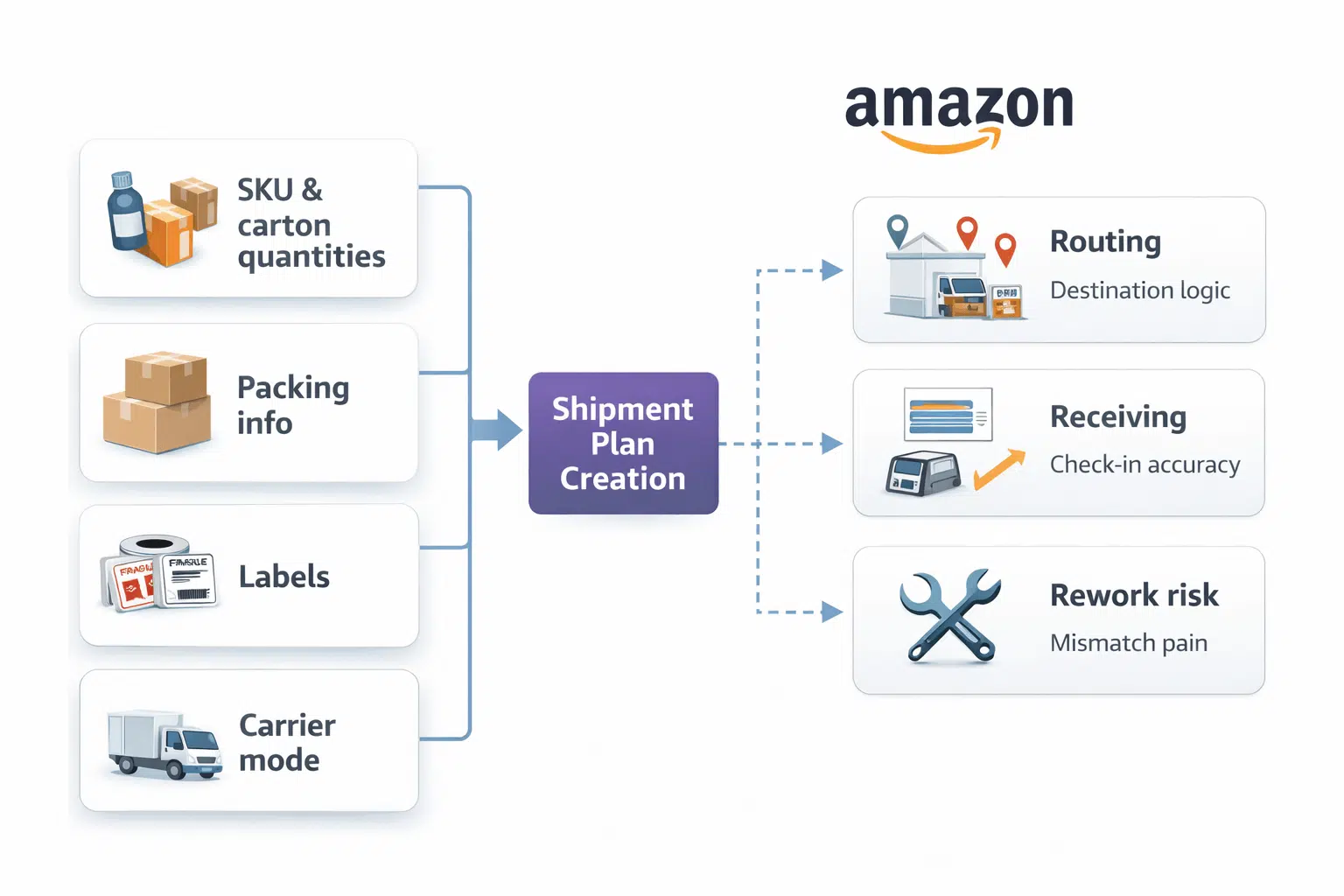
Key points:
- It’s not “just paperwork.” Your shipment plan determines labels, packing details, and delivery steps that directly affect whether receiving is smooth or becomes rework.
- The most common downstream pain comes from mismatches: what the plan says vs what arrives in cartons (wrong labels, wrong box contents, wrong quantities).
- A good plan is built around checkpoints, not clicks: inputs, packing mode, labels, delivery method, and final verification.
Boundary conditions:
- Exact options can differ by marketplace, shipment type, and Amazon updates—treat any UI description as a “current-state snapshot.”
Next: Here’s what “Send to Amazon” is, and why it shows up in shipment plan creation.
What Is “Send to Amazon” and How Does It Fit Into Shipment Creation?
“Send to Amazon” is Amazon’s guided workflow in Seller Central for creating and managing FBA shipments, designed to walk you through the required steps (inventory selection, packing details, labels, and delivery choices). See Amazon’s official explainer and help pages for the latest workflow framing and terminology.
- Official explainer: Send to Amazon shipment creation
- Official help entry: Create shipments with Send to Amazon
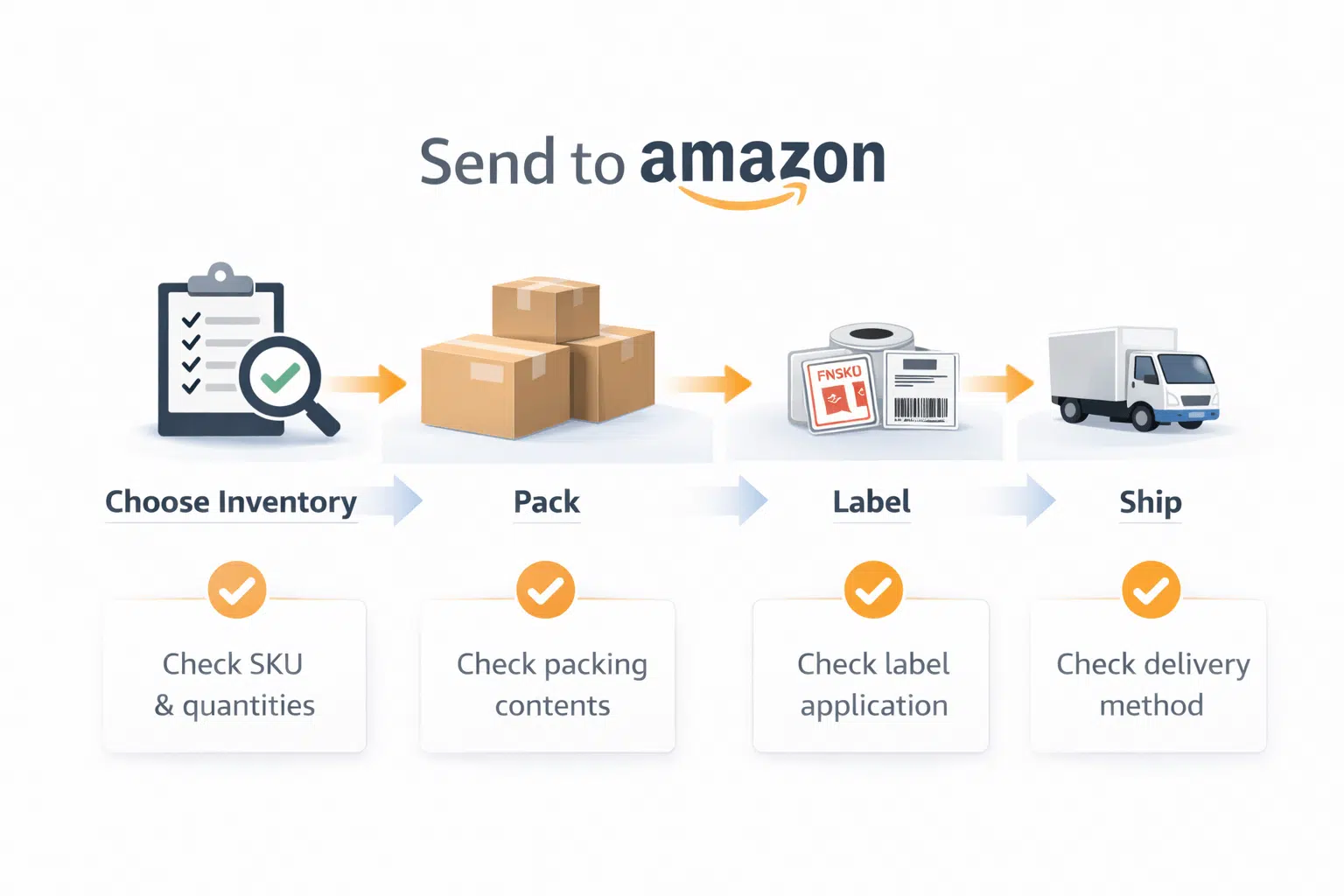
Key points:
- Think of Send to Amazon as the “wizard” for building the shipment plan—not a guarantee of outcomes.
- Your job is still to supply accurate inputs (quantities, packing mode, carton data) and verify labels/packing are consistent.
- When something changes (splits, availability of options), your safest approach is: verify inside Seller Central and adjust operationally.
Boundary conditions:
- Amazon changes workflows over time. The stable rule is: verify the inputs + checkpoints, not the exact button names.
Next: Let’s translate the workflow into a step-by-step checklist you can follow without getting lost in UI details.
Step-by-Step: Create an FBA Shipment Plan (Send to Amazon Checkpoints)
You can create a shipment plan reliably by following the workflow checkpoints in order—focusing on what you must decide and verify at each step.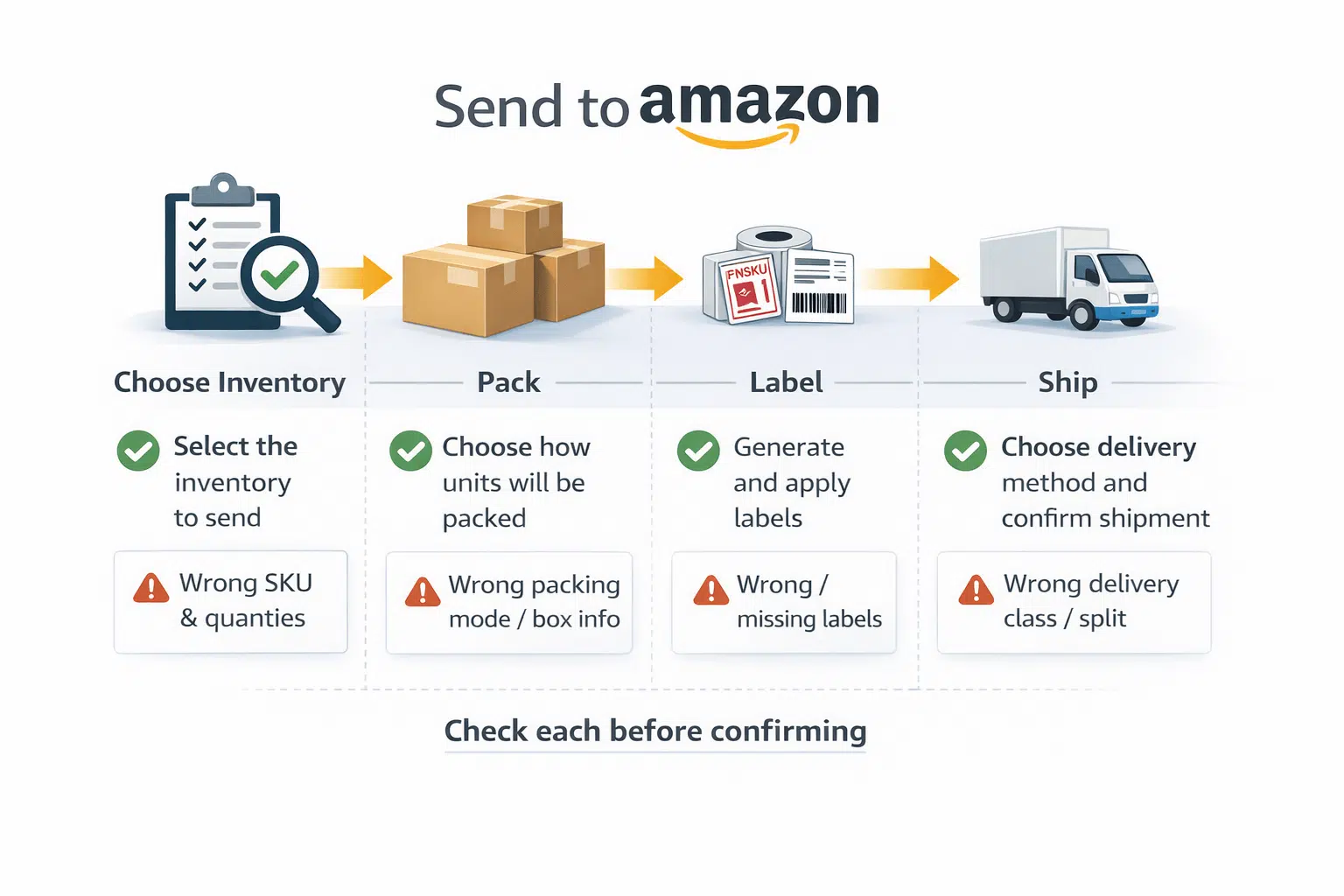
Step-by-step checkpoints:
- Select the inventory to send
- Confirm SKU/FNSKU is correct and quantities make sense for your replenishment plan.
- Choose how units will be packed
- Decide case pack vs mixed cartons (this affects packing info and label logic).
- Enter packing information
- Make sure box contents match reality (SKU mix, quantities per carton, carton count).
- Generate and apply labels
- Ensure the right label type is printed and placed correctly (product/carton/pallet as applicable).
- Choose delivery method and confirm the shipment
- Delivery method can affect later steps and responsibilities (SPD vs pallet/LTL/FTL).
Pre-confirm checklist (before you click “confirm”):
- Do the SKU quantities match your cartons and physical goods?
- Does packing info match what’s inside each carton?
- Are the labels correct, scannable, and placed consistently?
- If your shipment may be split, do you understand where each portion should go and how your operations will handle it?
Boundary conditions:
- Some steps or options vary by shipment type and carrier mode. The safe practice is to verify each checkpoint in your account before confirming.
Next: Before you start, here’s the input checklist that prevents most errors later.
Before You Start: Prerequisites & Inputs Checklist
Before creating a shipment plan, you need a clear, accurate set of inputs—otherwise you’ll create a plan that looks fine in Seller Central but breaks in real execution.
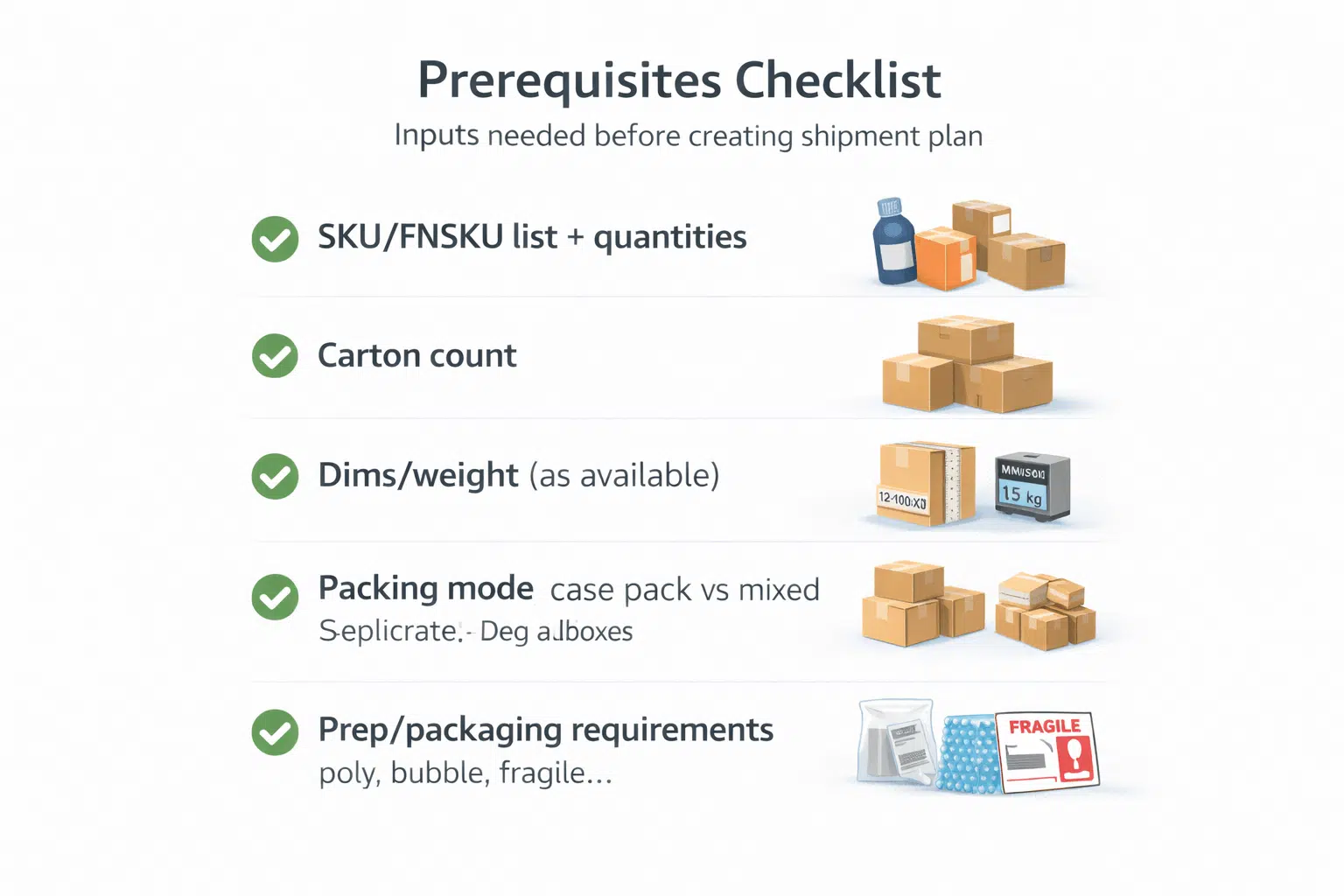
Prerequisites checklist:
- SKU/FNSKU list you are sending (and correct quantities)
- Packing mode: case pack vs mixed cartons (decide upfront)
- Carton plan basics
- number of cartons
- approximate carton dimensions/weight per carton (as available)
- whether pallets are involved (if applicable)
- Prep/packaging requirements awareness
- whether items need poly-bagging, bubble wrap, fragile protection, suffocation warnings, etc.
- Who will execute what
- seller tasks in Seller Central
- supplier tasks (packing, labeling if you ask them)
- prep center tasks (labeling, kitting, carton planning)
What “FBA shipment” means (practical definition):
- An FBA shipment is the inbound inventory you send to Amazon fulfillment centers, structured by a shipment plan so Amazon can route and receive it.
Boundary conditions:
- Packaging/label requirements can vary by product category and current Amazon rules—verify the official guidance relevant to your product type.
Next: Packing info and labels are the most common source of rework—here’s what must match.
Packing Info & Labels: What Must Match to Avoid Receiving Rework
To avoid receiving delays and rework, your packing information and labels must match what is physically inside the cartons—consistency matters more than speed.

Packing & labeling checklist (high-impact):
- Box contents accuracy
- If the carton contains mixed SKUs, your packing info must reflect that correctly.
- Label correctness
- Use the correct label type (unit/carton/pallet as applicable).
- Ensure labels are scannable and placed consistently.
- Carton integrity
- Reinforce cartons as needed for handling; fragile items need proper protection.
- Packing mode consistency
- If you selected case pack, your cartons should match the case pack definition (same SKU/quantity per carton).
Common mistakes that trigger rework:
- Wrong label on product or carton (or missing label)
- Mixed-SKU cartons entered as case pack (or vice versa)
- Packing info doesn’t match actual carton contents
- Labels placed over seams or in places scanners can’t reliably read
Boundary conditions:
- Exact label and packaging requirements can change; verify the latest official guidance for your specific product type and marketplace.
Next: If you’re sending by different delivery methods, your responsibilities and steps can change—here’s the simple decision view.
Decision Point: SPD vs LTL/FTL (What Changes in the Workflow)
SPD (Small Parcel Delivery) is typically used for parcel shipments, while LTL/FTL is used for palletized freight—choosing between them changes operational responsibilities and the kinds of information you must confirm.
| Factor | SPD (Small Parcel) | LTL/FTL (Pallet freight) |
|---|---|---|
| Typical unit | Cartons/parcels | Pallets (with cartons on pallets) |
| Operational complexity | Lower | Higher (pallet planning, pickup/drop constraints) |
| Workflow implications | Packing info + carton labels are critical | Adds pallet/appointment considerations and pallet labeling |
| Best fit | Smaller, flexible shipments | Larger volume shipments needing palletized handling |
| Common risk | Wrong carton info / labels | Pallet/label mismatch, scheduling assumptions |
Decision guidance (high-level):
- Choose SPD when your shipment is carton-based and you want simpler execution.
- Choose LTL/FTL when palletized delivery is required or operationally beneficial for volume, but plan for more coordination.
Boundary conditions:
- Exact steps and allowed options can differ by marketplace and carrier program. Verify the choices and requirements inside Seller Central for your shipment type.
Next: Now let’s cover the “splits and changes” situations that confuse sellers and cause execution chaos.
Troubleshooting: Shipment Splits + Change/Cancel Boundaries
Amazon can split shipments (multiple destinations) and shipment workflows can have change/cancel constraints—your job is to understand what this means operationally and verify what’s allowed in your current shipment state.
Key points:
- Split shipments mean your inventory may be routed to multiple destinations, which increases coordination needs (cartons, labels, timelines).
- If a split occurs, align your operations so:
- cartons are labeled correctly for each destination
- packing info remains consistent per shipment/destination
- Change/cancel rules are workflow-dependent. The safest guidance is:
- verify what is allowed in Seller Central for your current shipment status
- avoid assumptions like “you can always edit later”
Boundary conditions:
- Split logic and edit/cancel availability can change by workflow and status. Always verify in Seller Central before promising a change to your supplier or partner.
Next: Here’s the prevention checklist—the mistakes that create rework, and how to stop them before they happen.
Mistakes Checklist: The Errors That Cause Rework (and How to Prevent Them)
Most costly problems happen before the freight leg—errors in labels, packing info, and carton planning are the most common causes of receiving rework.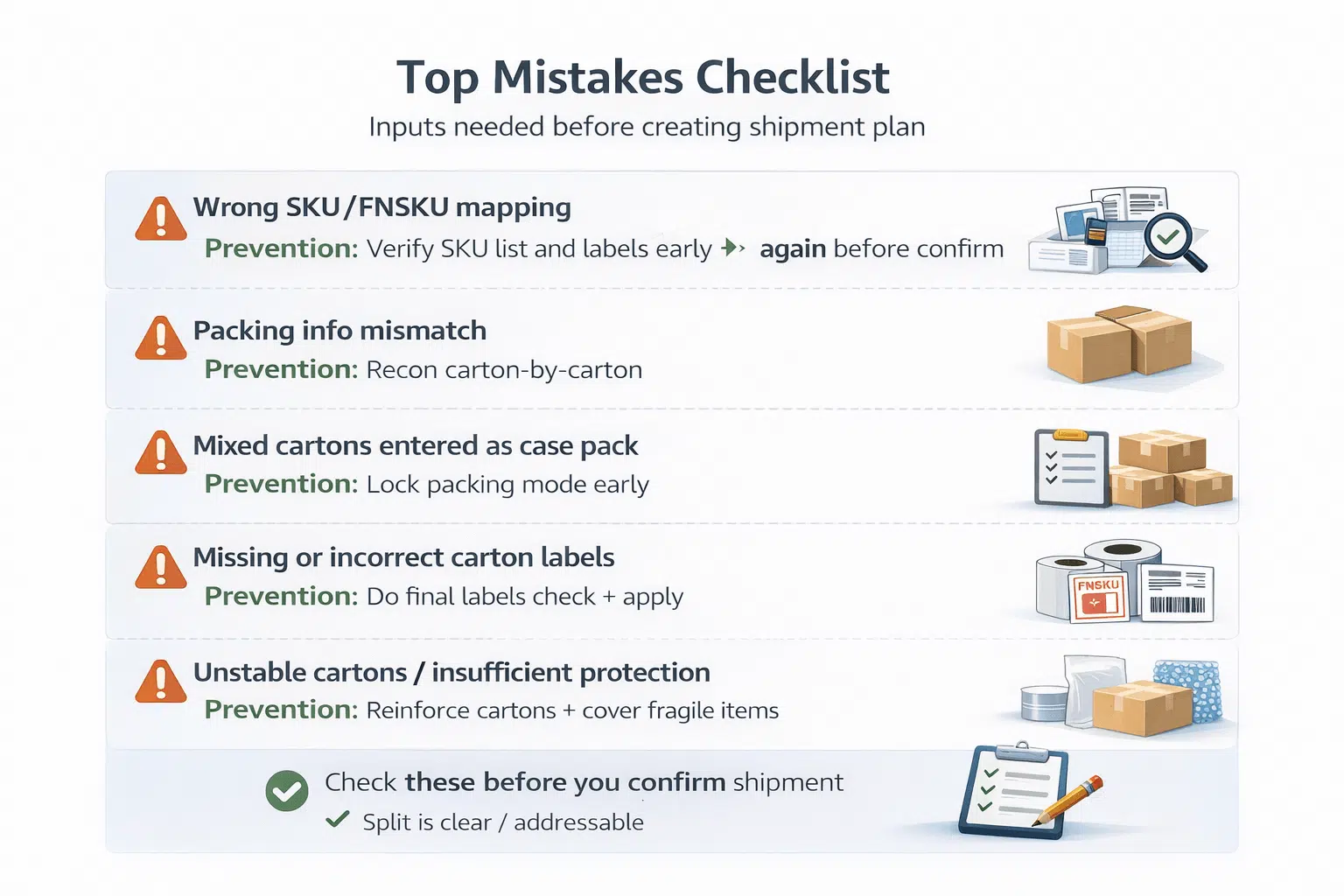
Top mistakes checklist (and prevention):
- Wrong SKU/FNSKU mapping
- Prevention: verify SKU list and labels before packing and again before confirming shipment.
- Packing info mismatch
- Prevention: do a carton-by-carton reconciliation (even a quick sample check for large shipments).
- Mixed cartons entered as case pack
- Prevention: confirm packing mode early; don’t change carton reality after plan creation.
- Missing or incorrect carton labels
- Prevention: print/apply labels after packing is final; confirm scannability and placement.
- Unstable cartons / insufficient protection
- Prevention: reinforce cartons; add protection for fragile items; use photo evidence if needed.
- Late discovery of quantity mismatch
- Prevention: receiving/inspection in China warehouse before outbound; flag supplier errors early.
- Unclear responsibility split
- Prevention: define who owns Seller Central inputs vs who executes prep/packing.
Boundary conditions:
- Mistake patterns vary by product type, but label/packing accuracy is universally high impact.
Next: If you work with suppliers and a China-side prep/logistics partner, coordination is where many errors happen—here’s a clean handoff model.
Coordination: Who Does What (Seller vs Supplier vs Prep/Freight Partner)
To execute shipment plan creation smoothly, you need a clear responsibility split: sellers decide and verify in Seller Central, while suppliers/prep partners execute packaging, labeling, and outbound logistics based on accurate handoff data.
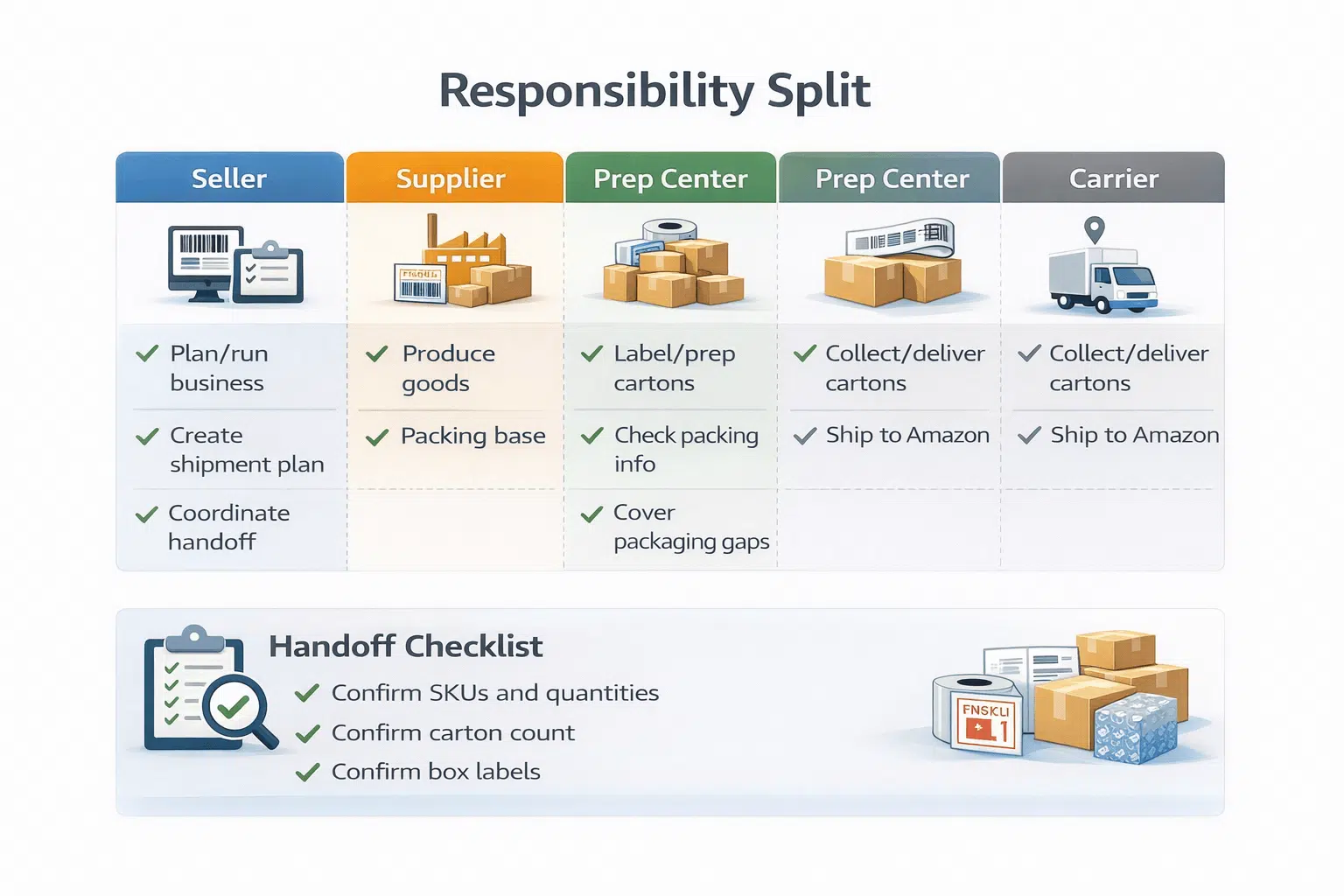
Responsibility split (simple table):
| Party | Owns / decides | Executes |
|---|---|---|
| Seller | Shipment plan decisions in Seller Central, final verification | Shares accurate inputs; approves checkpoints |
| Supplier | Factory packing reality | Packs goods as instructed; ships to prep/warehouse |
| Prep/warehouse partner | Prep rules execution | Receiving, inspection, labeling, kitting, carton planning |
| Freight/last-mile | Transport execution | Booking, freight movement, delivery to destination warehouse/FC |
Handoff checklist (what to share with your partner):
- SKU/FNSKU list + quantities per SKU
- Packing mode (case pack vs mixed)
- Draft carton plan (carton counts; dimensions/weights as available)
- Label requirements (what labels are needed and where)
- Destination details and any split shipments
- “Before confirm” checkpoint: what must be reviewed together
Boundary conditions:
- A partner can execute operations, but the seller still owns verifying critical inputs in Seller Central—never assume the partner can “fix” a wrong plan after confirmation.
Next: If your workflow is complex, tools/flat files may help—but only if your data is clean.
When External Tools or Flat Files Help (and When They Don’t)
External tools or flat files can reduce manual work in some workflows, but they also increase the risk of data-entry errors if your carton and SKU inputs are not stable.
Key points:
- Tools help when you have repetitive structures and clean data (stable SKU and carton patterns).
- Tools hurt when your carton reality changes after planning—then errors scale quickly.
- If you use tooling, treat “inputs validation” as mandatory: SKU list, carton contents, label requirements.
Boundary conditions:
- This is a niche workflow for many sellers; keep it simple unless you specifically manage high-volume, repetitive shipment creation.
Next: Here are the most common questions sellers ask, answered in compact Q&A format.
FAQ
- Q: What is a shipping plan in Amazon FBA?
A: It’s the structured inbound plan you create in Seller Central that tells Amazon what you’re sending, how it’s packed, and how it will arrive. It’s used to route inventory and set receiving expectations, so accuracy matters. - Q: What is the meaning of an FBA shipment?
A: An FBA shipment is the inventory you send to Amazon fulfillment centers under a shipment plan. In practice, it’s the cartons/pallets that must match the plan’s SKUs, quantities, packing info, and labels. - Q: What information do you need before creating an FBA shipment plan (to avoid errors)?
A: You need a correct SKU/FNSKU list and quantities, your packing mode (case pack vs mixed), and carton-level details (counts and box contents). If any of these are unstable, your shipment plan is likely to cause relabeling or rework later. - Q: What are the most common mistakes in shipment plan creation, and how do you prevent them?
A: The most common mistakes are label errors and packing info mismatches (what the plan says vs what’s inside cartons). Prevent them with a pre-confirm checklist, carton reconciliation, and a clear responsibility split so “who verifies what” is never ambiguous. - Q: Why does Amazon split shipments, and what should you do when it happens?
A: Splits mean parts of your shipment are routed to different destinations. Treat it as an operational planning problem: ensure cartons/labels/packing info align per destination, and verify the allowed actions for your shipment state inside Seller Central. - Q: Can you change or cancel a shipment after creating it?
A: It depends on the shipment’s status and the workflow state in Seller Central. The safe approach is to check what edits are allowed in your account before promising changes to suppliers or partners, and plan for operational contingencies if edits aren’t available. - Q: How should sellers share shipment plan details with a prep/logistics partner to avoid rework?
A: Share the SKU/FNSKU list, packing mode, carton plan, and label requirements before execution starts, and align on a pre-confirm checkpoint. The partner can execute prep and freight steps, but the seller should still verify the shipment plan’s critical inputs in Seller Central.
Next: Summary and the safest next steps.
Summary & Next Steps
Key takeaways:
- Shipment plan creation is where you define what you send, how it’s packed, and how it arrives—accuracy here prevents rework later.
- Send to Amazon is a guided workflow, but it doesn’t replace the need to verify inputs and checkpoints.
- Most costly problems come from labels, packing info mismatches, and unclear responsibilities—use checklists and a clear handoff process.
- Always use policy-aware boundaries: workflows and allowed edits can change; verify in Seller Central.
If you are a new seller:
- Focus on the prerequisites checklist and the packing/labels checklist before confirming a shipment.
If you are scaling or coordinating multiple suppliers:
- Build a responsibility split and handoff checklist so carton planning and labeling stay consistent across suppliers and partners.
If you want help executing shipment plans with China-side receiving, prep, carton planning, and freight coordination, you can contact FBABEE to discuss a workflow that reduces rework and surprises.