


Fast Answer: What an Amazon FBA product is (and what it changes)
An Amazon FBA product is a product offer you sell on Amazon that is fulfilled by Amazon—meaning your inventory is stored in Amazon fulfillment centers and Amazon handles pick/pack/ship for eligible orders.
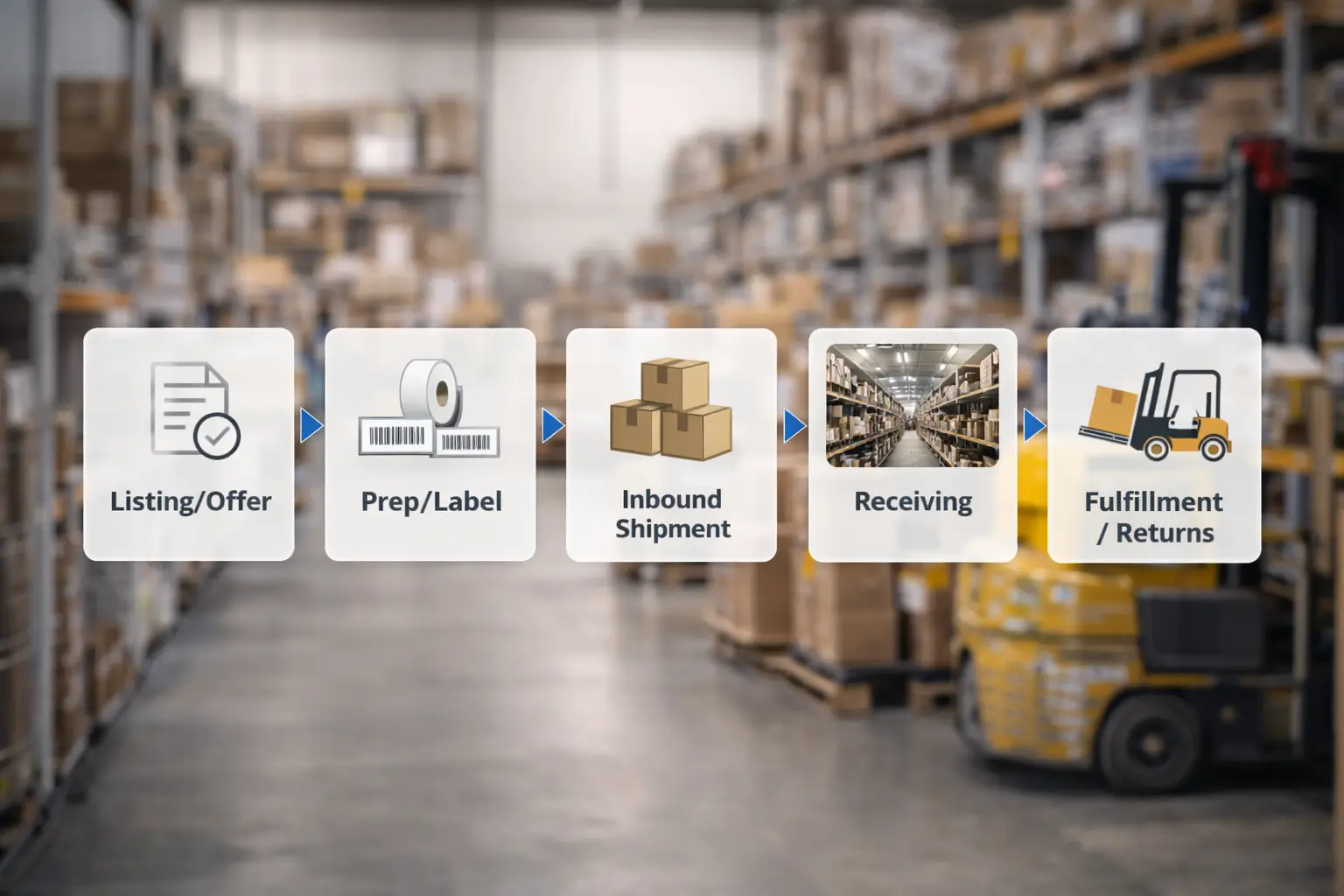
A mini workflow (end-to-end):
- Create your listing/offer and choose FBA as the fulfillment method
- Prep + label inventory (as required for your product)
- Create an inbound shipment and send cartons to Amazon
- Amazon receives and stores inventory (timing varies)
- When customers order, Amazon picks/packs/ships (and handles parts of the post-purchase flow depending on program/policy)
Important misconception to fix:
- “Fulfilled by Amazon” ≠ “sold by Amazon.” Many FBA offers are sold by third-party sellers but shipped by Amazon.
Boundary reminders:
- This guide explains fee types/categories only—no amounts (they change and vary).
- No income promises: outcomes depend on product, pricing, costs, and execution.
Definition: What does “FBA product” mean on Amazon?
For sellers, “FBA product” usually means your offer is set to Fulfilled by Amazon and the inventory for that offer is stored in Amazon’s fulfillment network. In other words, you are still the seller, but Amazon is the fulfiller.
Key points that prevent confusion:
- A product can be sold on Amazon in two common ways:
- FBA (fulfilled by Amazon)
- FBM (fulfilled by merchant)
- A customer may see “Fulfilled by Amazon” on an offer even when the seller is a third party.
- “FBA product” is about fulfillment—not about who owns the product page (ASIN) or who the seller is.
Boundaries:
- Badges/eligibility and customer-facing labels can vary by offer settings and program rules—avoid assuming a guaranteed outcome.
Sources (official definitions/scope):
Amazon FBA overview: https://sell.amazon.com/fulfillment-by-amazon
Customer help (Fulfilled by Amazon explanation): https://www.amazon.com/gp/help/customer/display.html?nodeId=G239KSGYPUFUY8TQ
How an Amazon FBA product works end-to-end (seller workflow)
Below is the practical flow sellers follow when they turn a product into an “FBA product” offer.
Step-by-step:
- Create or match the product listing (ASIN) and create your offer (SKU).
- Choose FBA for the offer (you’re telling Amazon you want Amazon to fulfill orders).
- Prep and label inventory (packaging readiness, barcodes/labels as required for your inventory setup).
- Create an inbound shipment in Seller Central (carton details and shipment plan).
- Send inventory to Amazon (either directly or after consolidation/prep).
- Amazon receives inventory and makes it available in the fulfillment network (timing and visibility vary).
- Orders are fulfilled: when customers buy, Amazon picks, packs, ships, and handles parts of returns/service flow depending on program/policy.
What sellers typically monitor (without timelines):
- Inbound shipment status (created → shipped → receiving)
- Inventory status (available/reserved; sellable vs not)
- Replenishment needs (avoid running to zero during receiving delays)
Boundary:
- Receiving and inventory availability timing varies; avoid planning on exact day-count promises.
Source (official workflow context):
Amazon FBA for beginners: https://sell.amazon.com/blog/amazon-fba-for-beginners
FBA product vs FBM product: What’s the difference?
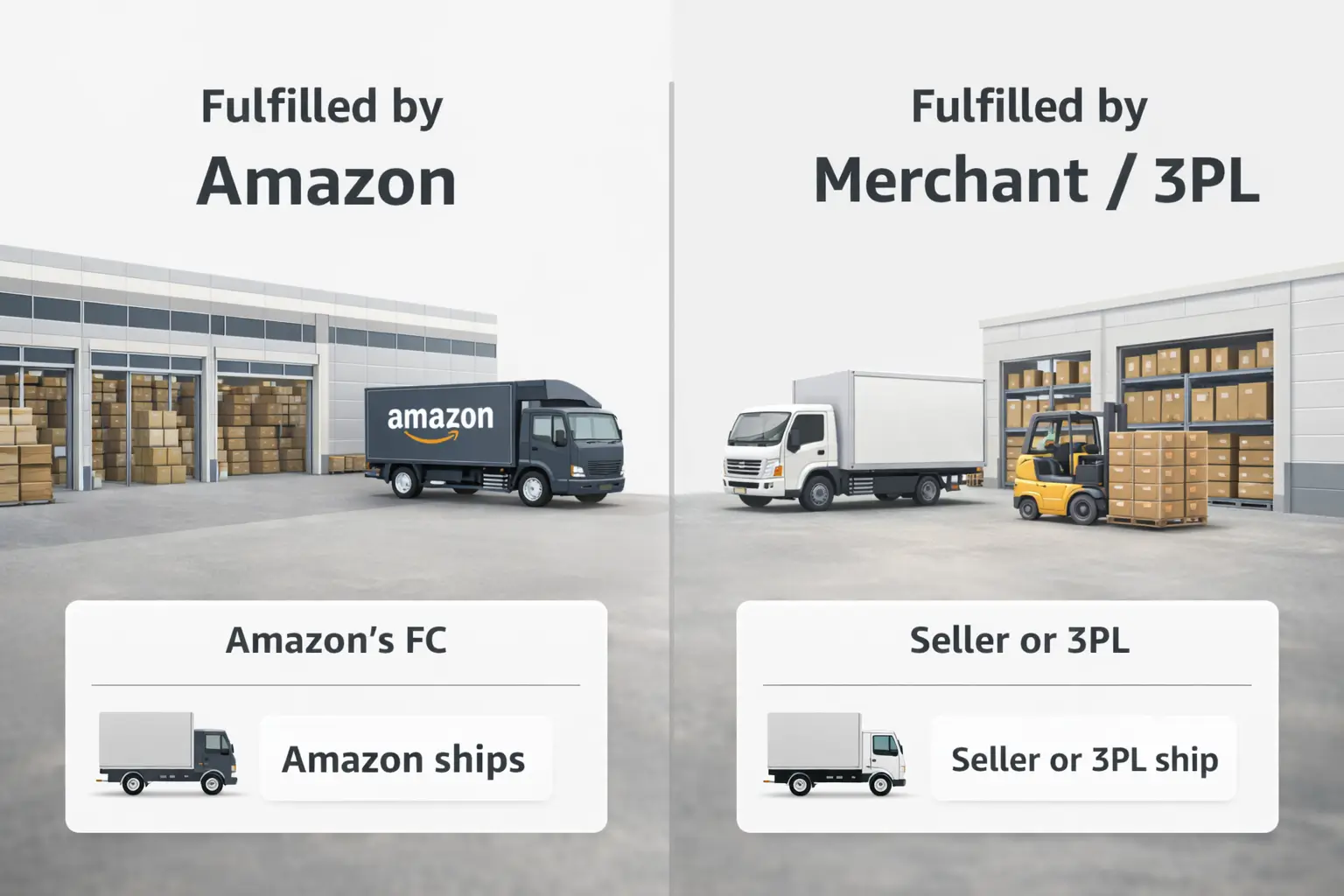
The difference is simple in concept: FBA means Amazon fulfills, while FBM means you (the merchant) fulfill. The operational implications are significant.
| Dimension | FBA (Fulfilled by Amazon) | FBM (Fulfilled by Merchant) |
|---|---|---|
| Where inventory is stored | Amazon fulfillment centers | Seller’s warehouse, home, or 3PL |
| Who picks/packs/ships | Amazon | Seller or 3PL under seller control |
| Delivery promise experience | Depends on offer/program settings and inventory position | Depends on seller’s shipping setup and service level |
| Returns handling | Varies by program/policy; Amazon handles parts of the flow | Seller manages the returns process and rules |
| What seller still owns | Product quality, compliance, listing accuracy, forecasting, sourcing | Same + day-to-day shipping/returns operations |
Boundary:
- Specific service details can vary by marketplace and program rules. Keep your decision based on the core difference: who fulfills.
Source (official comparison framing):
Amazon FBA vs FBM: https://sell.amazon.com/blog/fba-vs-fbm
What Amazon handles vs what you still own as the seller
FBA removes a lot of day-to-day shipping work, but it does not remove upstream responsibilities. A useful mental model is: Amazon can handle fulfillment operations; you still own the product business.
| Area | Amazon typically handles (high-level) | Seller still owns (high-level) |
|---|---|---|
| Fulfillment execution | Pick, pack, ship for eligible FBA orders | Keeping inventory in stock; ensuring inbound shipments are accurate |
| Storage inside Amazon | Storing inventory in its network | Inventory planning and replenishment discipline |
| Post-purchase flow | Portions of customer delivery experience and returns flow (scope varies) | Product quality, compliance, listing accuracy, supplier management |
| Brand and offer strategy | n/a | Pricing strategy, positioning, differentiation, and ad strategy (if used) |
Seller responsibilities that beginners often underestimate:
- Quality control: bad sourcing scales bad outcomes
- Compliance: claims, labeling, and category requirements (varies)
- Listing accuracy: wrong variation/attributes cause customer dissatisfaction
- Forecasting/replenishment: stockouts and overstock are both expensive in different ways
Boundary:
- The exact “Amazon handles vs seller handles” scope varies by program/policy; avoid thinking “Amazon handles everything.”
How much does an Amazon FBA product cost to sell? Fee types (no numbers)
Instead of memorizing fee amounts (they change and vary), learn fee categories and what drives variability.
| Cost category | Fixed-ish or variable? | What it depends on (high-level) |
|---|---|---|
| Selling plan (account-level) | More fixed-ish | Your selling plan setup and marketplace |
| Referral fee | Variable | Product category and selling price (category-dependent) |
| Fulfillment fees | Variable | Product size/weight tier and handling requirements |
| Storage-related categories | Variable | Time in storage, seasonality, volume |
| Returns-related categories | Variable | Returns volume and handling requirements |
| Advertising and tools | Variable | Your marketing approach and tool stack choices |
What makes costs vary the most (practical drivers):
- Product size/weight and packaging efficiency
- How long inventory sits in storage
- Return rate and customer expectations
- Advertising intensity and competition (if you use ads)
Boundary:
- This article intentionally includes no fee amounts. For current numbers, use official pricing pages and calculators.
Sources (official fee categories and tools):
Seller Central help (features/services/fees overview): https://sellercentral.amazon.com/gp/help/external/201074400
Amazon fee estimate tool entry: https://sell.amazon.com/pricing/estimate
Before you ship your first FBA product: prep, labels, and inbound basics
If you’re new, the most common failures happen before inventory ever reaches Amazon: labeling errors, packaging inconsistencies, and incomplete carton planning.
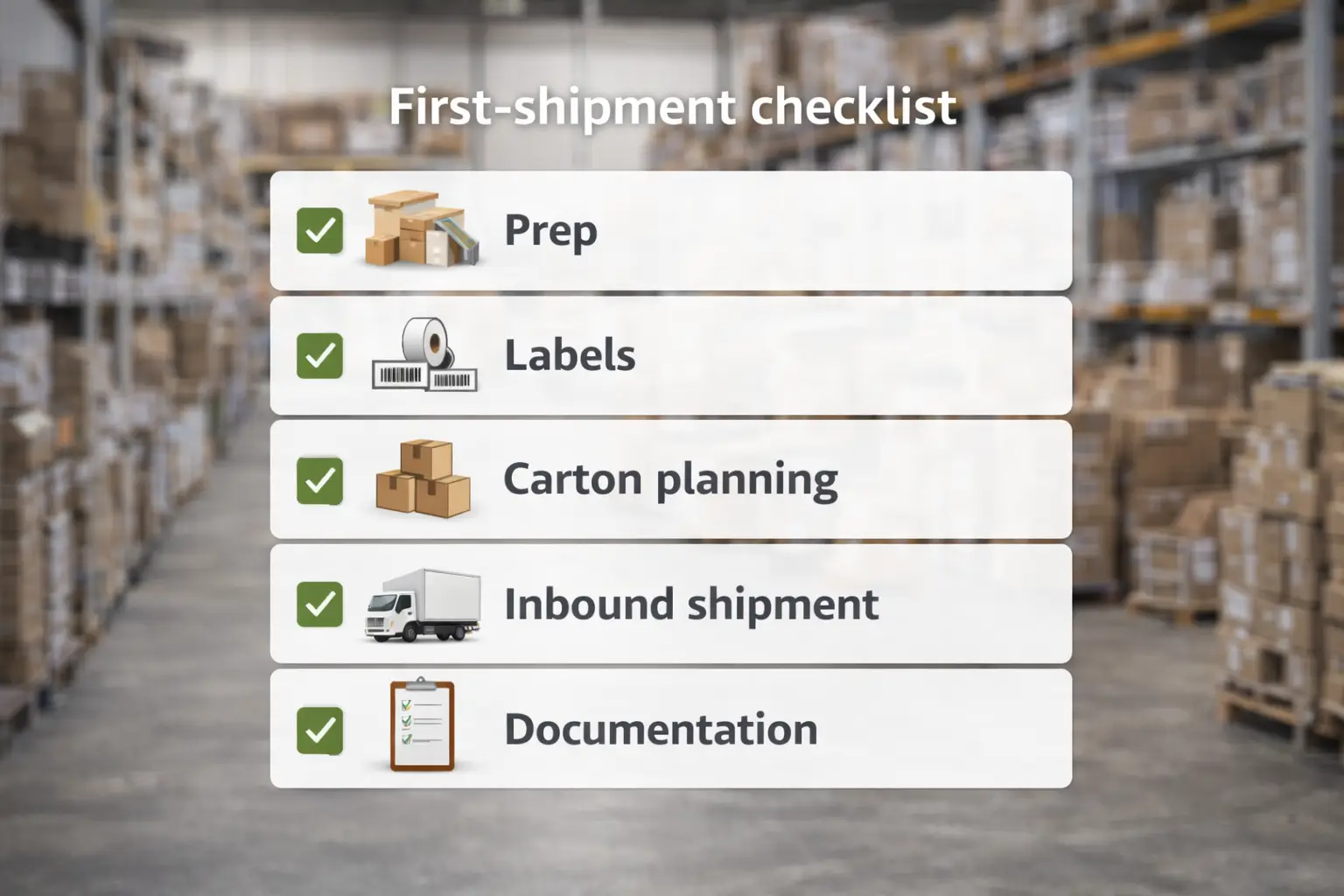
A first-shipment checklist (high-level, category-dependent):
- Packaging readiness
- Product is packaged consistently and can survive normal handling
- Any inserts/units are consistent across the batch
- Label readiness (high-level)
- Your inventory is labeled correctly for your chosen barcode workflow (FNSKU concept may apply)
- Labels are scannable and placed consistently
- Carton planning basics
- Cartons are packed consistently (avoid mixed SKUs unless planned and labeled correctly)
- Carton counts and weights are recorded accurately for inbound shipment creation
- Inbound shipment readiness
- Shipment plan created with correct SKU quantities
- Shipment labels applied and shipment IDs documented
- Pre-ship checks (risk reduction)
- Spot-check units, labels, and carton contents before dispatch
- Keep photos and a simple packing list for your records
Common failure points (what causes delays and confusion):
- Wrong or inconsistent labels
- Mixed cartons without a clean plan
- Shipment quantities that don’t match what was actually packed
- No documentation trail (hard to troubleshoot later)
Boundary:
- Prep and labeling requirements vary by product/category and account settings. Treat this as an operational checklist, not a substitute for official category guidance.
Choosing an FBA product to start with (risk-aware, no hype)
“Good FBA products” are usually controllable products: you can manage quality, packaging, and customer expectations without constant firefighting.
A risk-aware selection checklist:
- Quality and packaging are easy to standardize (few moving parts)
- Return risk is manageable (avoid “surprise” expectations you can’t support)
- Compliance risk is low-to-moderate (avoid complex claims and regulated pitfalls)
- Supplier reliability is high (consistent specs, repeatable production)
- Differentiation is clear (you’re not forced into a race-to-the-bottom)
A bounded answer to “Can I make $1000/month selling on Amazon?”
- Some sellers do reach that level, but there’s no guarantee and it depends on product economics, costs, competition, traffic, and execution. A safer approach is to validate demand carefully and build repeatable operations before scaling.
Boundary:
- No “best niches” or income promises. Use the checklist to reduce risk instead of chasing trends.
Common mistakes with Amazon FBA products (and what to do instead)
Most beginner pain comes from avoidable operational mistakes. Use this as a “what to watch” list.
Common mistakes:
- Treating “FBA” as “Amazon runs everything” (ignoring QC, compliance, forecasting)
- Inconsistent labeling or packaging across suppliers/batches
- Inbound shipment data mismatches (what you planned vs what you packed)
- Weak SKU mapping (supplier SKU ≠ Seller Central SKU ≠ carton labels)
- Running inventory too tight (stockouts while receiving delays happen)
- Ignoring returns patterns and customer feedback signals
What to do instead (risk reduction):
- Standardize SKUs and keep a simple SKU→supplier mapping sheet
- Build a “pre-ship check” habit (labels, carton contents, photos)
- Keep a basic documentation trail (packing list + shipment IDs + batch photos)
- Plan conservative replenishment cycles (avoid running to zero)
For cross-border sellers, first-shipment issues often come from inconsistencies across suppliers: mixed cartons, mismatched labels, and missing documentation. A consolidation + inspection + prep workflow can reduce avoidable rework and help you ship cleaner, more consistent inbound shipments (no guarantees; results depend on the product and execution).
When FBA is not the best fit (consider FBM or a 3PL)
FBA isn’t universally best for every product or business model. Consider alternatives when control or flexibility matters more than outsourced fulfillment.
FBA may be less suitable when:
- You need custom packaging or kitting that changes frequently
- Your products are very slow-moving (storage time risk rises)
- Demand is highly spiky and you need flexible inventory positioning
- You sell heavily across multiple channels and want unified inventory control
- Your products have high complexity in returns/support that you prefer to manage directly
Alternatives (high-level):
- FBM for tighter control over shipping, packaging, and customer experience
- 3PL if you want outsourcing but with more multi-channel flexibility
- Hybrid (some SKUs FBA, some FBM/3PL) when different products have different needs
Boundary:
- There are no absolute rules. The best fit depends on product characteristics, operations capacity, and goals.
FAQ: Amazon FBA products
What is an Amazon FBA product?
An Amazon FBA product is a product offer fulfilled by Amazon—your inventory is stored in Amazon fulfillment centers and Amazon handles pick/pack/ship for eligible orders. It’s a fulfillment setup, not a guarantee of sales or Prime outcomes.
What does FBA mean in Amazon?
FBA stands for Fulfillment by Amazon. It’s a program where Amazon stores inventory and fulfills customer orders for sellers. You still own product quality, compliance, listing accuracy, and inventory planning.
How does Amazon FBA work?
Sellers create an offer, prep/label inventory, create an inbound shipment, and send cartons to Amazon. After receiving, Amazon fulfills orders by picking, packing, and shipping. Timing for receiving and availability varies.
What’s the difference between FBA and FBM?
With FBA, Amazon fulfills orders from its fulfillment centers. With FBM, the merchant (you or your 3PL) stores and ships orders. Both models require seller responsibility for quality and compliance; they mainly differ in who runs daily fulfillment.
How much does Amazon FBA cost? (no amounts)
Costs include fee categories like referral fees, fulfillment fees, storage-related categories, and returns-related categories, plus optional advertising/tools. The total varies by product size/weight, storage time, returns, and marketing intensity.
Can I make $1000 a month selling on Amazon?
Some sellers do, but there’s no guarantee. Results depend on product selection, pricing, costs, competition, and execution. A safer approach is to validate demand carefully and build repeatable operations before trying to scale.
Summary & next steps
-
- An “FBA product” is a seller offer fulfilled by Amazon (inventory stored at Amazon fulfillment centers).
- The workflow is: offer → prep/label → inbound shipment → receiving → fulfillment/returns scope.
- FBA vs FBM is mainly “who fulfills,” not “who sells.”
- Costs should be understood as fee categories + variability drivers (no amounts).
- Most beginner issues are preventable with prep discipline, labeling accuracy, and documentation habits.
- If FBA isn’t a fit, consider FBM, a 3PL, or a hybrid approach.



